


Description
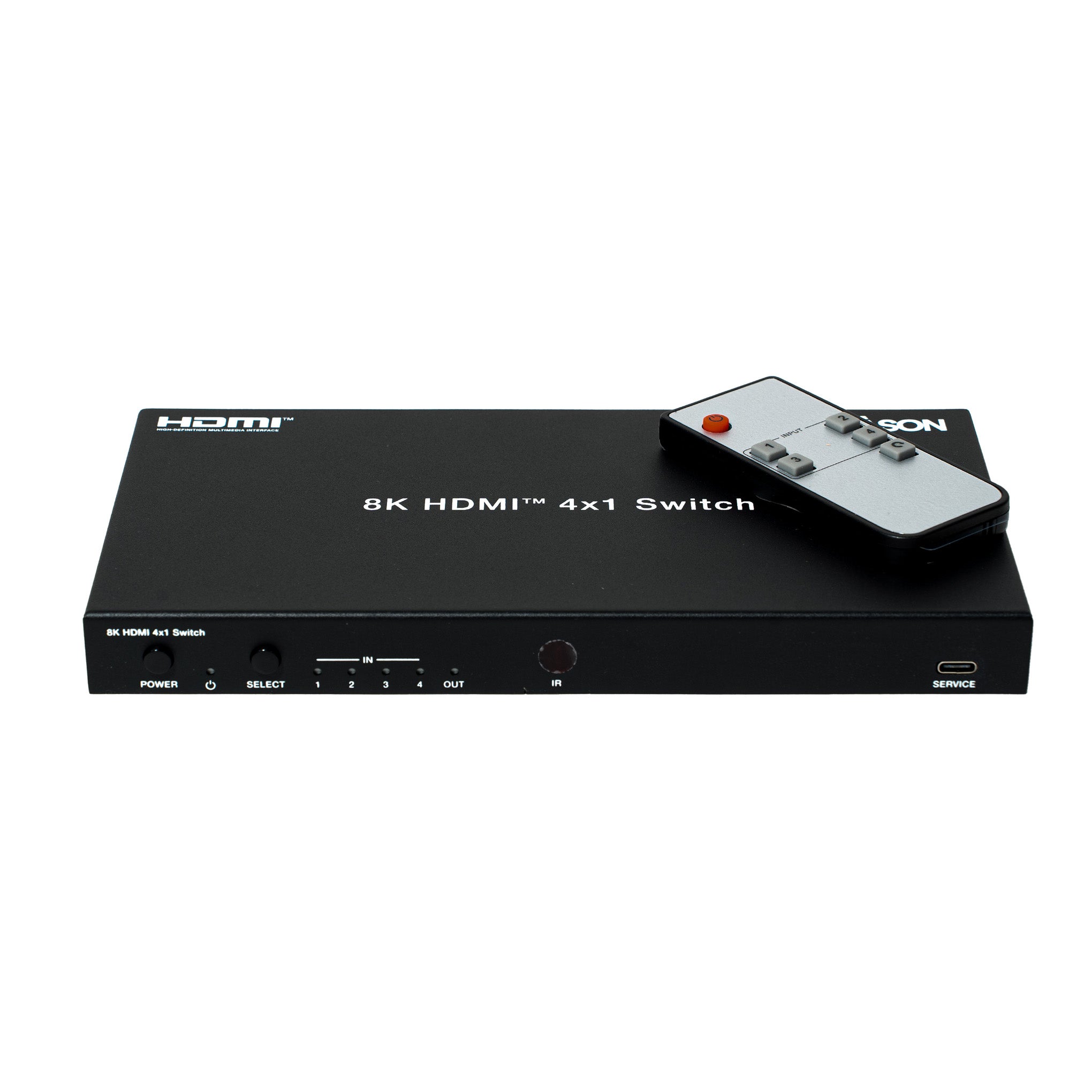
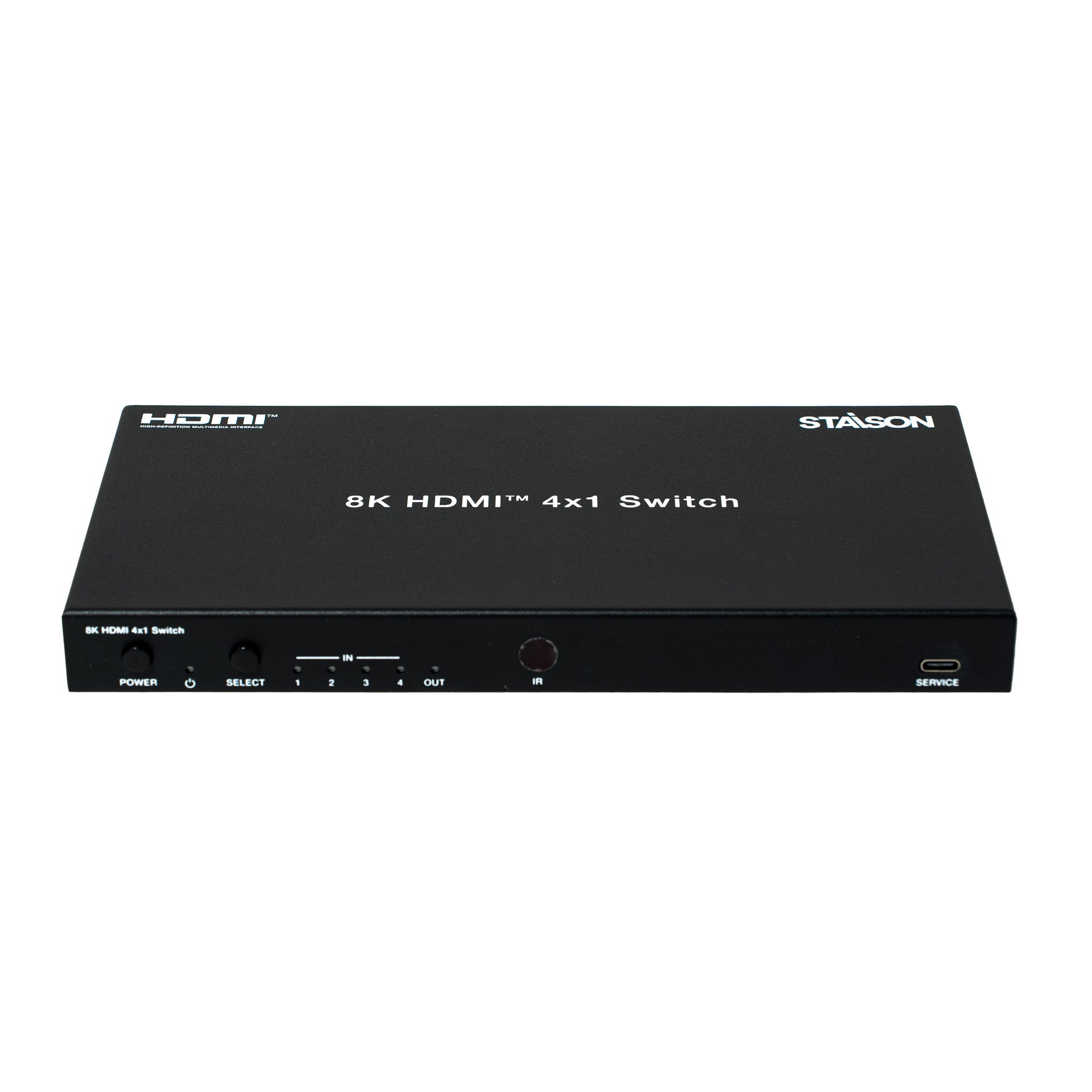
This 8K 4x1 Switcher can switch any of the four 8K HDMI source signals to one 8K HDMI display. It supports video resolution up to 8K@60Hz 4:2:0 12-bit and features a 4-pin DIP switch for advanced EDID management. It supports digital and analog audio de-embedding function with analog audio output gain control. It can be controlled via front panel buttons, IR remote and RS-232 API commands. The built-in HDMI signal generator function can quickly diagnose external device connections. This multi-functional product can be widely applied in scenarios of video conference, demonstration, multimedia teaching and other scenarios requiring big-screen demonstration.
Features
☆ Video resolution up to 8K@60Hz YCbCr 4:2:0 12-bit, 8K@30Hz RGB/YCbCr 4:4:4 12-bit or 4K@120Hz RGB/YCbCr 4:4:4 12-bit, as specified in HDMI 2.1
☆ HDCP 2.3 compliant
☆ HDR, HDR10, HDR10+, Dolby Vision, ALLM/VRR pass-through
☆ HDMI audio formats pass-through: LPCM, Dolby Digital/Plus/EX, Dolby True HD, Dolby Atmos, DTS, DTS-EX, DTS-96/24, DTS High Res, DTS-HD Master Audio, DSD
☆ Digital and analog audio de-embedding (analog audio output with gain control)
☆ Auto or manual switching mode
☆ Built-in signal equalizer, retiming and driver
☆ Advanced EDID management
☆ Control via front panel buttons, IR remote and RS-232 API commands
☆ Compact design for easy and flexible installation
Package Contents
① 1x 8K HDMI 4x1 Switcher
② 1x IR Remote
③ 1x 5pin-3.5mm Phoenix Connector (male)
④ 1x 3pin-3.5mm Phoenix Connector (male)
⑤ 1x IR Wideband Receiver Cable (1.5m)
⑥ 2x Mounting Ear
⑦ 4x Machine Screw (KM3*4)
⑧ 1x 12V/1A Multinational Locking Power Supply
⑨ 1x User Manual
Specifications
| Technical | |
| HDMI Compliance | HDMI 2.1 |
| HDCP Compliance | HDCP 2.3 |
| Video Bandwidth | 48Gbps |
| Video Resolution | Up to 8K@60Hz YCbCr 4:2:0 12-bit, 8K@30Hz RGB/YCbCr 4:4:4 12-bit or 4K@120Hz RGB/YCbCr 4:4:4 12-bit |
| Color Depth | 8/10/12-bit |
| Color Space | RGB, YCbCr 4:4:4, YCbCr 4:2:2, YCbCr 4:2:0 |
| HDR | HDR, HDR10, HDR10+, Dolby Vision, HLG |
| Audio Formats | HDMI Input/Output: LPCM, Dolby Digital/Plus/EX, Dolby True HD, Dolby Atmos, DTS, DTS-EX, DTS-96/24, DTS High Res, DTS-HD Master Audio, DSD Audio De-embedding Output: Optical: Up to LPCM/Dolby/DTS 5.1CH Analog: LPCM 2CH only |
| Video Latency | No Latency |
| Audio Latency | No Latency |
| IR Level | 12Vp-p |
| IR Frequency | Wideband 20K–60KHz |
| ESD Protection | IEC 61000-4-2: ±8kV (Air-gap discharge), ±4kV (Contact discharge) |
| Connection | |
| Input | 4x HDMI IN [Type A, 19-pin female] |
| Output | 1x HDMI OUT [Type A, 19-pin female] 1x OPTICAL AUDIO OUT [S/PDIF, female] 1x L/R AUDIO OUT [5pin-3.5mm Phoenix connector] |
| Control | 1x RS-232 [3pin-3.5mm Phoenix connector] 1x IR CTL [3.5mm stereo mini-jack] 1x SERVICE [USB Type C, firmware update port] |
| Mechanical | |
| Housing | Metal Enclosure |
| Color | Black |
| Dimensions | 220mm [W] × 110mm [D] × 21.5mm [H] |
| Weight | 595g |
| Power Supply | Input: AC 100-240V 50/60Hz, Output: DC 12V/1A (US/EU standards, CE/FCC/UL certified) |
| Power Consumption (Max) | 5.4W (Max) |
| Operating Temperature | -10°C ~ 45°C / 14°F ~ 113°F |
| Storage Temperature | -20°C ~ 60°C / -4°F ~ 140°F |
| Operating Humidity | 20%~90% RH (non-condensing) |
Operation Controls and Functions
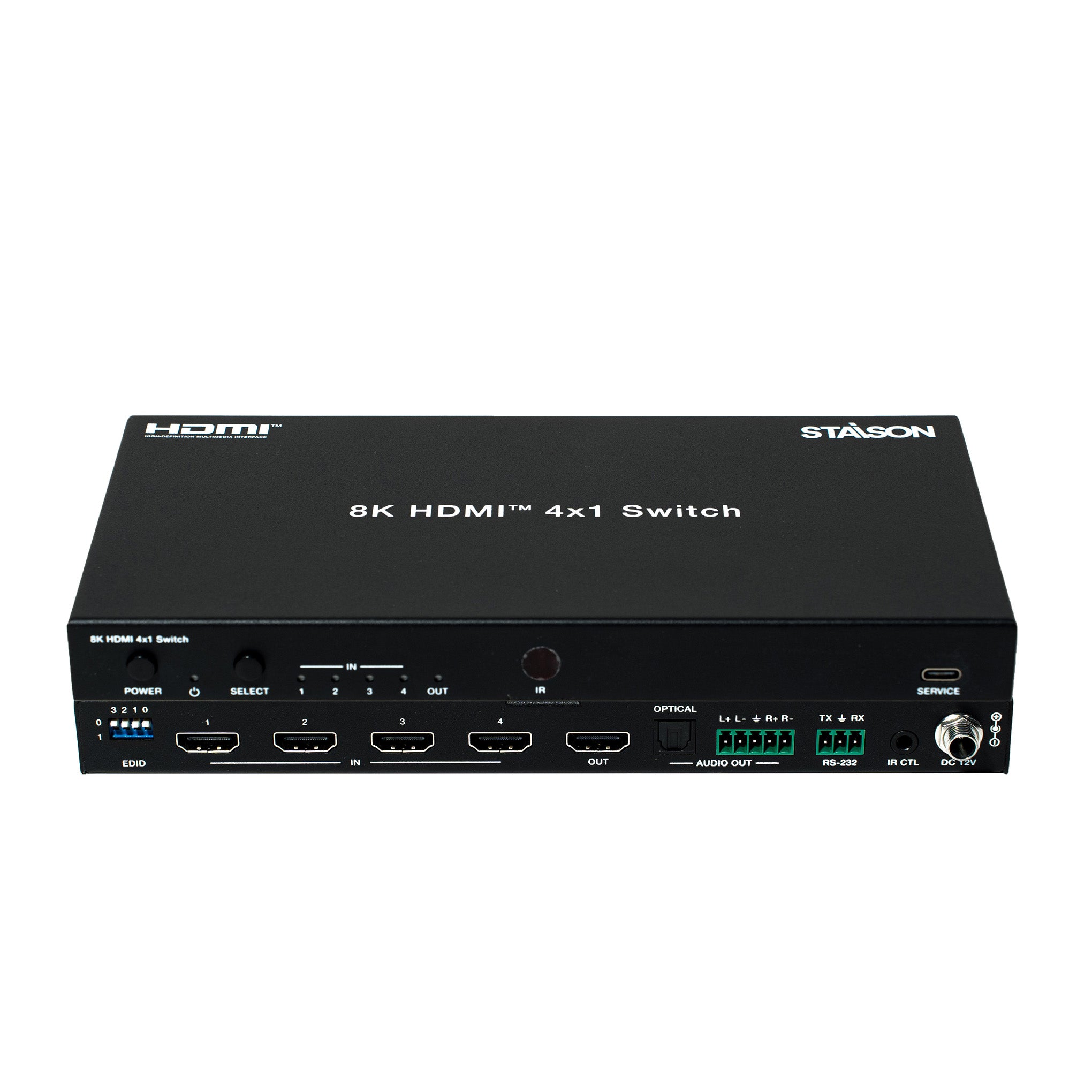
Front Panel

| No. | Name | Function Description |
|---|---|---|
| 1 | POWER Button | Press the POWER button to power on/off the device. |
| 2 | POWER LED | The power LED lights green when the device is working, and red when the device is in standby. |
| 3 | SELECT Button | Signal source selection button. Pressing this button will allow the device to switch any of the four HDMI input signals to the HDMI OUT port. |
| 4 | IN LED (1~4) | When the HDMI IN 1/2/3/4 port is selected as the signal source input channel, the corresponding green LED will be on. |
| 5 | OUT LED | When the HDMI OUT port connects to a display device and outputs signal, the green LED will be on. |
| 6 | IR Window | IR input signal receiving window. |
| 7 | SERVICE | USB-C port for firmware update, software debugging and API command control. |
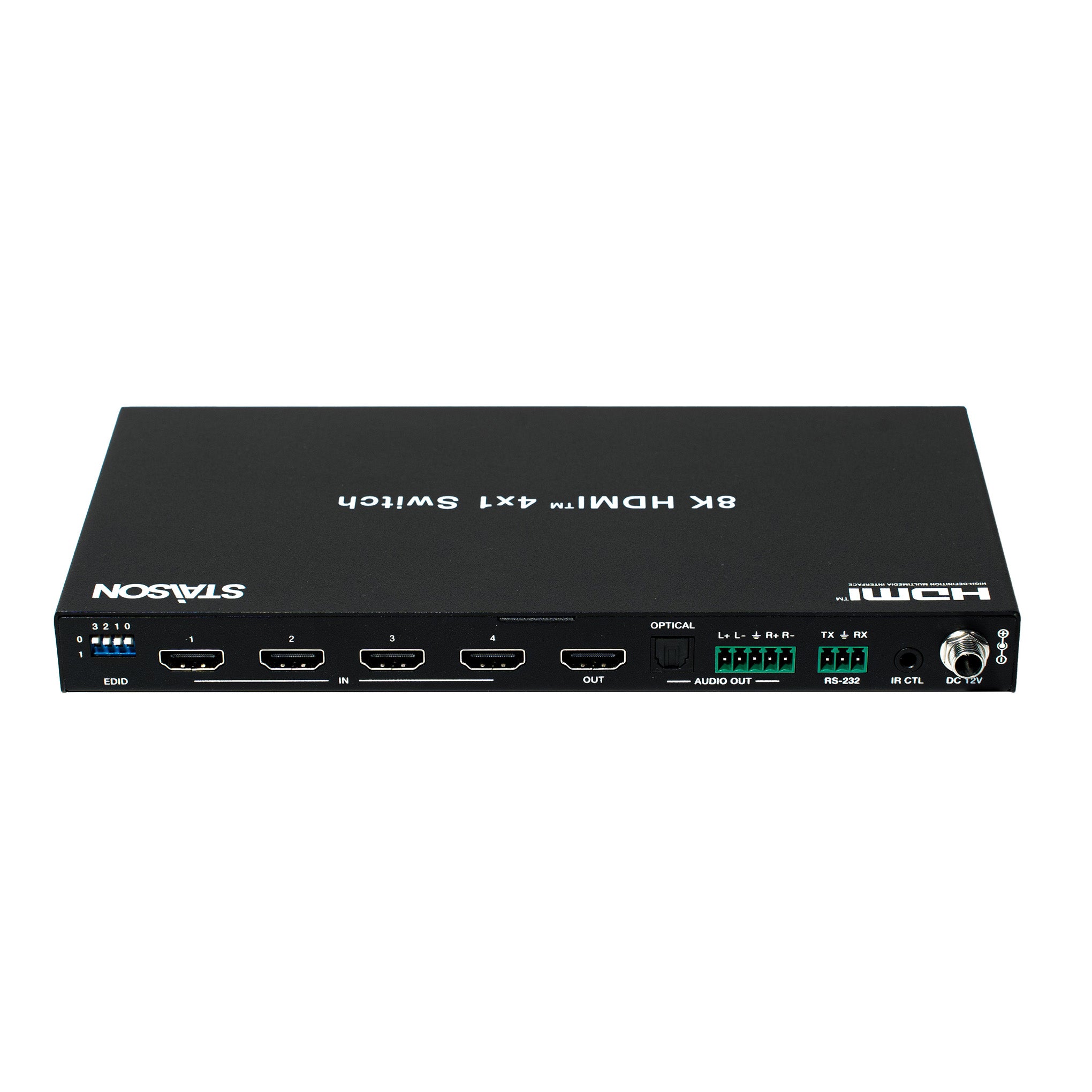
Rear Panel

| No. | Name | Function Description |
|---|---|---|
| 8 | EDID DIP Switch | Use the 4-pin DIP switch to set EDID information: 0000 – EDID pass-through / Copy from Sink 1 (factory default) 0001 – HDMI 1080p@60Hz, Audio 2CH PCM 0010 – HDMI 1080p@60Hz, Audio 5.1CH DTS/DOLBY 0011 – HDMI 4K@60Hz 4:4:4, 8-bit, Audio 2CH PCM 0100 – HDMI 4K@60Hz 4:4:4, 8-bit, Audio 5.1CH DTS/DOLBY 0101 – HDMI 4K@120Hz 4:4:4, 10-bit HDR/DV, Audio 2CH PCM 0110 – HDMI 4K@120Hz 4:4:4, 10-bit HDR/DV, Audio 5.1CH DTS/DOLBY 0111 – HDMI 4K@120Hz 4:4:4, 12-bit HDR/DV, Audio 2CH PCM 1000 – HDMI 4K@120Hz 4:4:4, 12-bit HDR/DV, Audio 5.1CH DTS/DOLBY 1001 – HDMI 8K@60Hz 4:2:0, 10-bit HDR/DV, Audio 2CH PCM 1010 – HDMI 8K@60Hz 4:2:0, 10-bit HDR/DV, Audio 5.1CH DTS/DOLBY 1011 – HDMI 8K@60Hz 4:2:0, 12-bit HDR/DV, Audio 2CH PCM 1100 – HDMI 8K@60Hz 4:2:0, 12-bit HDR/DV, Audio 5.1CH DTS/DOLBY 1101 – HDMI 8K@60Hz 4:2:0, 12-bit HDR/DV, Audio 2CH PCM – Inc VRR/DSC 1110 – HDMI 8K@60Hz 4:2:0, 12-bit HDR/DV, Audio 5.1CH DTS/DOLBY – Inc VRR/DSC 1111 – EDID software (if possible) or HDMI 1080p@60Hz, Audio 2CH PCM |
| 9 | HDMI IN Port (1~4) | HDMI signal input ports, connected to HDMI source device such as DVD or PS5 with an HDMI cable. |
| 10 | HDMI OUT Port | HDMI signal output port, connected to HDMI display device such as TV or Monitor with an HDMI cable. |
| 11 | OPTICAL (AUDIO OUT) | Optical fiber audio output port. |
| 12 | L+L-R+R- (AUDIO OUT) | Analog audio output port, supporting balanced audio output (max 2Vrms) and unbalanced audio output (max 1Vrms). Balanced connection: L+, L-, GND, R+, R- Unbalanced connection: L+, GND, R+ |
| 13 | RS-232 | RS-232 serial port, used for API command control. |
| 14 | IR CTL | 12V IR signal receiving port. |
| 15 | DC 12V | DC 12V/1A power input port. |
IR Cable Pin Assignment
The pin assignment of the IR Receiver cable is as below:

IR Remote

| Button | Function Description |
|---|---|
| INPUT (▶) | Press this button to cyclically switch HDMI signal source IN 1/2/3/4 to the HDMI OUT port. |
| Power | Power on the product or set it to standby mode. |
| 1 / 2 / 3 / 4 | Press 1/2/3/4 to select HDMI signal source IN 1/2/3/4 to the HDMI OUT port. |
Recommended HDMI Cable Lengths
| Video Resolution | HDMI Cable Length (IN / OUT) |
|---|---|
| 8K | 2m / 6.6ft (Ultra HDMI 2.1 cable) |
| 4K60 | 8m / 26ft |
| 4K24 | 12m / 39ft |
| 1080P | 15m / 49ft |
The use of "Premium High Speed HDMI" cable is highly recommended.
Application Example
