
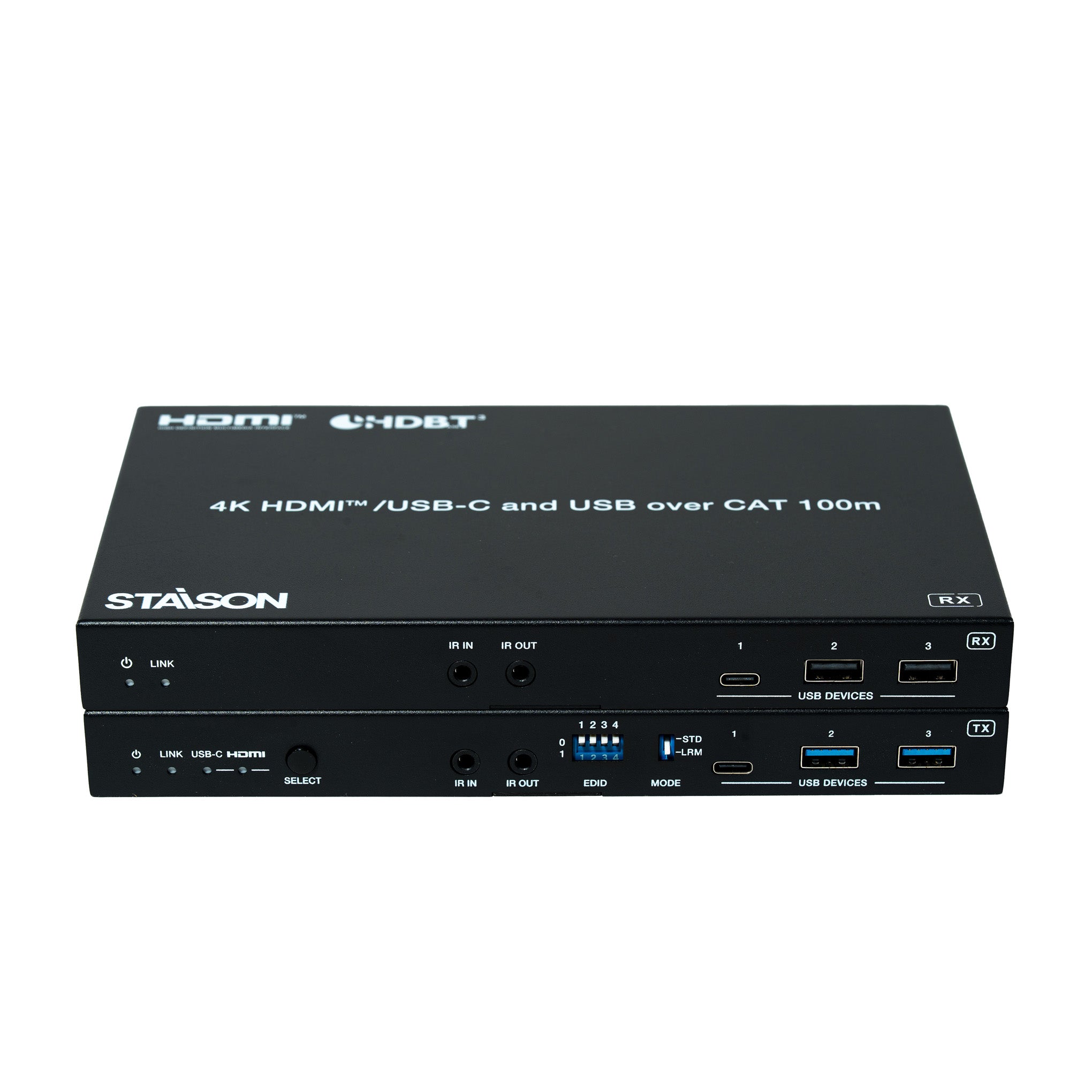


Description
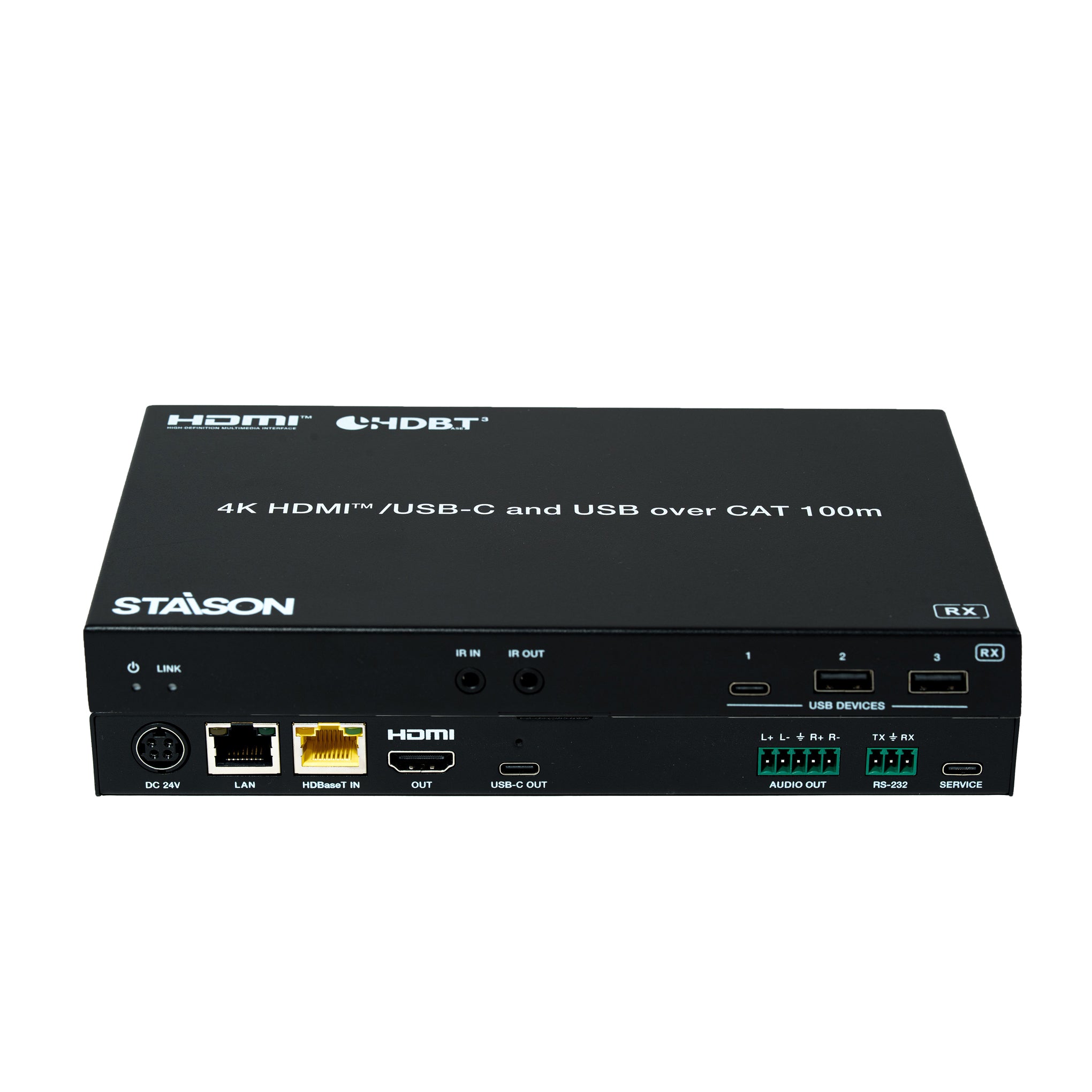
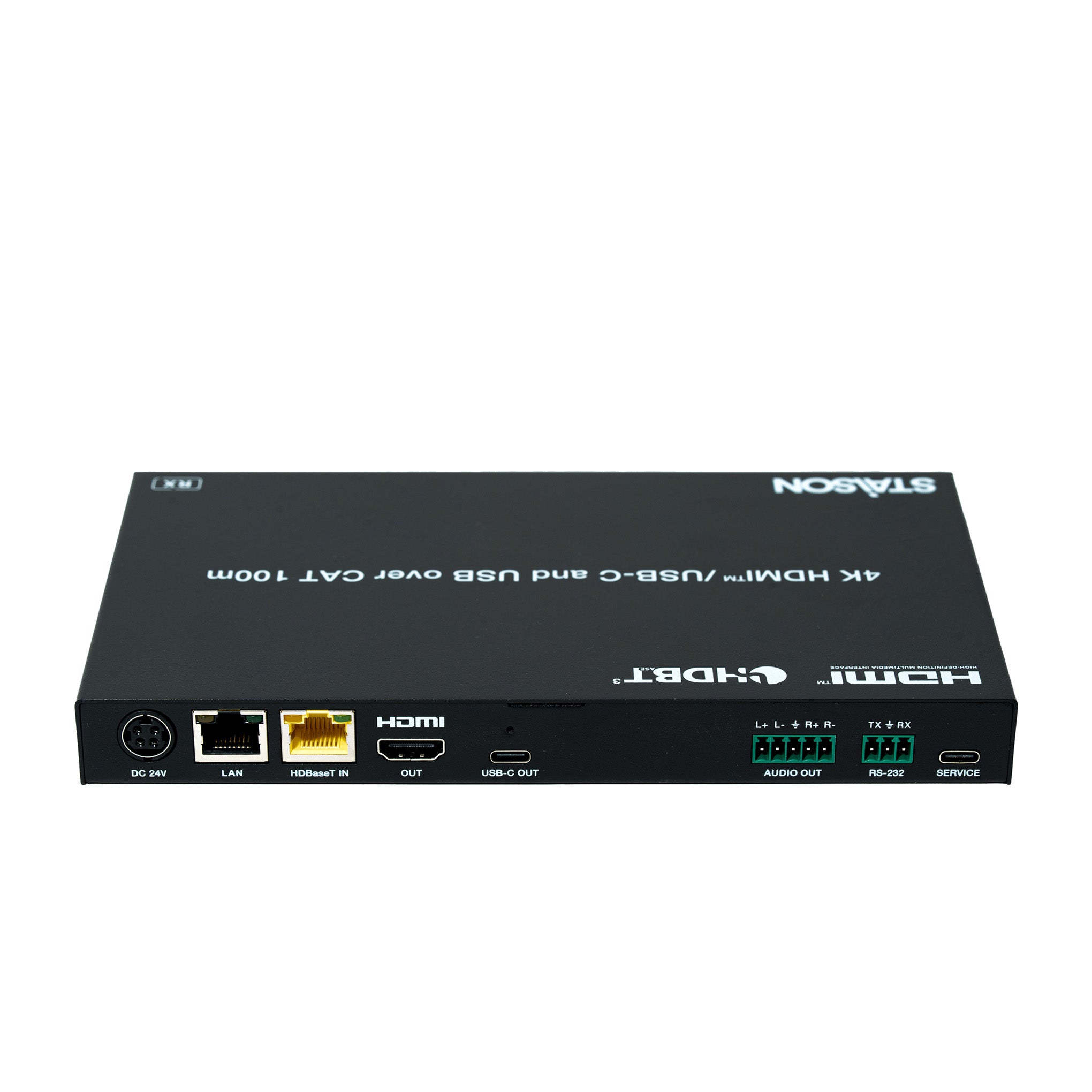
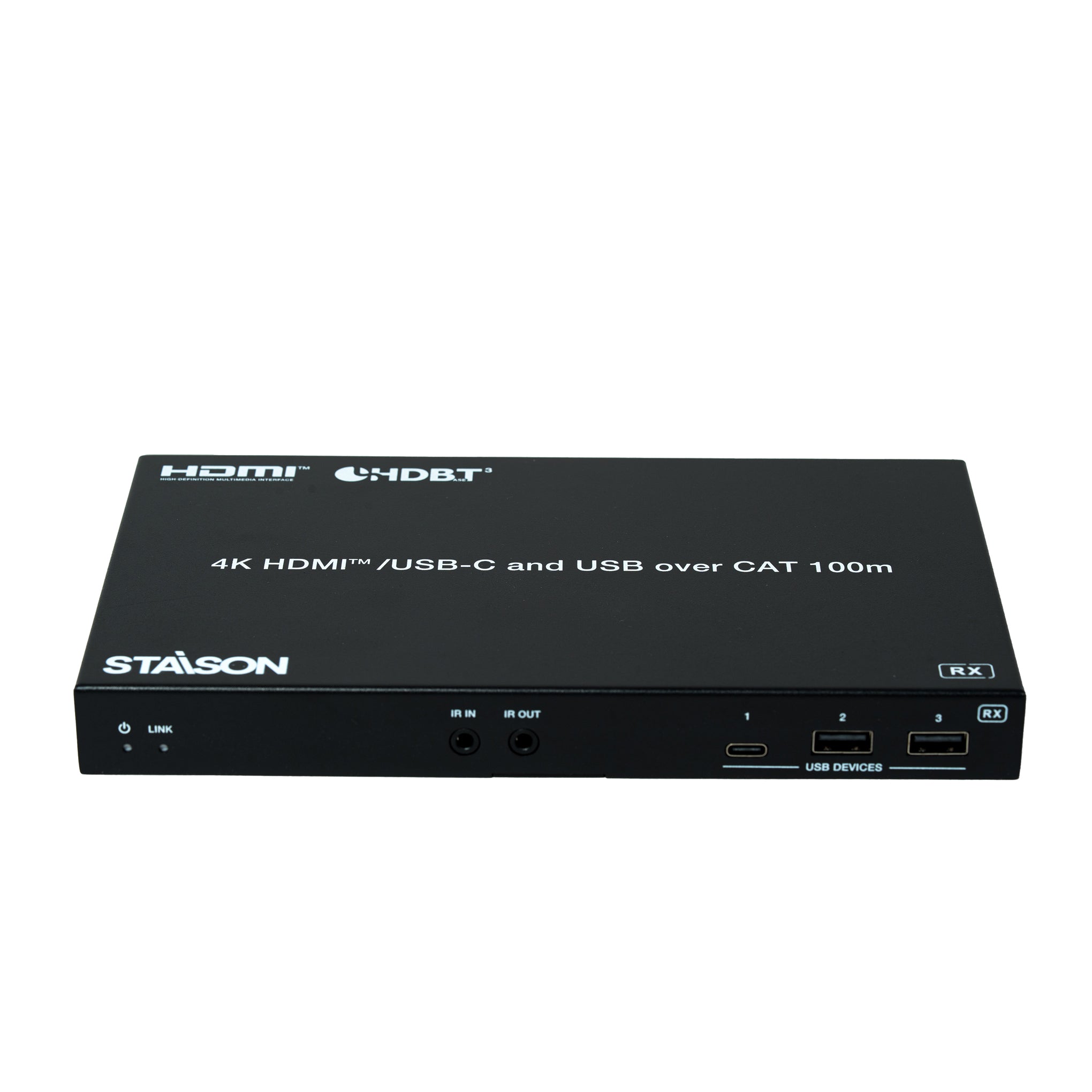
This 4K HDBaseT 3.0 Extender can extend uncompressed HDMI™/USB-C signals, bi-directional IR, RS-232, and USB signals up to 328ft/100m via a single CAT6A/7 cable. Video resolution is up to 4K2K@60Hz YUV 4:4:4. The transmitter features 1x HDMI™ input, 1x USB-C input (A/V+USB 3.2+1G+100W charging), 1x USB 3.2 Host and 3x USB 3.2 Device ports. It can switch between HDBT Standard Mode (as factory default) and HDBT Long Reach Mode. It supports EDID management. The receiver features 1x HDMI™ output, 1x USB-C output (DP output + USB 2.0 device port), 3x USB 2.0 Device ports. Transmitter and receiver support analog audio de-embedding, bi-directional IR, RS-232 and 1G LAN pass-through. This product supports bi-directional 24V PoC function.
The Extender offers the most convenient solution for video extension via a single CAT cable with long distance capability, and is a perfect solution for home/commercial applications.
Features
☆ Compliant with HDCP 2.2 and DisplayPort 1.4a, 18Gbps video bandwidth
☆ HDBaseT 3.0 VS3000 chipset based design
☆ Support video resolution up to 4K2K@60Hz (YUV 4:4:4), as specified in HDMI™ 2.0b
☆ 4K60/4K30/1080P signal transmission distance up to 328ft/100m via a single CAT6A/7 cable (HDBT Standard Mode)
☆ 1080P 8bit signal transmission distance up to 492ft/150m via a single CAT6A/7 cable (HDBT Long Reach Mode)
☆ TX features 1x HDMI™ input, 1x USB-C input, 1x HDMI™/HDBT output, 1x USB 3.2 host and 3x USB 3.2 clients
☆ RX features 1x HDBT input, 1x HDMI™ output, 1x USB-C output, 3x USB 2.0 clients
☆ USB-C and HDMI™ signal inputs support auto or manual switching mode
☆ Auto switching supports HDMI™ 5V or signal detect selection
☆ TX USB-C host port supports DP-ALT mode for A/V, USB 3.2 data, 1G Ethernet and power charging up to 100 watts
☆ RX USB-C OUT port supports AV signal output and USB 2.0 signal transfer
☆ TX/RX USB-A client ports VBUS on or off depends on whether USB host is connected
☆ HDR, HDR10, HDR10+, Dolby Vision LLM and HLG pass-through
☆ 4K to 1080p downscaling on HDMI™ output, no frame rate conversion
☆ Both TX and RX support analog audio de-embedding
☆ RS-232 signal pass-through and API control
☆ RS-232/CEC control external device power on/off
☆ 1G Ethernet and bi-directional IR signal pass-through
☆ Advanced EDID management
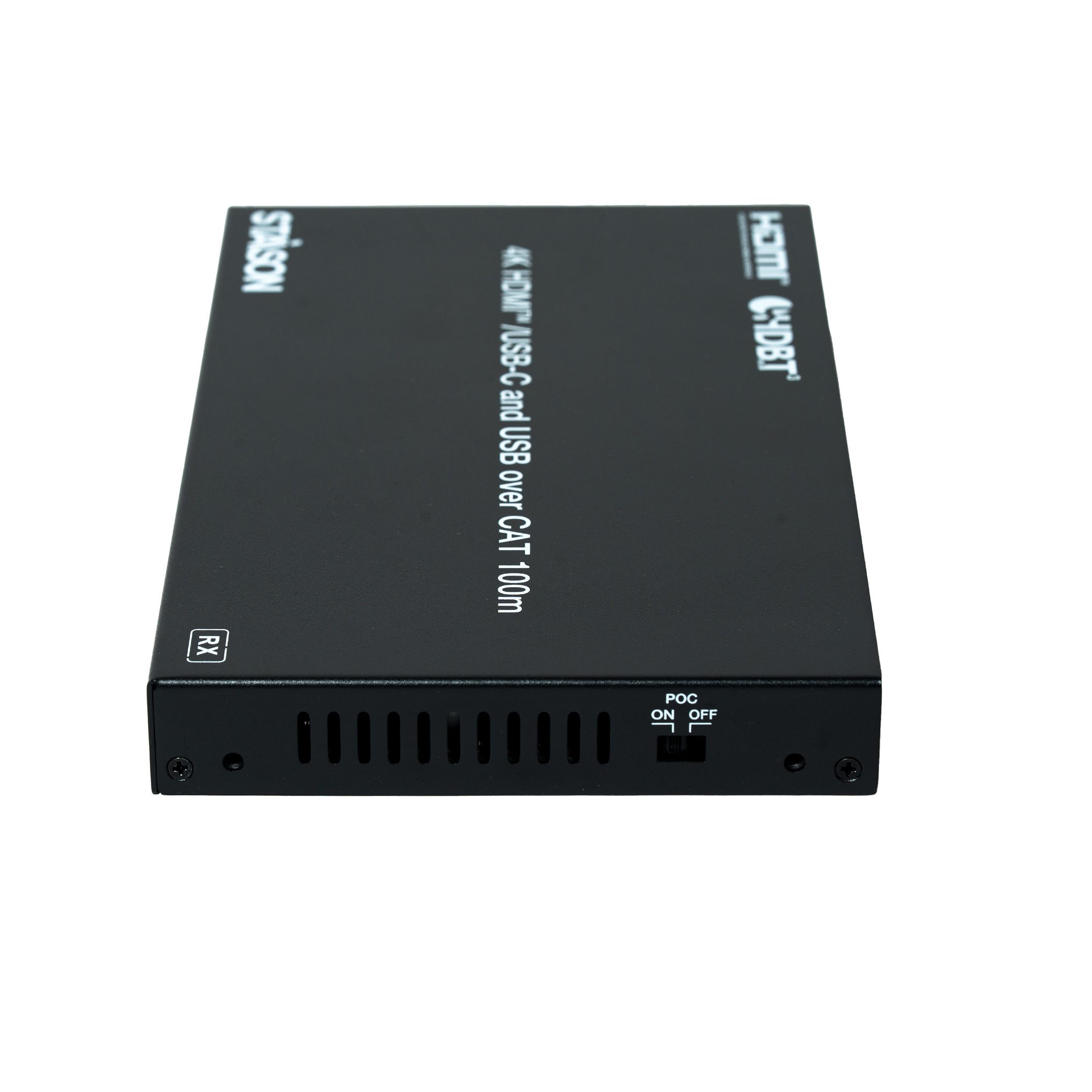
☆ Support bi-directional 24V PoC, with PoC switch (USB-C charging only from TX power supply)
Package Contents
① 1× 4K HDMI™/USB-C over HDBaseT 3.0 Extender (Transmitter)
② 1× 4K HDMI™/USB-C over HDBaseT 3.0 Extender (Receiver)
③ 2× 3pin-3.5mm Phoenix Connector (male)
④ 2× 5pin-3.5mm Phoenix Connector (male)
⑤ 4× Mounting Ear
⑥ 8× Machine Screw (KM3*6)
⑦ 1× IR Blaster Cable (1.5m)
⑧ 1× IR Receiver Cable (1.5m)
⑨ 1× 24V/7.5A Desktop Power Supply
⑩ 1× User Manual
Specifications
| Technical | |
| HDCP Compliance | HDCP 2.2 |
| Video Bandwidth | 18Gbps |
| Video Resolution | 640×480p60Hz, 800×600p60Hz, 1024×768p60Hz, 1280×1024p60Hz, 1360×768p60Hz, 1440×900p60Hz, 1440×1050p60Hz, 1600×1200p60Hz, 480i59, 480p59, 576i50, 576p50, 720p50, 720p59, 720p60, 1080i50, 1080i59, 1080i60, 1080p23, 1080p24, 1080p25, 1080p29, 1080p30, 1080p50, 1080p59, 1080p60, 2160p23, 2160p24, 2160p25, 2160p29, 2160p30, 2160p50, 2160p59, 2160p60, 2160p100, 2160p120, 4096×2160p23.98Hz, 4096×2160p24Hz, 4096×2160p25Hz, 4096×2160p29.97Hz, 4096×2160p30Hz, 4096×2160p50Hz, 4096×2160p59.94Hz, 4096×2160p60Hz |
| HDMI™ Compliance | HDMI™ 2.0b |
| DP Compliance | DisplayPort 1.4a |
| Color Space | RGB, YCbCr 4:4:4 / 4:2:2, YUV 4:2:0 |
| Color Depth | 8/10/12-bit |
| Audio Formats (HDMI™/USB-C/HDBT) | LPCM 2/5.1/7.1CH, Dolby Digital/Plus/EX, Dolby TrueHD, Dolby Atmos, DTS, DTS-EX, DTS-96/24, DTS High Res, DTS-HD Master Audio, DSD |
| Analog Audio | LPCM 2CH (sample rate 32~192kHz) |
| HDR | HDR, HDR10, HDR10+, Dolby Vision, HLG |
| ESD Protection | IEC 61000-4-2: ±8kV (Air-gap discharge) & ±4kV (Contact discharge) |
| IR Level | 12Vp-p |
| Transmission Distance | |
| CAT6A/7 cable | 328ft / 100m @ 4K60 (HDBT Standard Mode) |
| CAT6A/7 cable | 492ft / 150m @ 1080P (HDBT Long Reach Mode) |
| HDMI™ / USB-C passive cable | 16.4ft / 5m |
| USB 3.2 Gen 1 5Gbps passive cable | 5.9ft / 1.8m |
| Audio Parameters | |
| Output Level (Max) | Max 8.2dBu (2Vrms) balanced audio Max 2.2dBu (1Vrms) unbalanced audio |
| Frequency Response | 20Hz to 20kHz (-/+0.5dB) |
| Audio S/N Ratio | >90dB @0dBu, 1kHz A-weighted |
| Output Impedance | 600 Ohm balanced 300 Ohm unbalanced |
| Dynamic Range | >90dB @0dBu, 1kHz A-weighted |
| Audio THD+N | <0.01% at +4dBu, 1kHz |
| Audio Output Delay | <1ms |
| USB Support | |
| USB Host Ports | TX: 1× USB-C 3.2 Gen 1 + 1× USB-B 3.2 Gen 1 RX: None |
| USB Speed | TX: USB 3.2 Gen 1 5Gbps, compatible with USB 2.0 480Mbps RX: USB 2.0 350Mbps |
| USB Device Ports | TX: 1× USB-C 3.2 Gen 1 + 2× USB-A 3.2 Gen 1 RX: 2× USB-C 2.0 + 2× USB-A 2.0 |
| USB Power Supply | Host ports — TX: 1× USB-C port (100W charging) Device ports — TX: 1× USB-C port (1A) + 2× USB-A port (1.5A) RX: 2× USB-C port (1A) + 2× USB-A port (1A) |
| Connection – Transmitter | |
| Input |
1× IN [HDMI™ Type A, 19-pin female] 1× USB-C IN [USB Type C, 24-pin female] |
| Output |
1× HDBaseT OUT [RJ45, HDBT output with 24V PoC] 1× OUT [HDMI™ Type A, 19-pin female] 1× AUDIO OUT [5pin-3.5mm phoenix connector] |
| Control |
1× LAN [RJ45 connector, 1G Ethernet pass-through] 1× RS-232 [3pin-3.5mm phoenix connector] 1× SERVICE [USB-C with USB 2.0 only, 12-pin female] 1× USB HOST [USB Type B, 9-pin female] 1× USB DEVICES [USB 3.2 Type C, 24-pin female] 2× USB DEVICES [USB 3.2 Type A, 9-pin female] 1× IR IN [3.5mm audio jack, 12V level] 1× IR OUT [3.5mm audio jack] |
| Connection – Receiver | |
| Input | 1× HDBaseT IN [RJ45, HDBT input with 24V PoC] |
| Output |
1× OUT [HDMI™ Type A, 19-pin female] 1× USB-C OUT [USB Type C, 24-pin female] 1× AUDIO OUT [5pin-3.5mm phoenix connector] |
| Control |
1× LAN [RJ45 connector, 1G Ethernet pass-through] 1× RS-232 [3pin-3.5mm phoenix connector] 1× SERVICE [USB-C with USB 2.0 only, 12-pin female] 1× USB DEVICE [USB 2.0 Type C, 12-pin female] 2× USB DEVICES [USB 2.0 Type A, 4-pin female] 1× IR IN [3.5mm audio jack, 12V level] 1× IR OUT [3.5mm audio jack] |
| Power | |
| Power Supply | Input: AC 100–240V 50/60Hz Output: DC 24V/7.5A (US/EU standard, CE/FCC/UL certified) |
| Power Consumption (Max) | 173W (Power supply from TX, 100W USB-C charging, PoC to RX) 73W (Power supply from TX or RX, without USB-C charging) |
| Mechanical | |
| Dimensions | Transmitter / Receiver: 208mm [W] × 122mm [D] × 22mm [H] |
| Weight | Transmitter: 687g; Receiver: 636g |
| Housing | Metal Enclosure |
| Color | Black |
| Environmental | |
| Operating Temperature | 32°F ~ 104°F / 0°C ~ 40°C |
| Storage Temperature | -4°F ~ 140°F / -20°C ~ 60°C |
| Operating Humidity | 20% ~ 80% (relative humidity, non-condensing) |
| Storage Humidity | 10% ~ 90% (relative humidity, non-condensing) |
Operation Controls and Functions
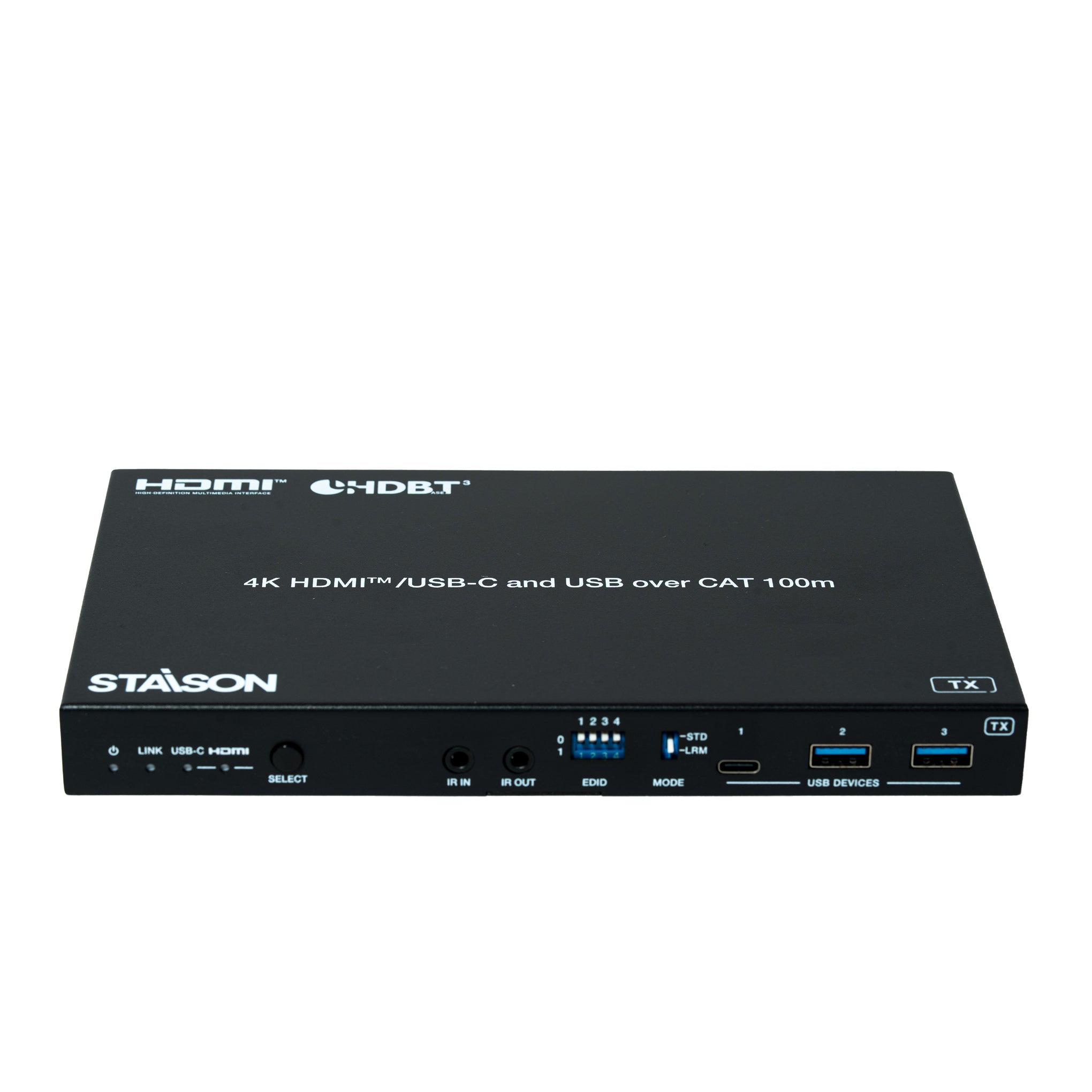
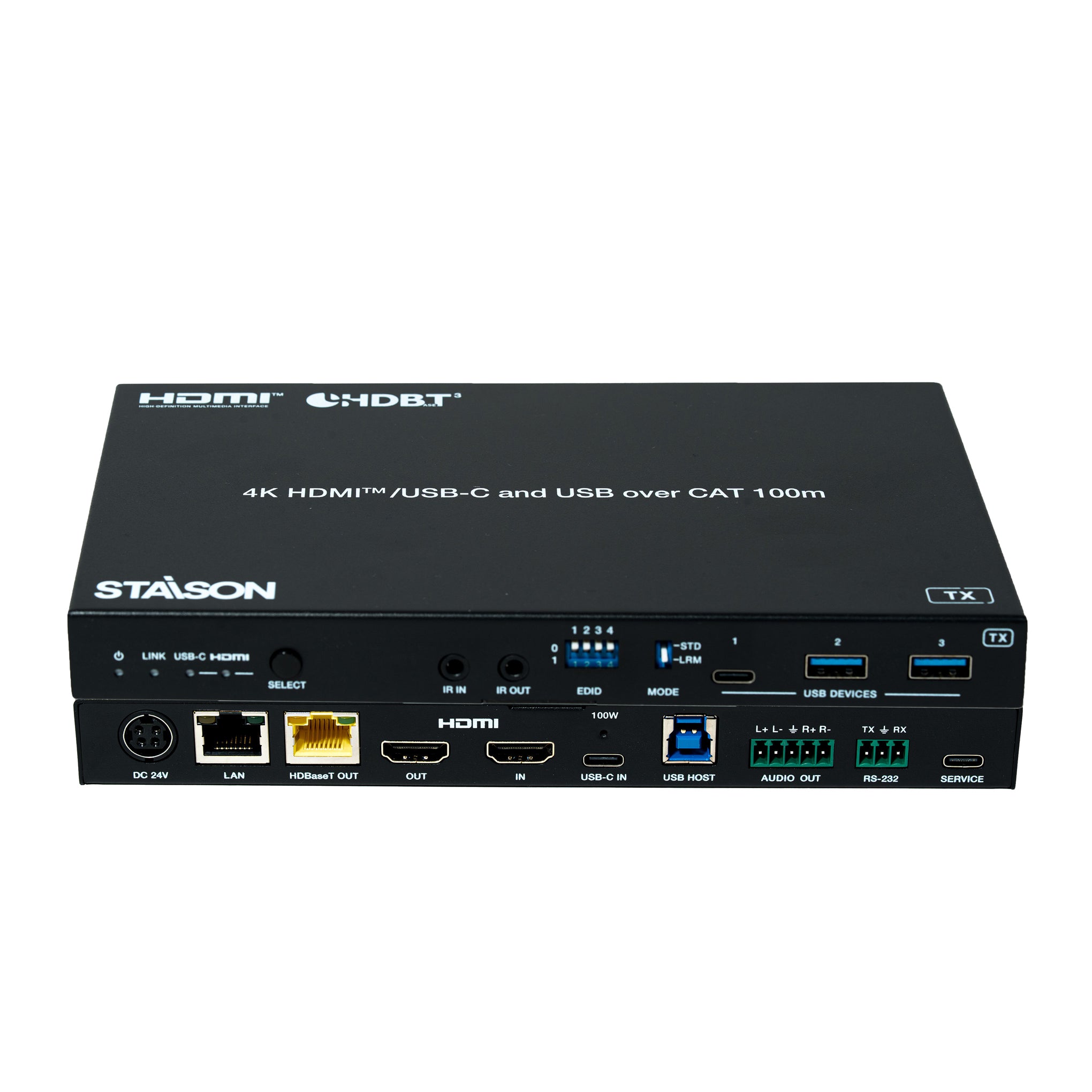
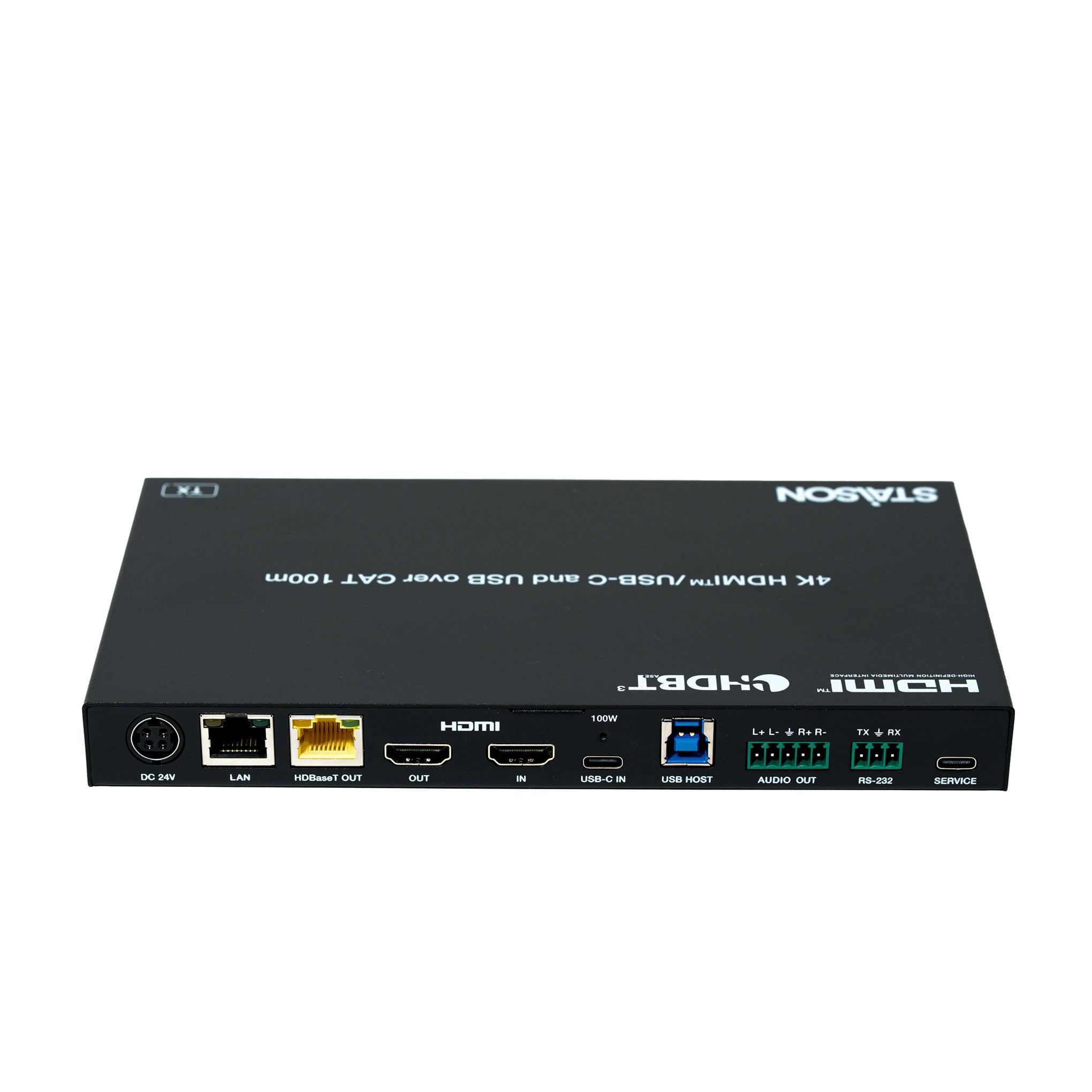
Transmitter Panel

| No. | Name | Function Description |
|---|---|---|
| 1 | Power LED | Red LED indicates that the transmitter is powered on. |
| 2 | LINK LED (Green) | Light on: Transmitter and receiver are in good connection status. Light flashing: Transmitter and receiver are in poor connection status. Light off: Transmitter and receiver are not connected. |
| 3 | USB-C LED (Green) | When the USB-C IN port is selected as the video signal input channel, the USB-C LED will be on. |
| 4 | HDMI LED (Green) | When the HDMI IN port is selected as the video signal input channel, the HDMI LED will be on. |
| 5 | SELECT button | Press this button to switch HDMI/USB-C signal input. |
| 6 | IR IN | IR signal input port, connected to IR Receiver cable. |
| 7 | IR OUT | IR signal output port, connected to IR Blaster cable. |
| 8 | EDID DIP switch | Used for EDID setting. Note: Only when the EDID DIP switch is set to 1111 are the EDID settings through API commands valid. [DIP]=0000: EDID Auto (default) [DIP]=0001: HDMI 1080p@60Hz, Audio 2CH PCM [DIP]=0010: HDMI 4K@30Hz 4:4:4, 8-bit, Audio 2CH PCM [DIP]=0011: HDMI 4K@60Hz 4:4:4, 8-bit, Audio 2CH PCM [DIP]=0100: HDMI 1080p@60Hz, Audio 5.1CH DTS/DOLBY [DIP]=0101: HDMI 1080p@60Hz, Audio 7.1CH DTS/DOLBY/HD [DIP]=0110: HDMI 4K@60Hz 4:4:4, 8-bit, Audio 5.1CH DTS/DOLBY [DIP]=0111: HDMI 4K@60Hz 4:4:4, 8-bit, Audio 7.1CH DTS/DOLBY/HD [DIP]=1000: HDMI 1920×1200@60Hz, Audio 2CH PCM [DIP]=1001: DVI 1920×1080@60Hz, Audio None [DIP]=1010: DVI 1920×1200@60Hz, Audio None [DIP]=1011: EDID pass-through (Copy from TX HDMI OUT) [DIP]=1100: EDID pass-through (Copy from RX HDMI OUT) [DIP]=1101: User Defined 1 [DIP]=1110: User Defined 2 [DIP]=1111: Software EDIDs |
| 9 | MODE switch | Used to switch HDBT mode. STD: HDBT Standard Mode (factory default) — extends 4K60/4K30/1080P signal up to 100m via a single CAT6A/7 cable. LRM: HDBT Long Reach Mode — extends 1080P 8bit signal up to 150m via a single CAT6A/7 cable. |
| 10 | USB Device ports | Three USB 3.2 device ports (two USB-A ports and one USB-C port), connected to mouse, keyboard, USB Flash Drive or other USB devices. |
| 11 | DC 24V | DC 24V/7.5A power supply input port. Note: The extender supports PoC function — either the Transmitter or Receiver can be powered by the 24V/7.5A adapter; the other unit does not require a separate power supply. |
| 12 | LAN | 1G Ethernet pass-through port. Yellow indicator flashing: 1000Mbps Ethernet. Green indicator flashing: 100Mbps Ethernet. |
| 13 | HDBaseT OUT | HDBaseT output port, connected to the HDBaseT IN port of receiver with a CAT6A/7 cable. Used for HDMI, network and USB signals pass-through. |
| 14 | Data Signal Indicator (Yellow) | Light on: Video signal transmission with HDCP encryption. Light flashing: Video signal transmission without HDCP encryption. Light off: No video signal transmission. |
| 15 | Link Signal Indicator (Green) | Light on: Transmitter and receiver are in good connection status. Light flashing: Transmitter and receiver are in poor connection status. Light off: Transmitter and receiver are not connected. |
| 16 | HDMI OUT | HDMI signal loop output port, connected to HDMI display device. |
| 17 | HDMI IN | HDMI signal input port, connected to HDMI source device. |
| 18 | USB-C IN | USB Type C port with the following four functions: (1) USB-C video signal input port, connected to source device. (2) USB-C host port. When the USB-C port is selected as the video signal input channel, it can also be used as a USB 3.2 Gen 1 signal transmission port simultaneously. (3) USB-C charging port. Only when TX is connected to the 24V/7.5A power supply, the USB-C port provides 100W charging power for external USB-C devices. When TX is not connected to power and RX is, the USB-C port cannot provide charging. (4) 1G Ethernet access port. |
| 19 | USB HOST | USB 3.2 Gen 1 host port, connected to PC. |
| 20 | AUDIO OUT | Analog audio output port, supporting balanced audio output (max 2Vrms) and unbalanced audio output (max 1Vrms). Balanced connection: L+, L–, GND, R+, R– Unbalanced connection: L+, GND, R+ |
| 21 | RS-232 | RS-232 serial port, used for RS-232 signal pass-through and API commands control. |
| 22 | SERVICE | USB 2.0 Type C port, used for firmware upgrade and API commands control. |
| 23 | POC switch | 24V PoC on/off switch. ON: PoC is enabled (factory default). OFF: PoC is disabled (local DC 24V power supply required). |
Note: In HDBT Long Reach Mode, due to bandwidth limitations, USB cannot transmit USB 2.0 devices and can only transmit USB HID devices (such as mice and keyboards). The serial baud rate may also be limited.
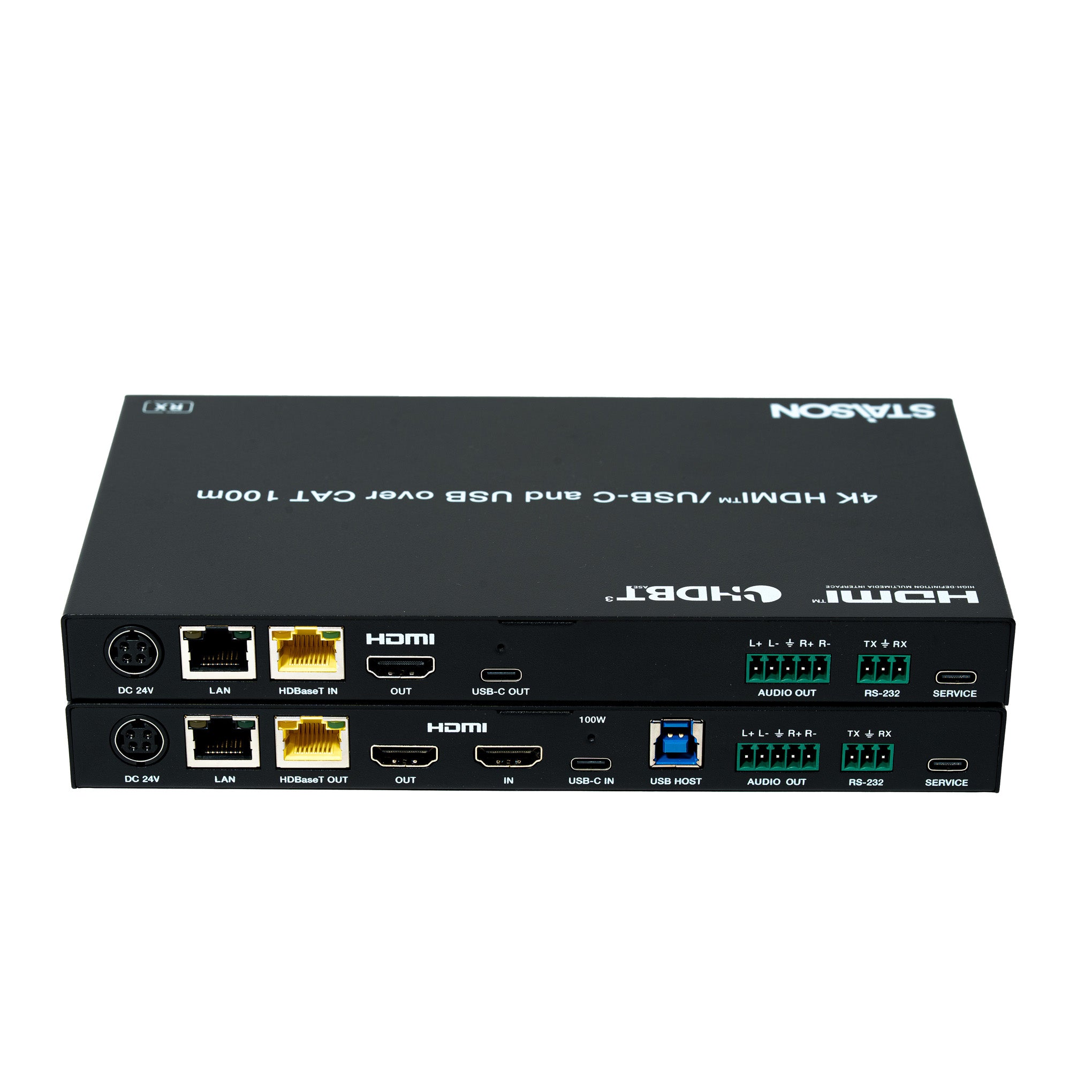
Receiver Panel

| No. | Name | Function Description |
|---|---|---|
| 1 | Power LED | Red LED indicates that the receiver is powered on. |
| 2 | LINK LED (Green) | Light on: Transmitter and receiver are in good connection status. Light flashing: Transmitter and receiver are in poor connection status. Light off: Transmitter and receiver are not connected. |
| 3 | IR IN | IR signal input port, connected to IR Receiver cable. |
| 4 | IR OUT | IR signal output port, connected to IR Blaster cable. |
| 5 | USB Device ports | Three USB 2.0 device ports (two USB-A ports and one USB-C port), connected to mouse, keyboard, USB Flash Drive or other USB devices. |
| 7 | LAN | 1G Ethernet pass-through port. Yellow indicator flashing: 1000Mbps Ethernet. Green indicator flashing: 100Mbps Ethernet. |
| 8 | HDBaseT IN | HDBaseT input port, connected to the HDBaseT OUT port of transmitter with a CAT6A/7 cable. Used for HDMI, network and USB signals pass-through. |
| 9 | Data Signal Indicator (Yellow) | Light on: Video signal transmission with HDCP encryption. Light flashing: Video signal transmission without HDCP encryption. Light off: No video signal transmission. |
| 10 | Link Signal Indicator (Green) | Light on: Transmitter and receiver are in good connection status. Light flashing: Transmitter and receiver are in poor connection status. Light off: Transmitter and receiver are not connected. |
| 11 | HDMI OUT | HDMI signal output port, connected to HDMI display device, such as TV or monitor. |
| 12 | USB-C OUT | USB Type C port with the following two functions: (1) AV signal output port, supporting DP signal, connected to display device with USB-C port. (2) USB 2.0 device port, with 1A power supply, connected to USB devices such as USB Flash Drive and Hard Disk. |
| 13 | AUDIO OUT | Analog audio output port, supporting balanced audio output (max 2Vrms) and unbalanced audio output (max 1Vrms). Balanced connection: L+, L–, GND, R+, R– Unbalanced connection: L+, GND, R+ |
| 14 | RS-232 | RS-232 serial port, used for RS-232 signal pass-through and API commands control. |
| 15 | SERVICE | USB 2.0 Type C port, used for firmware upgrade and API commands control. |
| 16 | POC switch | 24V PoC on/off switch. ON: PoC is enabled (factory default). OFF: PoC is disabled (local DC 24V power supply required). |
IR Pin Definition
IR Receiver and Blaster pin definition as below:

Note: When the angle between the IR receiver and the remote control is ±45°, the transmission distance is 0–5 meters; when the angle is ±90°, the transmission distance is 0–8 meters.
Application Example
