
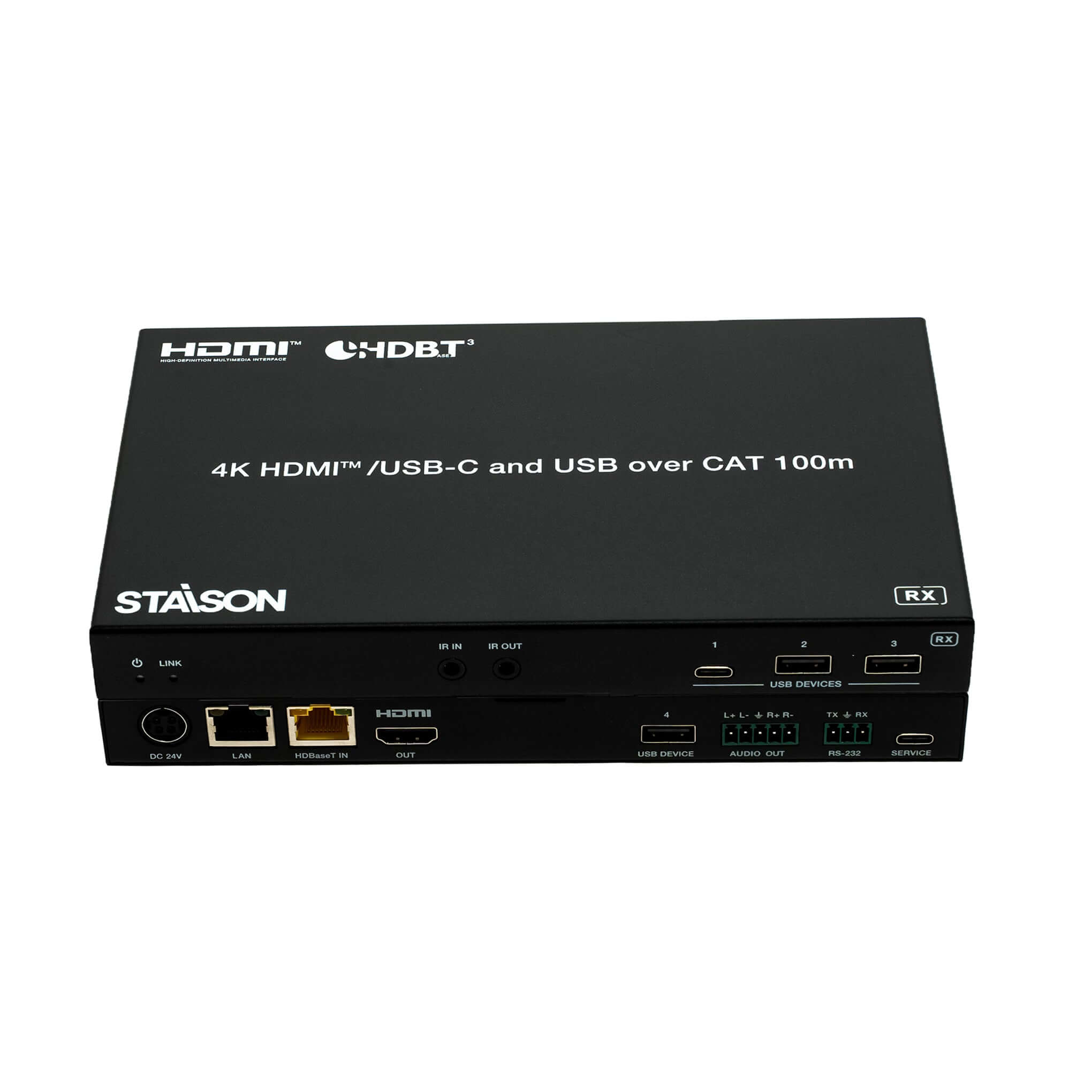
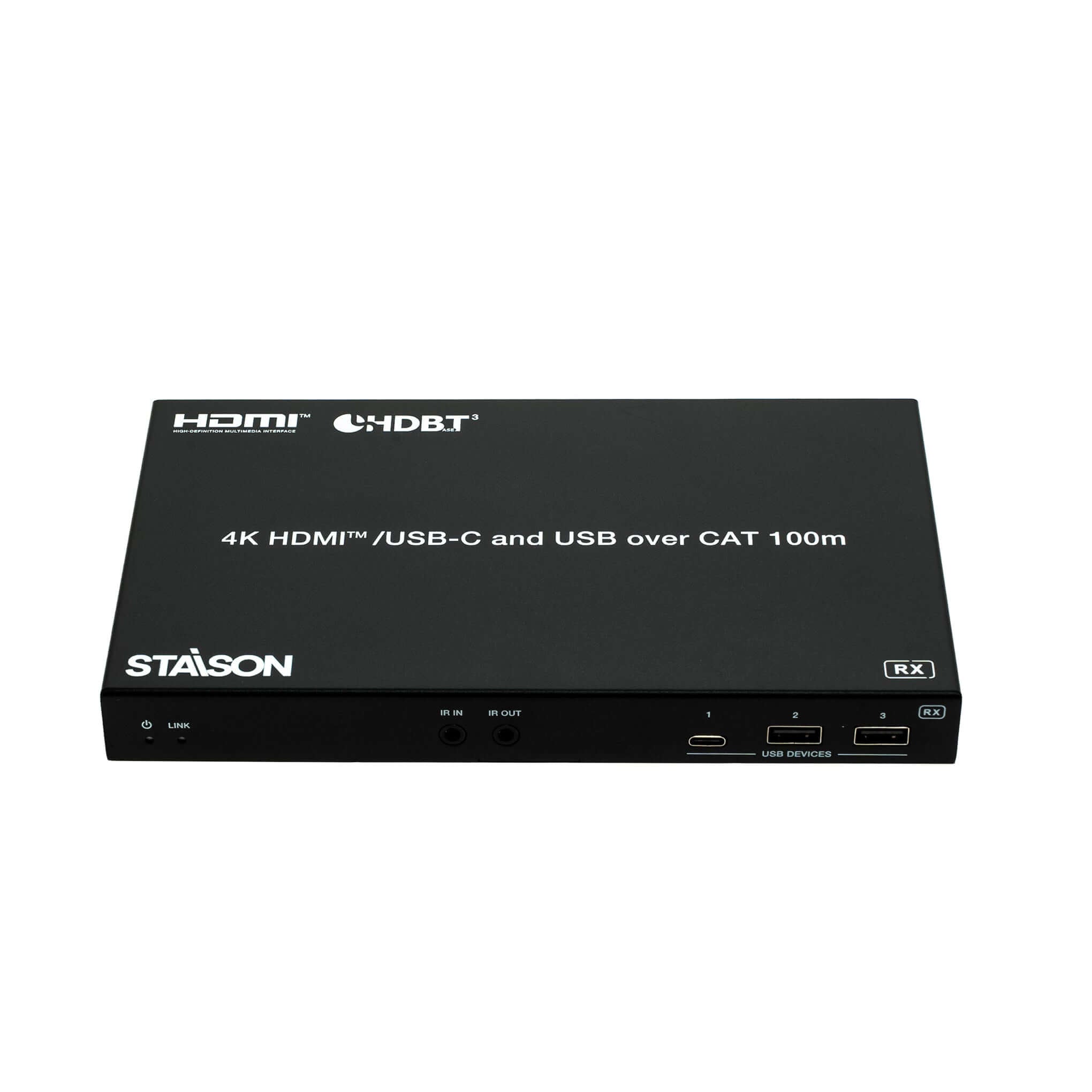
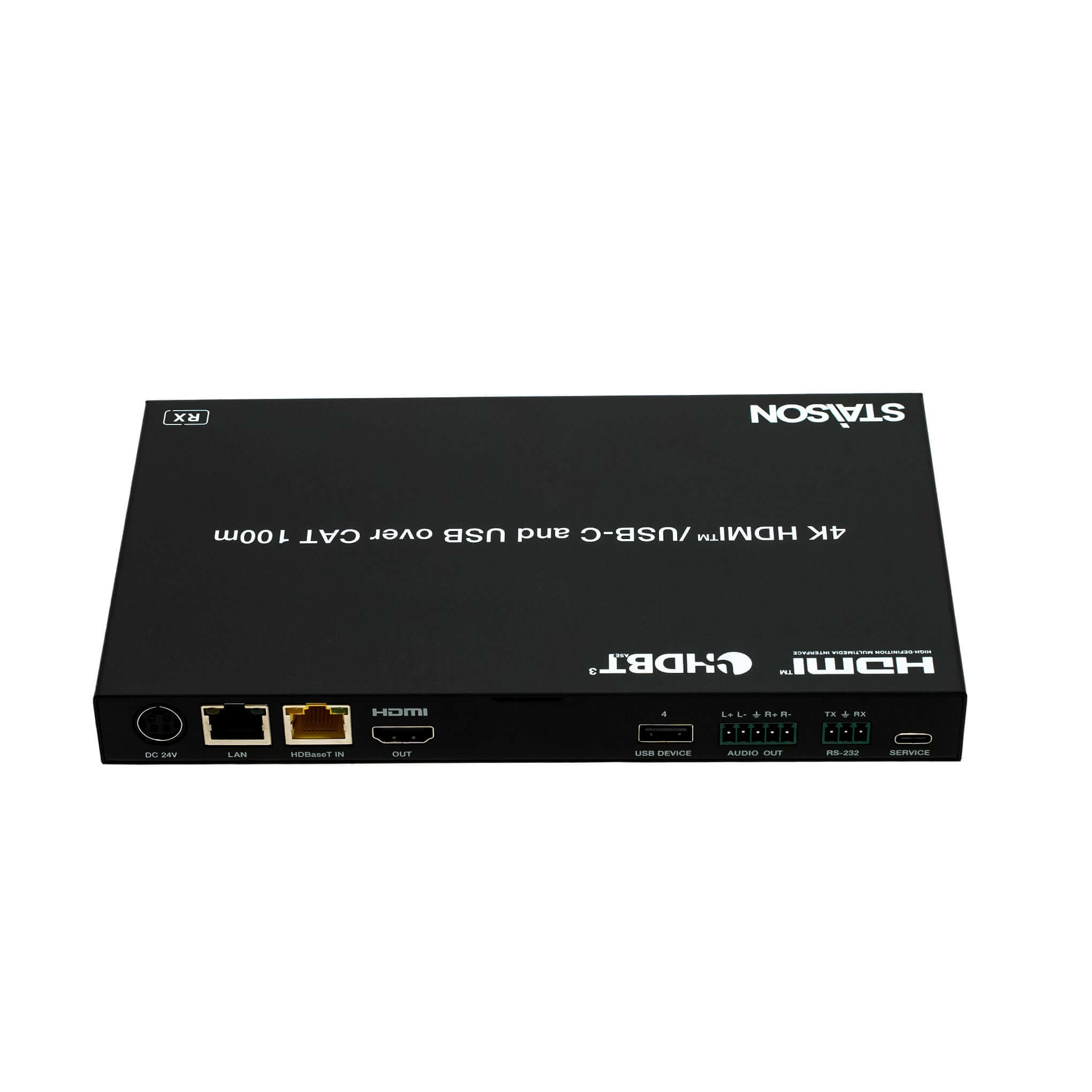
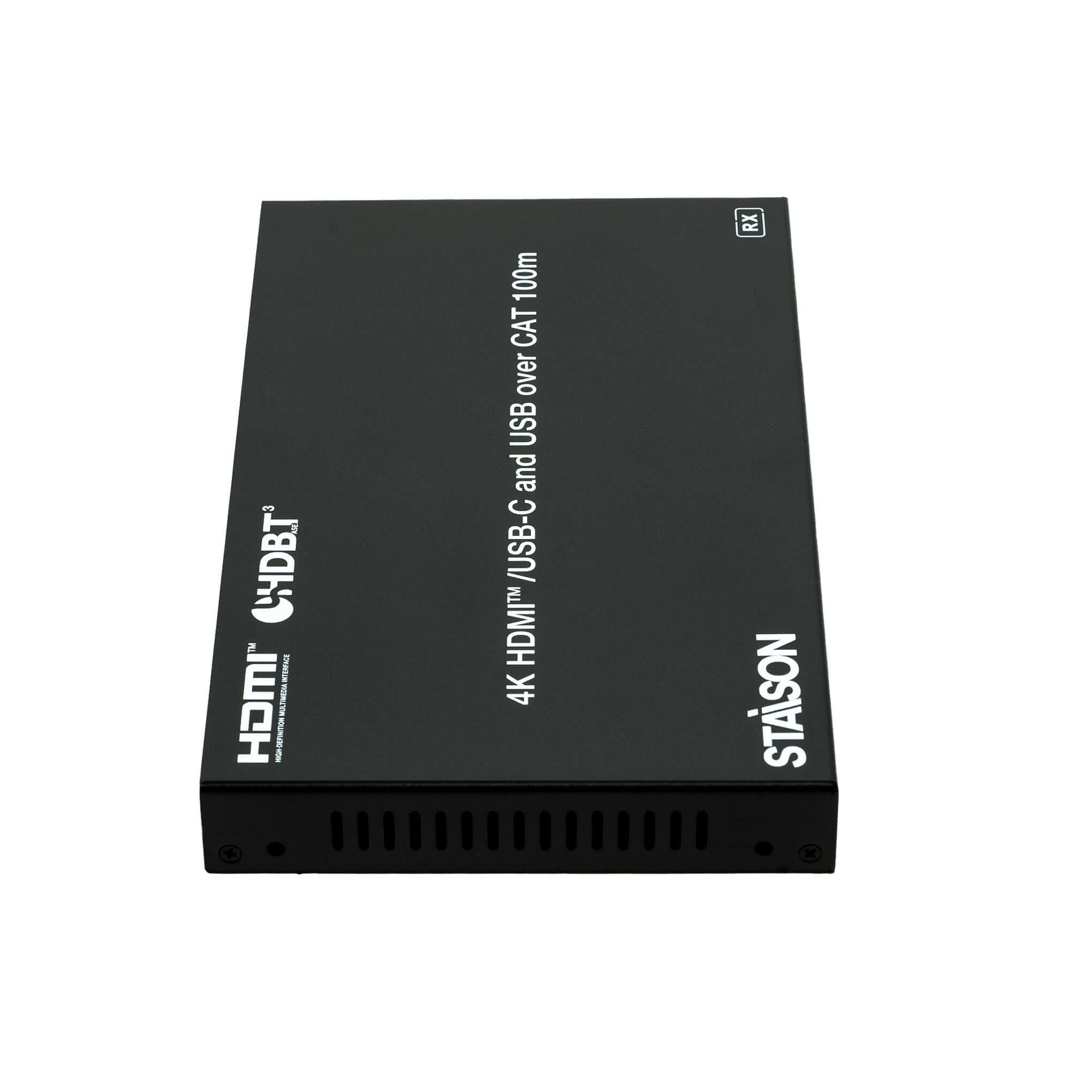


Description
ST-NEHB100HCEU3K HDMI Extender is a professional 4K HDBaseT 3.0 USB-C extender designed to transmit uncompressed HDMI, USB-C, USB, bi-directional IR, and RS-232 signals up to 100 meters over a single CAT6A cable. The ST-NEHB100HCEU3K HDMI Extender supports 4K@60Hz Ultra HD resolution, HDR, HDCP compliance, USB 2.0 extension, and reliable long-distance signal transmission, making it ideal for conference rooms, classrooms, control centers, digital signage, and professional AV installations.
Features
☆ Compliant with HDCP 2.2 and DisplayPort 1.4a, 18Gbps video bandwidth
☆ HDBaseT 3.0 VS3000 chipset based design
☆ Support video resolution up to 4K2K@60Hz (YUV 4:4:4) as specified in HDMI 2.0b
☆ 4K60/4K30/1080P signal transmission distance up to 328ft/100m via a single CAT6A/7 cable (HDBT Standard Mode)
☆ 1080P 8bit signal transmission distance up to 492ft/150m via a single CAT6A/7 cable (HDBT Long Reach Mode)
☆ TX features 1x HDMI input, 1x USB-C input, 1x HDMI/HDBT output, 1x USB 3.2 host and 3x USB 3.2 clients
☆ RX features 1x HDBT input, 1x HDMI output, 4x USB 2.0 clients
☆ USB-C and HDMI signal inputs support auto or manual switching mode
☆ Auto switching supports HDMI 5V or signal detect selection
☆ TX USB-C host port supports DP-ALT mode for A/V, USB 3.2 data, 1G Ethernet and power charging up to 100 watts
☆ HDR, HDR10, HDR10+, Dolby Vision LLM and HLG pass-through
☆ 4K to 1080p downscaling on HDMI output, no frame rate conversion
☆ Both TX and RX support analog audio de-embedding
☆ RS-232 signal pass-through and API control
☆ RS-232/CEC control external device power on/off
☆ 1G Ethernet and bi-directional IR signal pass-through
☆ Advanced EDID management
☆ Support bi-directional 24V PoC with PoC switch (USB-C charging only from TX power supply)
☆ Compact design for easy and flexible installation
Package Contents
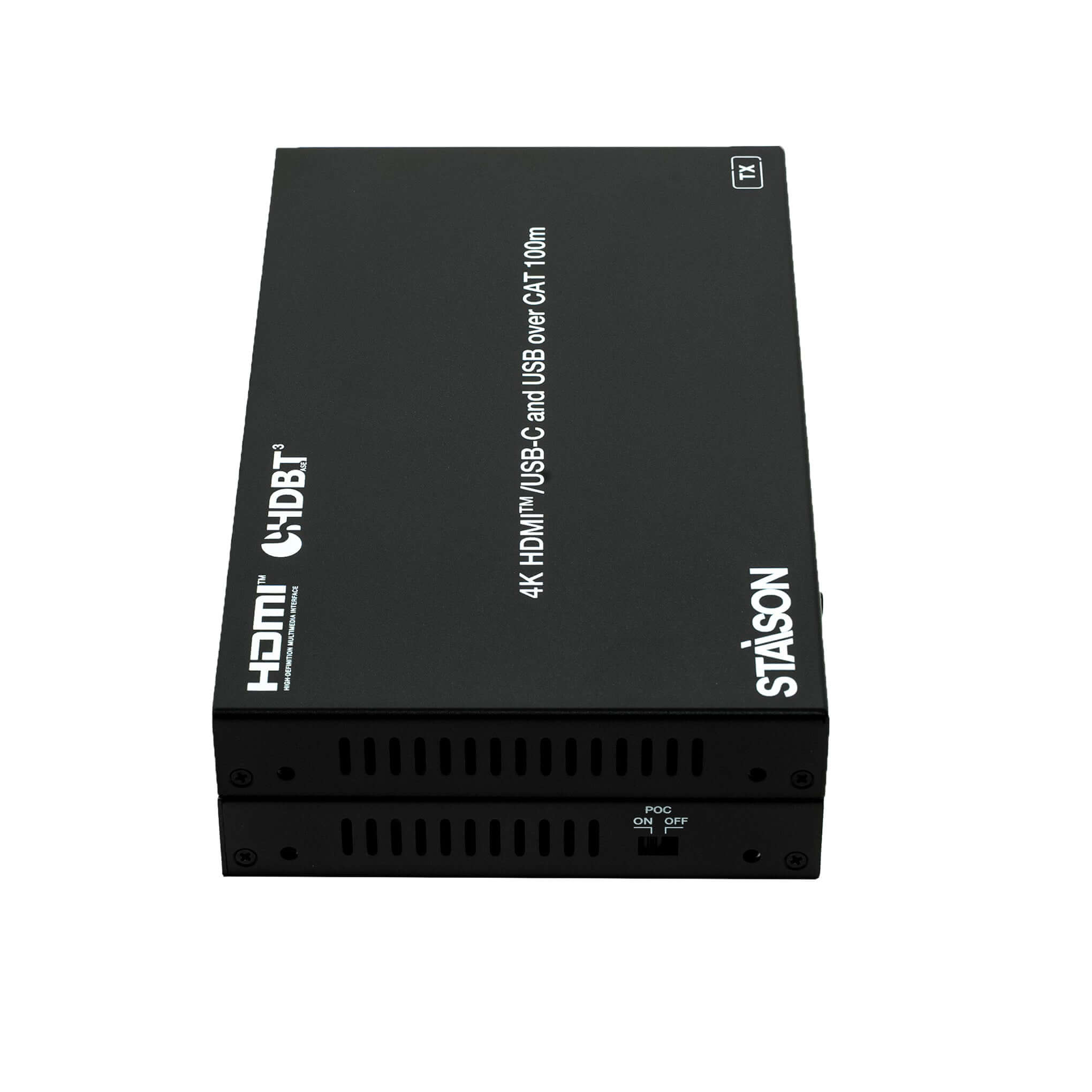
① 1x 4K HDMI/USB-C over HDBaseT 3.0 Extender (Transmitter)
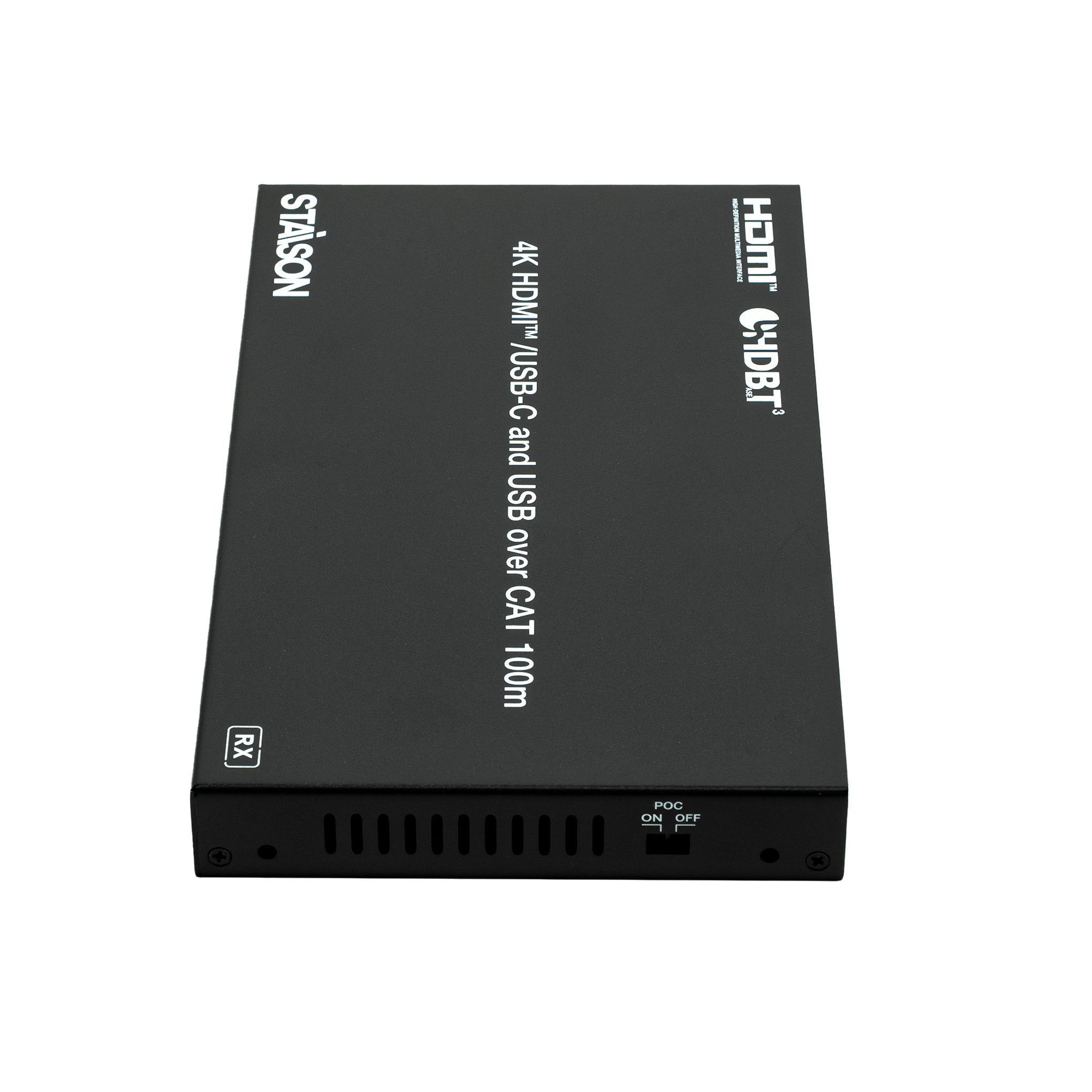
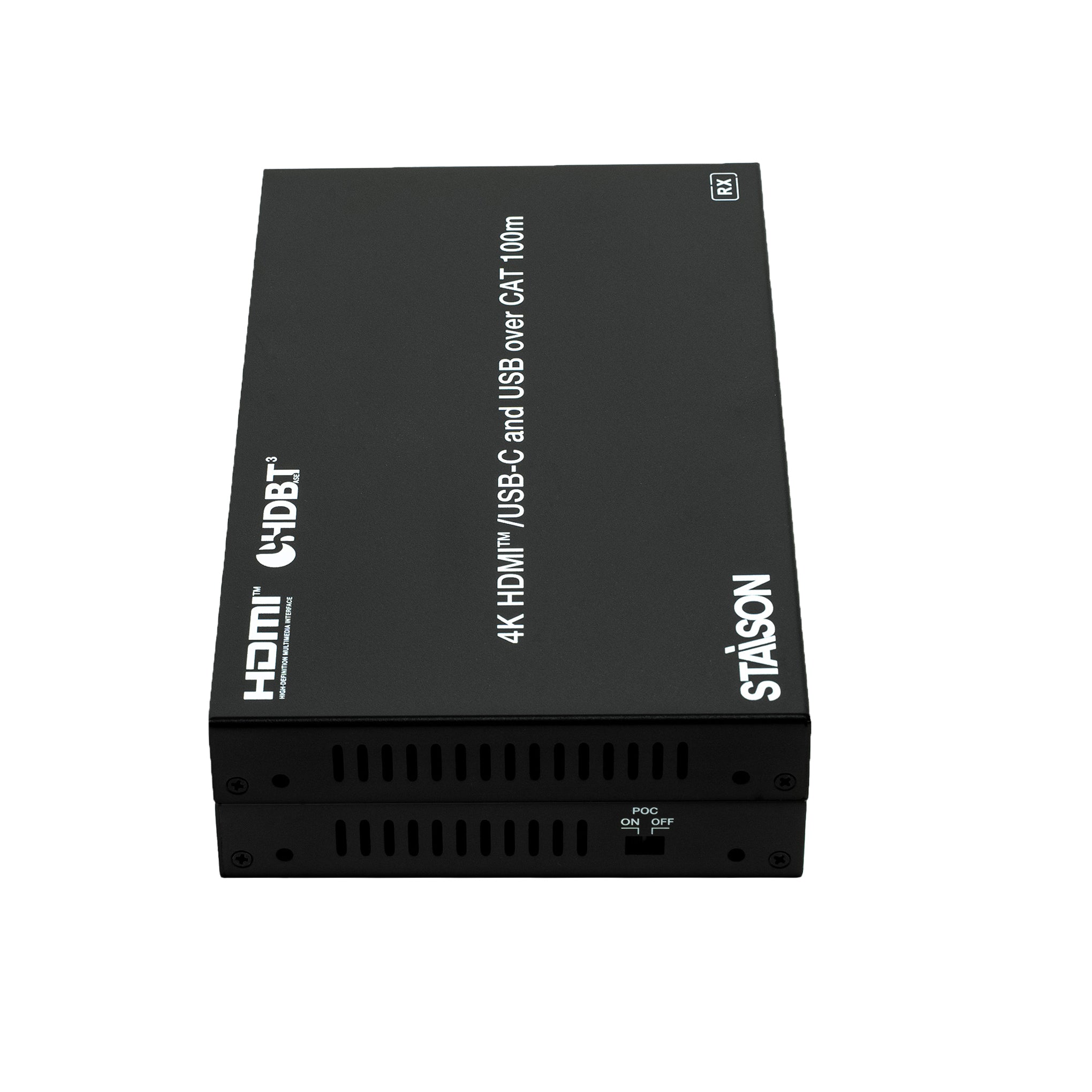
② 1x 4K HDMI/USB-C over HDBaseT 3.0 Extender (Receiver)
③ 2x 3pin-3.5mm Phoenix Connector (male)
④ 2x 5pin-3.5mm Phoenix Connector (male)
⑤ 4x Mounting Ear
⑥ 8x Machine Screw (KM3×6)
⑦ 1x IR Blaster Cable (1.5m)
⑧ 1x IR Receiver Cable (1.5m)
⑨ 1x 24V/7.5A Desktop Power Supply
⑩ 1x User Manual
Specifications
| Technical | |
| HDMI Compliance | HDMI 2.0b |
| HDCP Compliance | HDCP 2.2 |
| DP Compliance | DisplayPort 1.4a |
| Video Bandwidth | 18Gbps |
| Video Resolution | Up to 4K2K@60Hz YUV 4:4:4 (supports full range including 480i/p, 576i/p, 720p, 1080i/p, 2160p up to 4096×2160p60Hz) |
| Color Space | RGB, YCbCr 4:4:4 / 4:2:2, YUV 4:2:0 |
| Color Depth | 8/10/12bit |
| HDR | HDR, HDR10, HDR10+, Dolby Vision, HLG |
| Audio Formats | HDMI/USB-C/HDBT: LPCM 2/5.1/7.1CH, Dolby Digital/Plus/EX, Dolby TrueHD, Dolby Atmos, DTS, DTS-EX, DTS-96/24, DTS High Res, DTS-HD Master Audio, DSD Analog Audio: LPCM 2CH (sample rate 32~192kHz) |
| Audio Parameters | Max 8.2dBu (2Vrms) balanced audio Max 2.2dBu (1Vrms) unbalanced audio |
| Output Level (Max) | 2Vrms balanced / 1Vrms unbalanced |
| Output Impedance | 600 Ohm balanced / 300 Ohm unbalanced |
| Frequency Response | 20Hz to 20kHz (-/+0.5dB) |
| Audio S/N Ratio | >90dB@0dBu, 1kHzA-weighted |
| Dynamic Range | >90dB@0dBu, 1kHzA-weighted |
| Audio THD+N | <0.01% at +4dBu, 1KHz |
| Audio Output Delay | <1ms |
| Transmission Distance | HDBT Standard Mode (4K60/4K30/1080P): 328ft/100m (CAT6A/7) HDBT Long Reach Mode (1080P 8bit): 492ft/150m (CAT6A/7) HDMI/USB-C passive cable: 16.4ft/5m USB 3.2 Gen 1 5Gbps passive cable: 5.9ft/1.8m |
| USB Support | TX: USB 3.2 Gen 1 5Gbps, compatible with USB 2.0 480Mbps RX: USB 2.0 350Mbps |
| USB Host Ports | TX: 1x USB-C 3.2 Gen 1 + 1x USB-B 3.2 Gen 1 / RX: None |
| USB Device Ports | TX: 1x USB-C 3.2 Gen 1 + 2x USB-A 3.2 Gen 1 / RX: 1x USB-C 2.0 + 3x USB-A 2.0 |
| USB Power Supply | TX Host: 1x USB-C port (100W charging) TX Device: 1x USB-C (1A) + 2x USB-A (1.5A) RX Device: 1x USB-C (1A) + 3x USB-A (1A) |
| IR Level | 12Vp-p |
| ESD Protection | IEC 61000-4-2: ±8kV (Air-gap discharge), ±4kV (Contact discharge) |
| Connection | |
| Transmitter Input | 1x HDMI IN [Type A, 19-pin female] 1x USB-C IN [USB Type C, 24-pin female] |
| Transmitter Output | 1x HDBaseT OUT [RJ45, HDBT output with 24V PoC] 1x HDMI OUT [Type A, 19-pin female] 1x AUDIO OUT [5pin-3.5mm phoenix connector] |
| Transmitter Control | 1x LAN [RJ45, 1G Ethernet pass-through] 1x RS-232 [3pin-3.5mm phoenix connector] 1x SERVICE [USB-C, USB 2.0 only, 12-pin female] 1x USB HOST [USB Type B, 9-pin female] 1x USB DEVICE [USB 3.2 Type C, 24-pin female] 2x USB DEVICES [USB 3.2 Type A, 9-pin female] 1x IR IN [3.5mm audio jack, 12V level] 1x IR OUT [3.5mm audio jack] |
| Receiver Input | 1x HDBaseT IN [RJ45, HDBT input with 24V PoC] |
| Receiver Output | 1x HDMI OUT [Type A, 19-pin female] 1x AUDIO OUT [5pin-3.5mm phoenix connector] |
| Receiver Control | 1x LAN [RJ45, 1G Ethernet pass-through] 1x RS-232 [3pin-3.5mm phoenix connector] 1x SERVICE [USB-C, USB 2.0 only, 12-pin female] 1x USB DEVICE [USB 2.0 Type C, 12-pin female] 3x USB DEVICES [USB 2.0 Type A, 4-pin female] 1x IR IN [3.5mm audio jack, 12V level] 1x IR OUT [3.5mm audio jack] |
| Mechanical | |
| Housing | Metal Enclosure |
| Color | Black |
| Dimensions | Transmitter/Receiver: 208mm [W] × 122mm [D] × 22mm [H] |
| Weight | Transmitter: 687g / Receiver: 636g |
| Power Supply | Input: AC 100–240V 50/60Hz, Output: DC 24V/7.5A (US/EU standards, CE/FCC/UL certified) |
| Power Consumption (Max) | 173W (Power supply from TX, 100W USB-C charging, PoC to RX) 73W (Power supply from TX or RX, without USB-C charging) |
| Operating Temperature | 0°C ~ 40°C / 32°F ~ 104°F |
| Storage Temperature | -20°C ~ 60°C / -4°F ~ 140°F |
| Operating Humidity | 20% ~ 80% (relative humidity, non-condensing) |
| Storage Humidity | 10% ~ 90% (relative humidity, non-condensing) |
Operation Controls and Functions
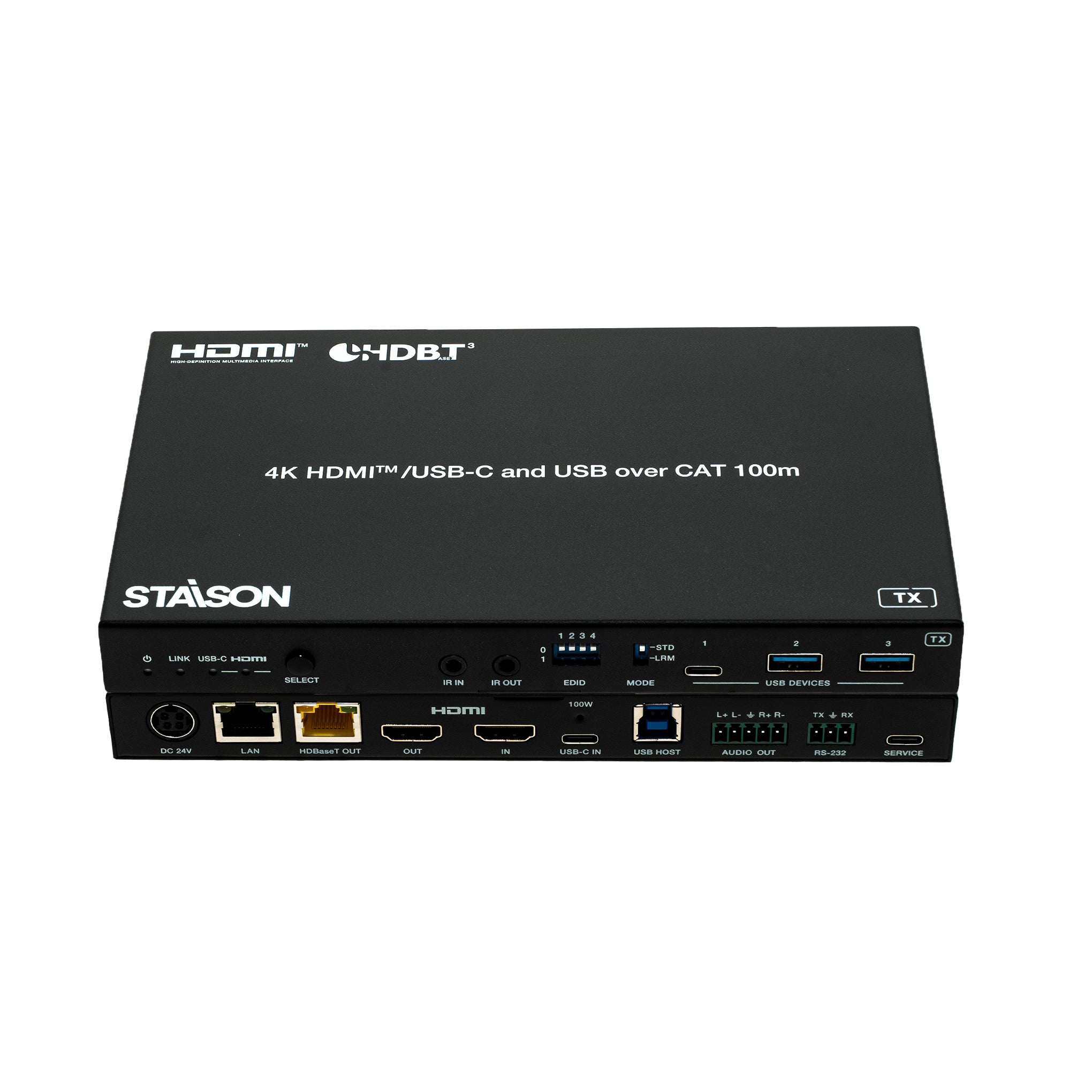
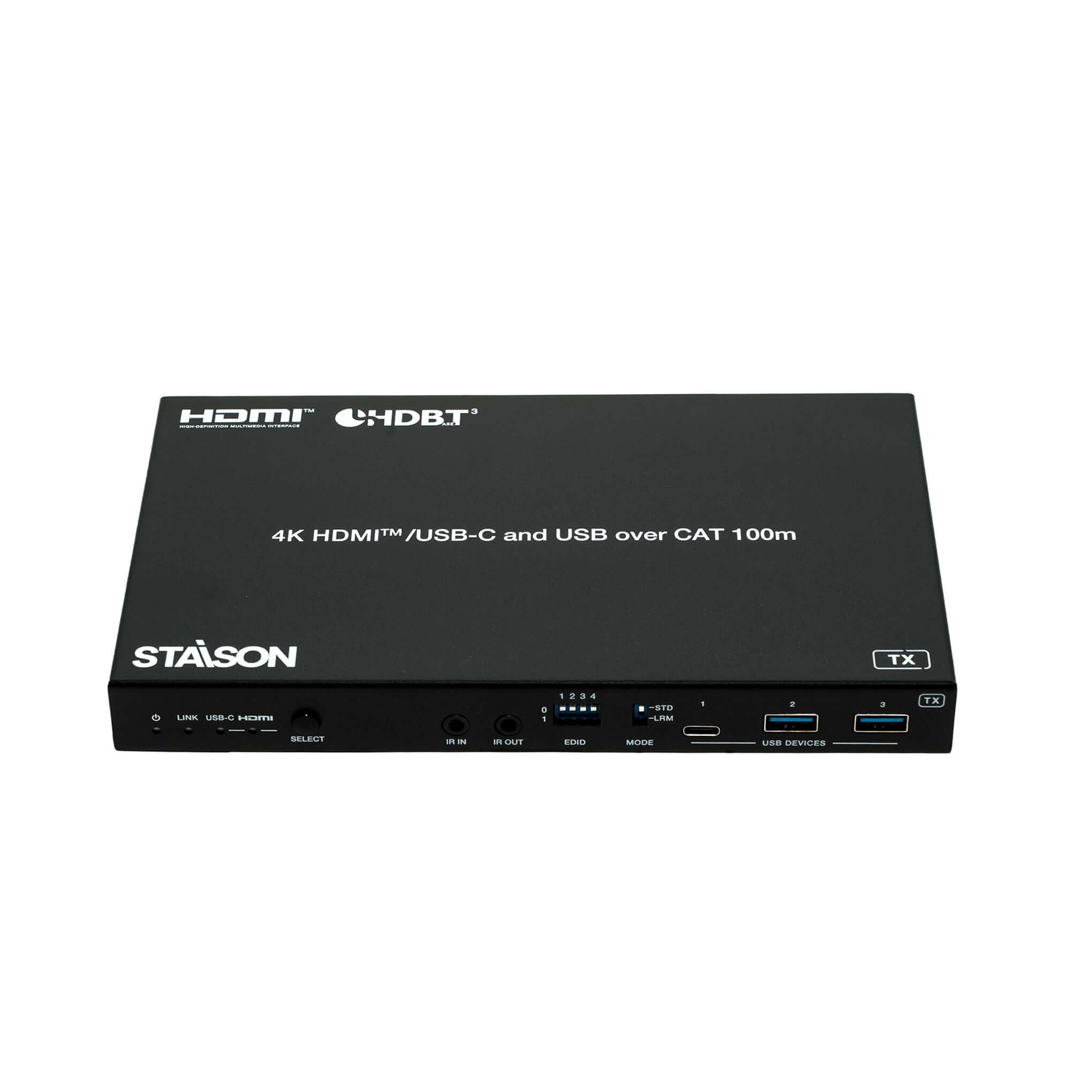
Transmitter — Front Panel
| No. | Name | Function Description |
|---|---|---|
| 1 | Power LED (Red) | Red LED indicates that the transmitter is powered on. |
| 2 | LINK LED (Green) | Light on: Transmitter and receiver are in good connection status. Light flashing: Poor connection status. Light off: Not connected. |
| 3 | USB-C LED (Green) | When the USB-C IN port is selected as the video signal input channel, the USB-C LED will be on. |
| 4 | HDMI LED (Green) | When the HDMI IN port is selected as the video signal input channel, the HDMI LED will be on. |
| 5 | SELECT Button | Press this button to switch between HDMI and USB-C signal input. |
| 6 | IR IN | IR signal input port, connected to IR Receiver cable. |
| 7 | IR OUT | IR signal output port, connected to IR Blaster cable. |
| 8 | EDID DIP Switch | Used for EDID setting (see EDID Setting List below). Note: Only when the EDID DIP switch is set to 1111 are the EDID settings through API commands valid. |
| 9 | MODE Switch | Switch to "STD": HDBT Standard Mode (factory default) — extends 4K60/4K30/1080P up to 100m via CAT6A/7. Switch to "LRM": HDBT Long Reach Mode — extends 1080P 8bit up to 150m via CAT6A/7. Note: In Long Reach Mode, only USB HID devices (mouse/keyboard) can be transmitted; USB 2.0 devices are not supported. |
| 10 | USB Device Ports (1–3) | Three USB 3.2 device ports (two USB-A and one USB-C) connected to mouse, keyboard, USB Flash Drive or other USB devices. |
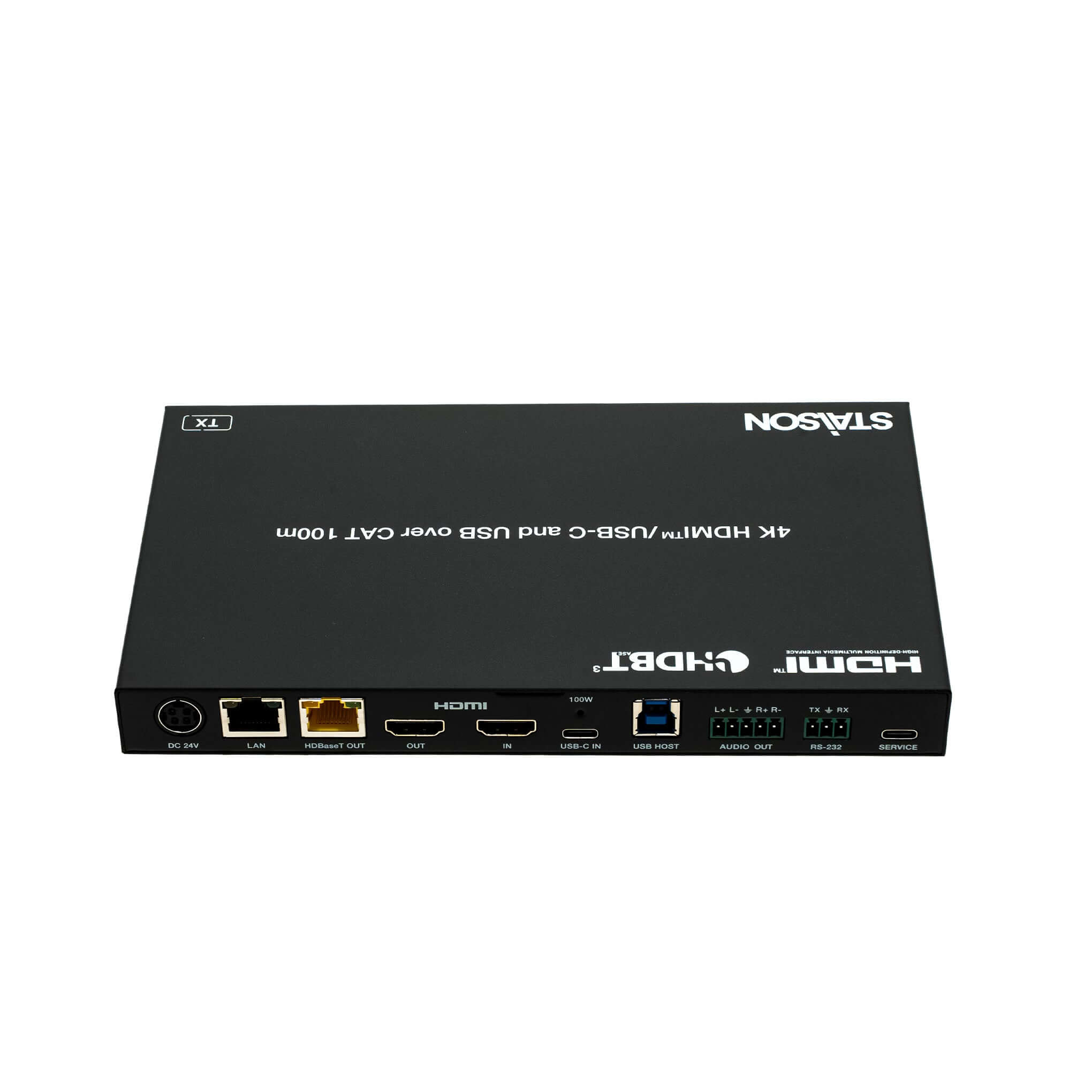
Transmitter — Rear Panel
| No. | Name | Function Description |
|---|---|---|
| 11 | DC 24V | DC 24V/7.5A power supply input port. Note: The extender supports PoC — if either TX or RX is powered by the 24V adapter, the other unit does not require a separate power supply. |
| 12 | LAN | 1G Ethernet pass-through port. Yellow indicator flashes at 1000Mbps; green indicator flashes at 100Mbps. |
| 13 | HDBaseT OUT | HDBaseT output port, connected to the HDBaseT IN port of the receiver with a CAT6A/7 cable. Used for HDMI, network and USB signal pass-through. |
| 14 | HDMI OUT | HDMI signal loop output port, connected to HDMI display device. |
| 15 | Link Signal Indicator (Green) | Light on: Transmitter and receiver are in good connection status. Light flashing: Poor connection status. Light off: Not connected. |
| 16 | Data Signal Indicator (Yellow) | Light on: Video signal transmission with HDCP encryption. Light flashing: Video signal without HDCP encryption. Light off: No video signal. |
| 17 | HDMI IN | HDMI signal input port, connected to HDMI source device. |
| 18 | USB-C IN | USB Type C port with four functions: (1) USB-C video signal input. (2) USB-C host port for USB 3.2 Gen 1 signal transmission when USB-C is selected as input. (3) USB-C charging — provides 100W charging only when TX is connected to the 24V/7.5A power supply. (4) 1G Ethernet access port. |
| 19 | USB HOST | USB 3.2 Gen 1 host port, connected to PC. |
| 20 | AUDIO OUT | Analog audio output port supporting balanced audio (max 2Vrms) and unbalanced audio (max 1Vrms). Balanced: L+, L–, GND, R+, R– Unbalanced: L+, GND, R+ |
| 21 | RS-232 | RS-232 serial port for RS-232 signal pass-through and API commands control. |
| 22 | SERVICE | USB 2.0 Type C port for firmware upgrade and API commands control. |
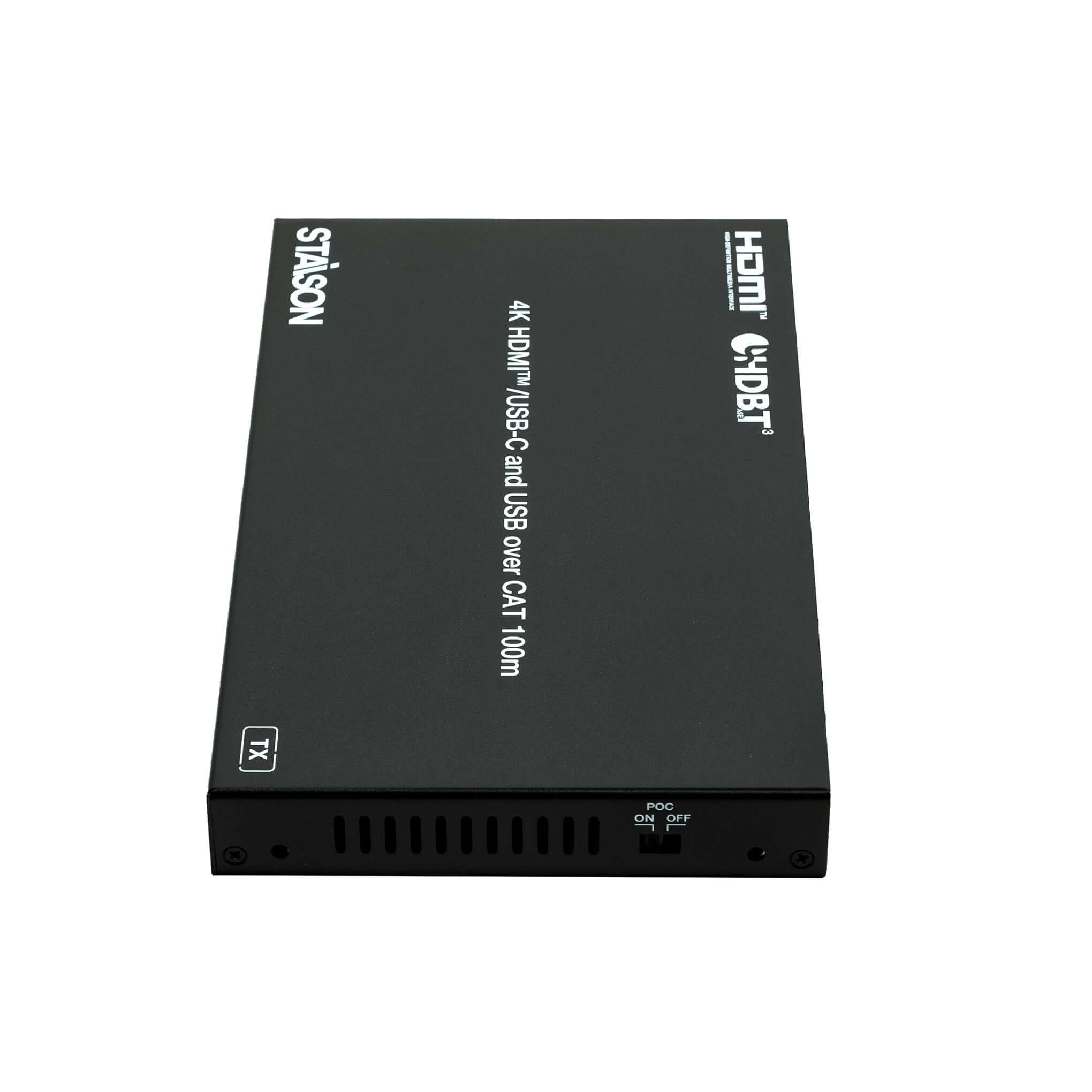
| 23 | POC Switch | 24V PoC on/off switch. ON: PoC enabled (factory default). OFF: PoC disabled (requires local DC 24V power supply). |
Receiver Panel
| No. | Name | Function Description |
|---|---|---|
| 1 | Power LED (Red) | Red LED indicates that the receiver is powered on. |
| 2 | LINK LED (Green) | Light on: Transmitter and receiver are in good connection status. Light flashing: Poor connection status. Light off: Not connected. |
| 3 | IR IN | IR signal input port, connected to IR Receiver cable. |
| 4 | IR OUT | IR signal output port, connected to IR Blaster cable. |
| 5 | HDBaseT IN | HDBaseT input port, connected to the HDBaseT OUT port of the transmitter with a CAT6A/7 cable. Used for HDMI, network and USB signal pass-through. |
| 6 | DC 24V | DC 24V/7.5A power supply input port. Note: The extender supports PoC — if either TX or RX is powered by the 24V adapter, the other unit does not require a separate power supply. |
| 7 | LAN | 1G Ethernet pass-through port. Yellow indicator flashes at 1000Mbps; green indicator flashes at 100Mbps. |
| 8 | HDMI OUT | HDMI signal output port, connected to HDMI display device such as TV or monitor. |
| 9 | Data Signal Indicator (Yellow) | Light on: Video signal with HDCP encryption. Light flashing: Video signal without HDCP encryption. Light off: No video signal. |
| 10 | Link Signal Indicator (Green) | Light on: Good connection status. Light flashing: Poor connection status. Light off: Not connected. |
| 11 | USB Device Ports | Three USB 2.0 device ports (two USB-A and one USB-C) plus one additional USB device port connected to mouse, keyboard, USB Flash Drive or other USB devices. |
| 12 | AUDIO OUT | Analog audio output port supporting balanced audio (max 2Vrms) and unbalanced audio (max 1Vrms). Balanced: L+, L–, GND, R+, R– Unbalanced: L+, GND, R+ |
| 13 | HDMI OUT | HDMI signal output port, connected to HDMI display device. |
| 14 | RS-232 | RS-232 serial port for RS-232 signal pass-through and API commands control. |
| 15 | SERVICE | USB 2.0 Type C port for firmware upgrade and API commands control. |
| 16 | POC Switch | 24V PoC on/off switch. ON: PoC enabled (factory default). OFF: PoC disabled (requires local DC 24V power supply). |
EDID Setting List
| EDID DIP (4-bit) | EDID Description |
|---|---|
| 0000 | EDID Auto (default) |
| 0001 | HDMI 1080p@60Hz, Audio 2CH PCM |
| 0010 | HDMI 4K@30Hz 4:4:4, 8-bit, Audio 2CH PCM |
| 0011 | HDMI 4K@60Hz 4:4:4, 8-bit, Audio 2CH PCM |
| 0100 | HDMI 1080p@60Hz, Audio 5.1CH DTS/DOLBY |
| 0101 | HDMI 1080p@60Hz, Audio 7.1CH DTS/DOLBY/HD |
| 0110 | HDMI 4K@60Hz 4:4:4, 8-bit, Audio 5.1CH DTS/DOLBY |
| 0111 | HDMI 4K@60Hz 4:4:4, 8-bit, Audio 7.1CH DTS/DOLBY/HD |
| 1000 | HDMI 1920×1200@60Hz, Audio 2CH PCM |
| 1001 | DVI 1920×1080@60Hz, Audio None |
| 1010 | DVI 1920×1200@60Hz, Audio None |
| 1011 | EDID pass-through (Copy from TX HDMI OUT) |
| 1100 | EDID pass-through (Copy from RX HDMI OUT) |
| 1101 | User Defined 1 |
| 1110 | User Defined 2 |
| 1111 | Software EDIDs (API command control) |
API Commands
The product supports API commands via RS-232 (3-pin phoenix connector) or the SERVICE port (USB-C cable). SERVICE port (USB-C virtual RS-232): Baud rate 115200 fixed, Data bits: 8, Stop bits: 1, Parity: none. Phoenix RS-232 port: Baud rate 2400–115200 (configurable), Data bits: 8, Stop bits: 1, Parity: none.
| Command Code | Function Description |
|---|---|
| ? / help | Get the list of all commands |
| get fw version | Get firmware version |
| set reboot | Reboot the device |
| set reset | Reset to factory defaults |
| get status | Get full system status (input, video, audio, HDCP, USB, HDBT link, EDID, display auto-power) |
| set tx key on/off | Enable or disable TX front panel buttons |
| get tx key | Get TX front panel key on/off status |
| set tx UsbcAccessNetwork on/off | Set TX USB-C input port network access on/off |
| get tx UsbcAccessNetwork | Get TX USB-C input port network access status |
| set tx source x | Set TX input source. x=0 (OFF), x=1 (USB-C), x=2 (HDMI), x=3 (AVMUTE), x=4 (Internal pattern) |
| get tx source | Get TX input source |
| set tx pattern x y | Set TX internal signal generator resolution (x=1–6: 4K60/4K50/4K25/4K24/1080P60/480P60) and pattern (y=1–12: Black/Checkboard/Strip/Red/Green/Blue/White/Ramp/Red ramp/Green ramp/Blue ramp/PRBS) |
| get tx pattern | Get TX internal pattern generator output resolution and pattern |
| set tx input x hdcp y | Set TX input (x=0 All, 1 USB-C, 2 HDMI) HDCP to y=0 (off), y=1 (HDCP 1.4), y=2 (HDCP 2.2) |
| get tx input x hdcp | Get TX input HDCP status. x=0 (All), 1 (USB-C), 2 (HDMI) |
| set tx output x hdcp y | Set TX output (x=0 All, 1 HDBT, 2 HDMI) HDCP mode. y=0 (Signal management), y=1 (Auto/Follow sink), y=2 (Force 1.4), y=3 (Force 2.2) |
| get tx output x hdcp | Get TX output HDCP mode. x=0 (All), 1 (HDBT), 2 (HDMI) |
| set tx usb x | Set TX USB source. x=0 (Follow video), x=1 (USB-C host), x=2 (USB-B host) |
| get tx usb | Get TX USB source |
| get tx usbh5v x | Get TX USB host 5V status. x=0 (All), 1 (USB-C), 2 (USB-B) |
| set tx usbd5v x to y | Set TX USB device output (x=0–3) 5V to y=0 (disable), y=1 (follow host), y=2 (force always on) |
| get tx usbd5v x | Get TX USB device output 5V status. x=0–3 |
| set tx autoswitch on/off | Set TX auto-switching on/off |
| get tx autoswitch | Get TX auto-switching status |
| set tx autoswitch mode x | Set TX auto-switching mode. x=0 (5V detection), x=1 (signal detection) |
| get tx autoswitch mode | Get TX auto-switching mode |
| set tx edid x to y | Set TX input port (x=0 All, 1 USB-C, 2 HDMI) EDID to y=01–19 (01 1080p 2CH PCM, 02 1080p 5.1CH, 03 1080p 7.1CH, 04 4K30 2CH, 05 4K30 5.1CH, 06 4K30 7.1CH, 07 4K60 2CH, 08 4K60 5.1CH, 09 4K60 7.1CH, 10 4K60 4:2:0 2CH, 11 4K60 4:2:0 5.1CH, 12 4K60 4:2:0 7.1CH, 13 1920×1200 2CH, 14 DVI 1080p, 15 DVI 1200p, 16 Copy TX HDMI OUT, 17 Copy RX HDMI OUT, 18 User Defined 1, 19 User Defined 2) |
| get tx edid x | Get TX input port EDID. x=0 (All), 1 (USB-C), 2 (HDMI) |
| get tx edid data x | Get TX input port EDID data. x=0 (All), 1 (USB-C), 2 (HDMI) |
| set user edid x <y> | Set user defined EDID. x=1 (User Defined 1), x=2 (User Defined 2). y = 256 bytes EDID data |
| get user edid x | Get user defined EDID data. x=0 (both), 1, or 2 |
| set tx downscale auto/on/off | Set TX HDMI output downscale. auto (by display capability), on (force 1080p), off (bypass) |
| get tx downscale | Get TX downscale mode |
| set tx audio mute on/off | Set TX de-embedding audio mute on/off |
| get tx audio mute | Get TX de-embedding audio mute status |
| set rx output display y | Set RX output display mode. y=0 (off), y=1 (input video), y=2 (AVMUTE), y=3 (internal pattern) |
| get rx output display | Get RX output display mode |
| set rx output hdcp y | Set RX output HDCP mode. y=0 (signal management), y=1 (auto), y=2 (force 1.4), y=3 (force 2.2) |
| get rx output hdcp | Get RX output HDCP mode |
| set rx pattern x y | Set RX internal pattern generator resolution (x=1–6) and pattern (y=1–12) |
| get rx pattern | Get RX internal pattern generator output |
| set rx downscale auto/on/off | Set RX downscale mode. auto (by display), on (force 1080p), off (bypass) |
| get rx downscale | Get RX downscale mode |
| set rx audio mute on/off | Set RX de-embedding audio mute on/off |
| get rx audio mute | Get RX de-embedding audio mute status |
| set rx usbd5v x to y | Set RX USB device output (x=0–4) 5V to y=0 (disable), y=1 (follow host), y=2 (force always on) |
| get rx usbd5v x | Get RX USB device output 5V status. x=0–4 |
| set display x auto power function on/off | Set display (x=0 All, 1 TX HDMI, 2 RX HDMI) auto power on/off when input signal changes |
| get display x auto power function | Get display auto power function status |
| set display x auto power on/off time y | Set display auto power on/off delay. x=0–2, y=0–1200sec |
| get display x auto power on/off time | Get display auto power on/off delay time |
| set display x control type y | Set display power control type. x=0–2, y=1 (CEC), y=2 (RS-232), y=3 (CEC and RS-232) |
| get display x control type | Get display power control type |
| set display x power on/off | Set display (x=0 All, 1 TX HDMI, 2 RX HDMI) power on or off |
| set display x cec y | Send CEC command to display. y=1 (power on), y=2 (power off), y=3 (volume up), y=4 (volume down), y=5 (mute) |
| set serial x setting y | Set serial port (x=0 TX+RX, 1 TX, 2 RX) baud rate and format. e.g. 115200-8n1 |
| get serial x setting | Get serial port settings |
| set serial x HEX/ASCII power on <y1> delay <y2> input <y3> | Set RS-232 power on command string with optional delay and input selection for TX or RX |
| get serial x power on command | Get RS-232 power on command string |
| set serial x HEX/ASCII power off <y1> delay <y2> | Set RS-232 power off command string for TX or RX |
| get serial x power off command | Get RS-232 power off command string |