


Description
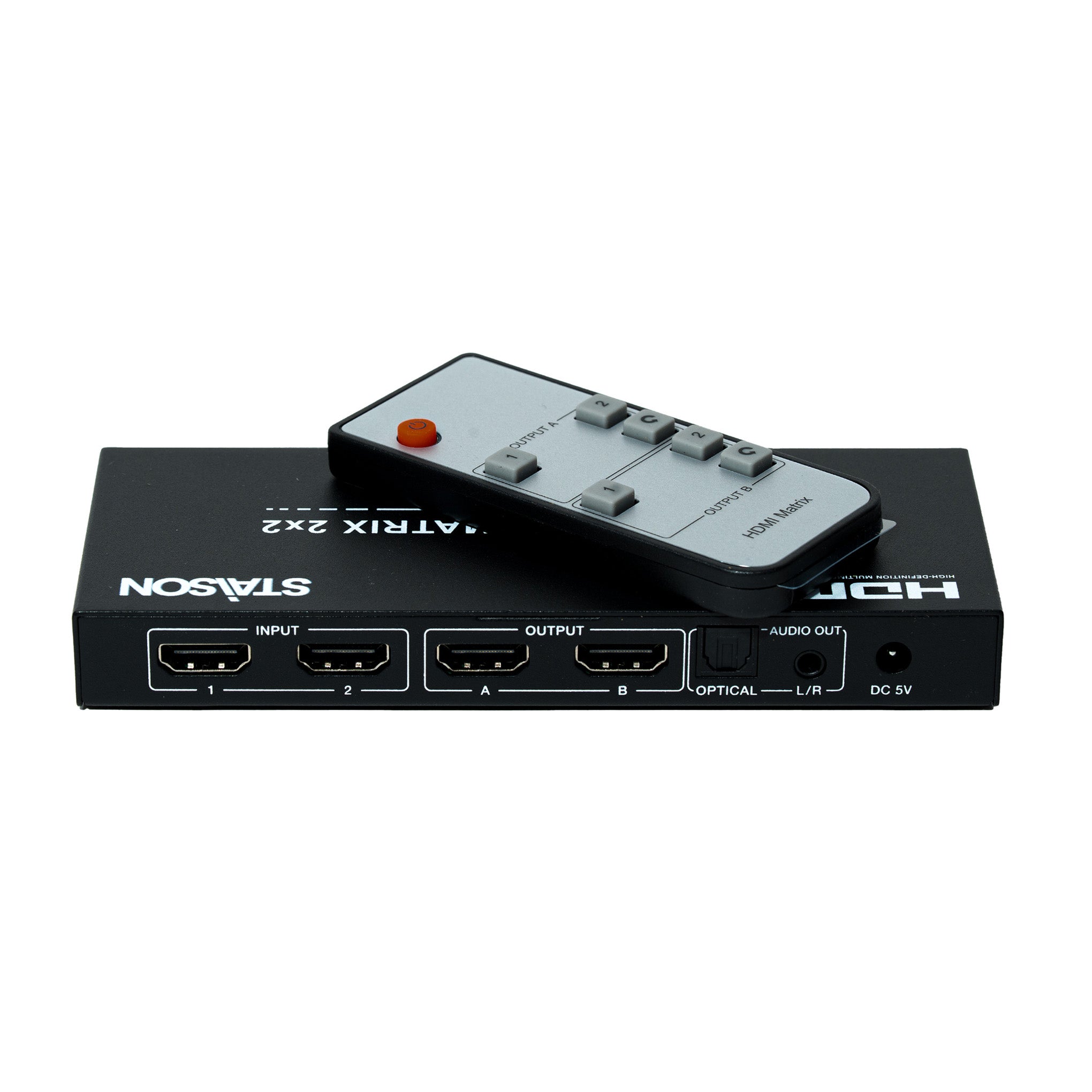
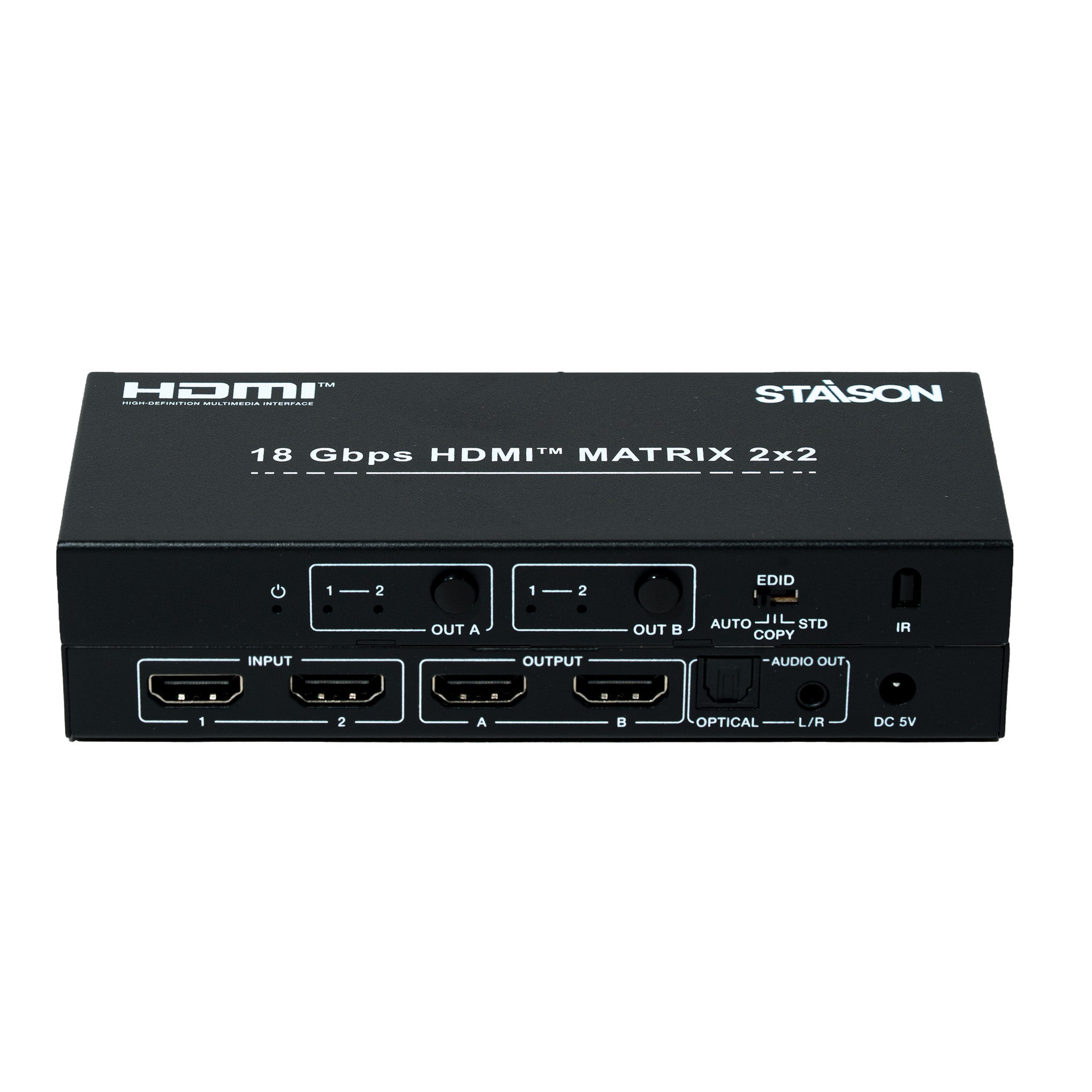
The 18Gbps 2x2 HDMI Matrix switcher supports the transmission of video signal (up to 4K2K@50/60Hz YCbCr 4:4:4) from two HDMI sources to two HDMI displays simultaneously. This product supports audio extract from output A to optical and analog output. It supports three modes of EDID setting (AUTO, COPY and STD). Flexible control via panel buttons and IR remote, the corresponding LED indicator on front panel will be illuminated.
Features
☆ HDCP 2.2 / HDCP 1.x, DVI 1.0 compliant
☆ Support 18Gbps video bandwidth
☆ Video resolution is up to 4K2K@50/60Hz (4:4:4)
☆ Support digital and analog audio extract output from output A
☆ EDID can be selected with AUTO, COPY and STD mode via the selector on the front panel
☆ Support analog audio PCM 2.0
☆ Supported optical audio pass-through format: LPCM 2.0/2.1CH, Dolby 5.1, Dolby TrueHD, Dolby DD+, DTS 5.1, DTS-ES 6/DTS-HDMA 5.1, DTS HD-HRA 5.1
☆ Support HDR function
☆ Flexible control via panel buttons and IR remote
Package Contents
① 1× 2×2 HDMI Matrix Switcher
② 1× 5V/1A Power Adapter
③ 1× Matrix IR Remote
④ 1× User Manual
Specifications
| Technical | |
| Video Bandwidth | 594MHz / 18Gbps |
| HDMI Video Resolution | Up to 4K2K@50/60Hz YCbCr 4:4:4 |
| Color Space | RGB, YCbCr 4:4:4, YCbCr 4:2:2, YCbCr 4:2:0 |
| Color Depth | 8-bit, 10-bit, 12-bit |
| High Dynamic Range | HDR, HDR10+, HLG, Dolby Vision |
| HDMI Audio Formats | PCM 2.0/5.1/7.1CH, Dolby 5.1, DTS 5.1, Dolby TrueHD, DTS-HD |
| L/R Audio Formats | Analog stereo PCM 2.0 |
| Optical Audio Formats | LPCM [2.0/2.1] CH, Dolby 5.1, Dolby TrueHD, Dolby DD+, DTS 5.1, DTS-ES 6, DTS-HDMA 5.1, DTS HD-HRA 5.1 |
| HDCP Compliance | HDCP 2.2 and HDCP 1.x |
| DVI Compliance | DVI 1.0 |
| ESD Protection | Human-body Model: ±8kV (Air-gap discharge), ±4kV (Contact discharge) |
| Connection | |
| Input Ports | 2× HDMI Type A [19-pin female]; 1× IR Receiver Window |
| Output Ports | 2× HDMI Type A [19-pin female]; 1× L/R [3.5mm Stereo Mini-jack]; 1× OPTICAL OUT [Optical jack] |
| Mechanical | |
| Housing | Metal Enclosure |
| Color | Black |
| Dimensions | 144mm (W) × 59.5mm (D) × 18mm (H) |
| Weight | 208g |
| Power | |
| Power Supply | Input: AC 100~240V 50/60Hz; Output: DC 5V/1A (US/EU standard, CE/FCC/UL certified) |
| Power Consumption | 2.7W |
| Environmental | |
| Operating Temperature | 0°C ~ 40°C / 32°F ~ 104°F |
| Storage Temperature | -20°C ~ 60°C / -4°F ~ 140°F |
| Relative Humidity | 20~90% RH (non-condensing) |
Operation Controls and Functions
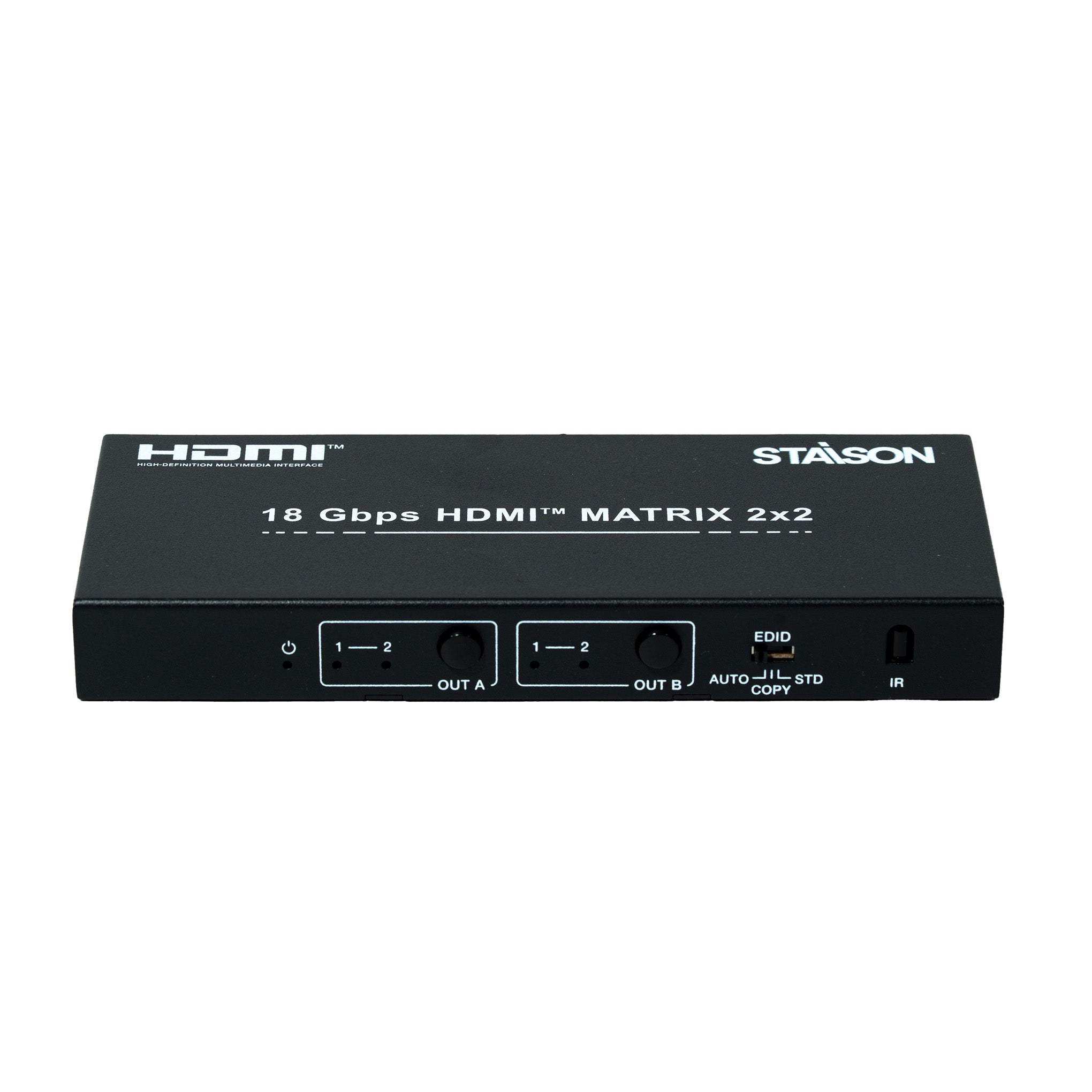
Front Panel

| No. | Name | Function Description |
|---|---|---|
| 1 | POWER LED | Power LED indicator. The power LED illuminates in red when the product is working or on standby. |
| 2 | OUTPUT A | Press the OUT A button to select input 1 or 2 source. The corresponding LED indicator will illuminate in green. |
| 3 | OUTPUT B | Press the OUT B button to select input 1 or 2 source. The corresponding LED indicator will illuminate in green. |
| 4 | EDID AUTO / COPY / STD |
AUTO: The product will compare OUT A and OUT B EDID settings and output the lowest resolution to source devices, then the source devices will send the signal to all HDMI outputs. COPY: The product will copy the EDID setting of the HDMI OUT A display device (if no HDMI OUT A capable EDID is detected, the product will copy HDMI OUT B) to source devices, then the source devices will send the signal to all HDMI outputs. STD: The source devices will send fixed 1080P/60Hz EDID to all HDMI outputs (audio for PCM 2.0 only). |
| 5 | IR | IR receiver window. Receives IR remote signal of this product only. |
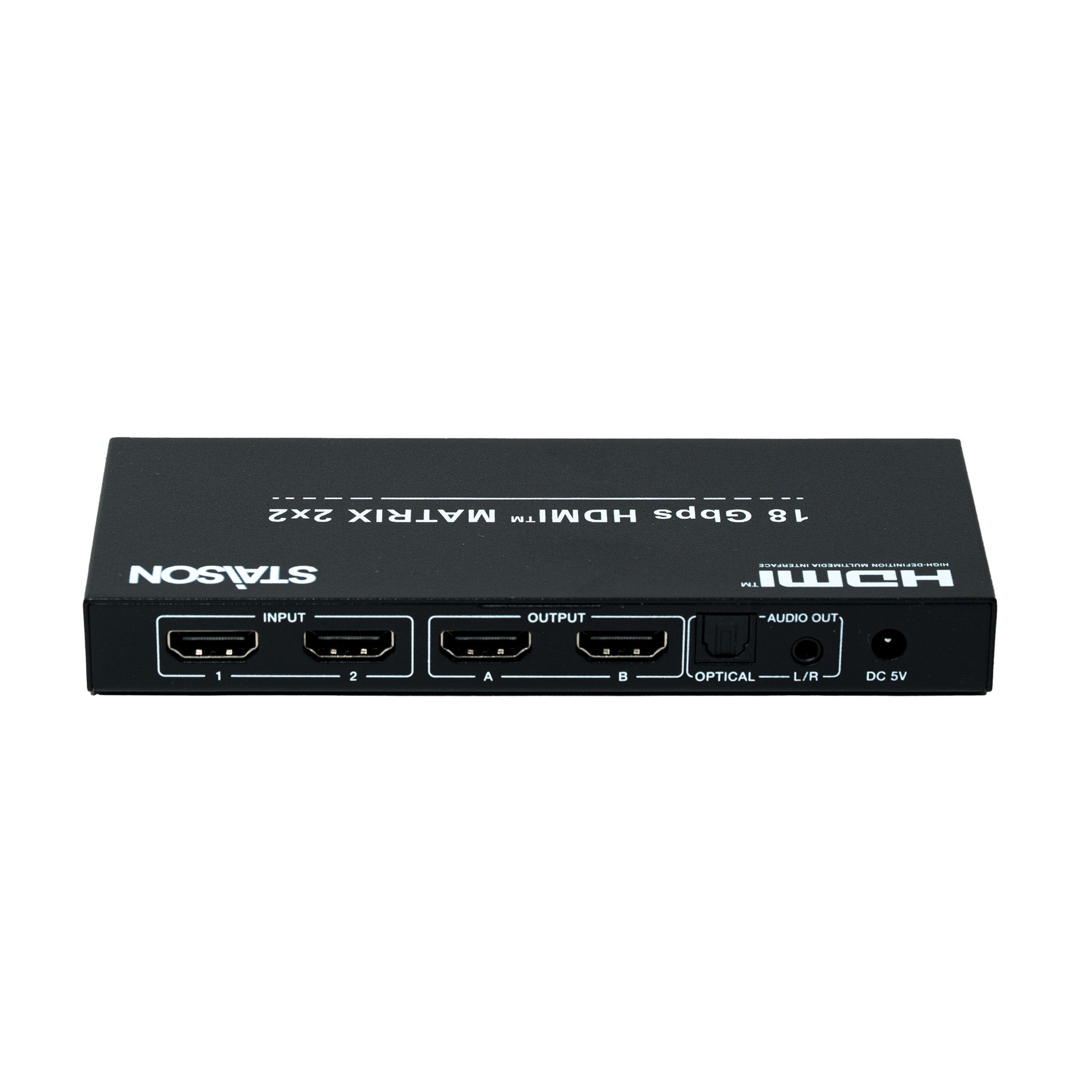
Rear Panel

| No. | Name | Function Description |
|---|---|---|
| 1 | INPUT 1 / 2 | Connect to HDMI source devices such as DVD player or PS4 with an HDMI cable. |
| 2 | OUTPUT A / B | Connect to HDMI display devices such as TV or monitor with an HDMI cable. |
| 3 | AUDIO OUT (OPTICAL / L/R) |
OPTICAL: Optical audio output port. Connect to audio amplifier. L/R: Analog audio output port. Connect to audio amplifier. Note: The audio output signal is from OUTPUT A port. |
| 4 | DC 5V | Plug the 5V/1A DC power supply into the unit and connect the adapter to an AC outlet. |
IR Remote

| Button | Function Description |
|---|---|
| Power | Power on the product or set it to standby status. |
| OUTPUT A | |
| 1 / 2 | Select input 1 or input 2 source signal to OUTPUT A port. |
| ↕ (Cycle) | Select circularly input 1 or input 2 source signal to OUTPUT A port. |
| OUTPUT B | |
| 1 / 2 | Select input 1 or input 2 source signal to OUTPUT B port. |
| ↕ (Cycle) | Select circularly input 1 or input 2 source signal to OUTPUT B port. |
Notice:
① The power LED on the front panel will illuminate in red when the product is working or on standby.
② The input source LED on the front panel will illuminate in blue when OUTPUT A or OUTPUT B is selected by an input source.
For using the IR remote, the best distance is 0~7m and the best angle is ±45°.
Application Example
