


Description
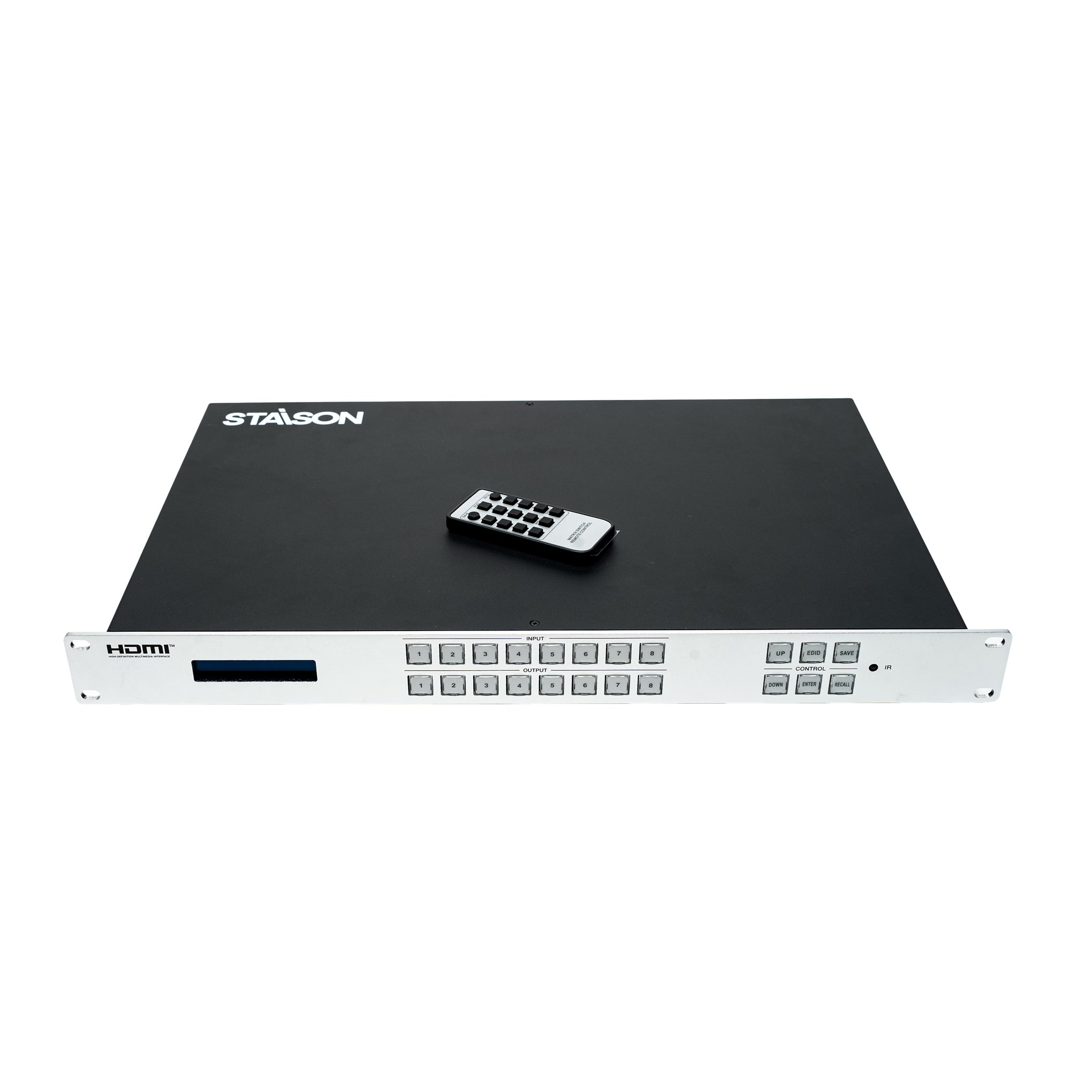
This 4K30 HDMI Matrix is a perfect solution for video transmission from eight HDMI sources to eight HDMI displays. 8 channel inputs support video resolution up to 4K30Hz. 8 channel outputs support independent resolution scaler mode (Bypass/4K→1080P/Auto). This matrix supports up to 8 scene presets, which can be saved, recalled or cleared. Advanced EDID management is supported.
This matrix can be controlled through the front panel buttons, IR remote control, RS-232 commands and Web GUI.
Features
☆ 8x8 matrix switching
☆ HDCP 2.2 compliant
☆ Supports 10.2Gbps video bandwidth
☆ 8 channel inputs support video resolution up to 4K30Hz, as specified in HDMI 1.4
☆ 8 channel outputs support independent resolution scaler mode (Bypass/4K→1080P/Auto)
☆ HDMI audio formats: LPCM 2.0/5.1/7.1CH, Dolby Digital, DTS 5.1, Dolby Digital+, Dolby TrueHD, DTS-HD Master Audio, Dolby Atmos, DTS:X
☆ Advanced EDID management, supporting preset EDID, copy EDID, custom EDID (upload)
☆ Up to 8 preset scenes, which can be saved, recalled or cleared
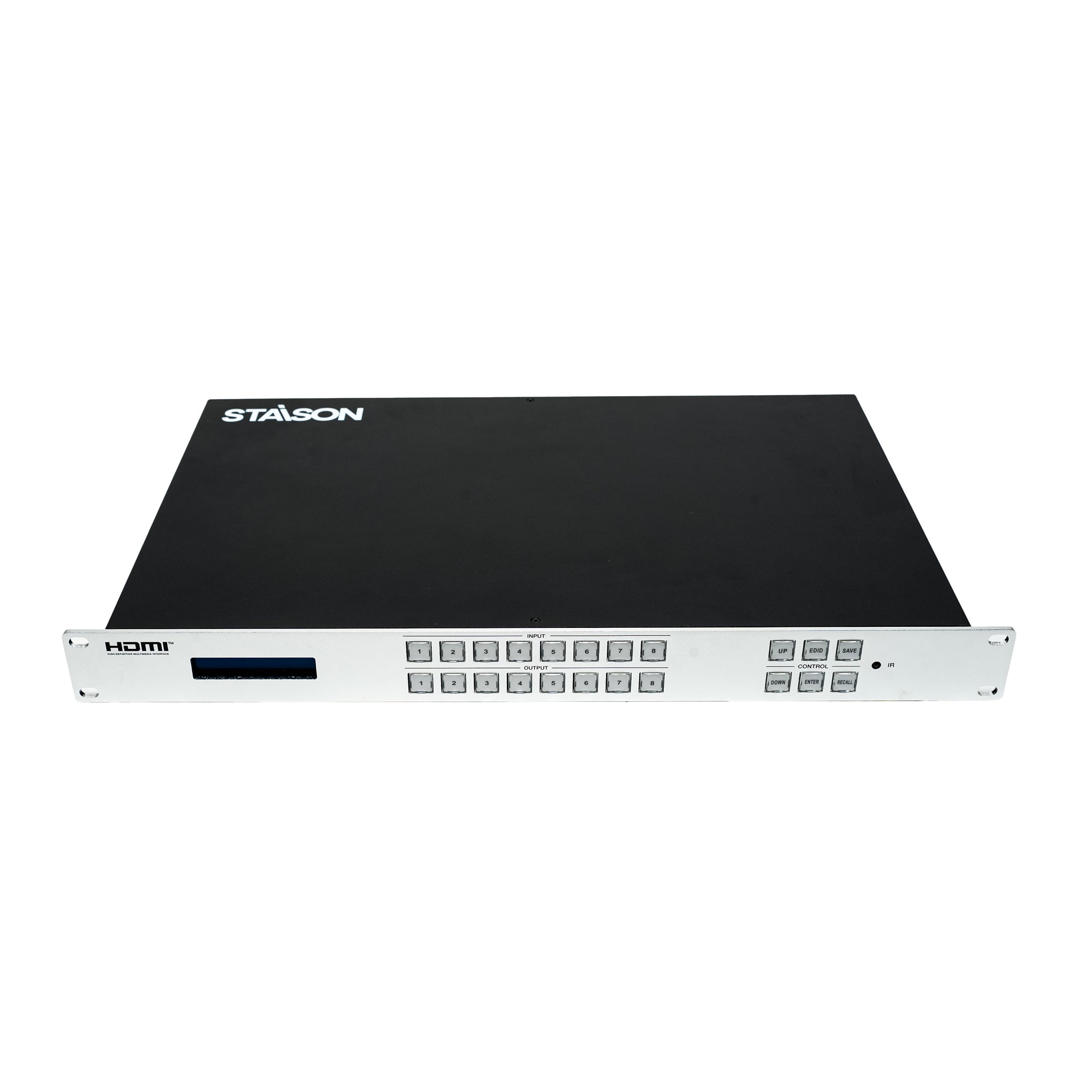
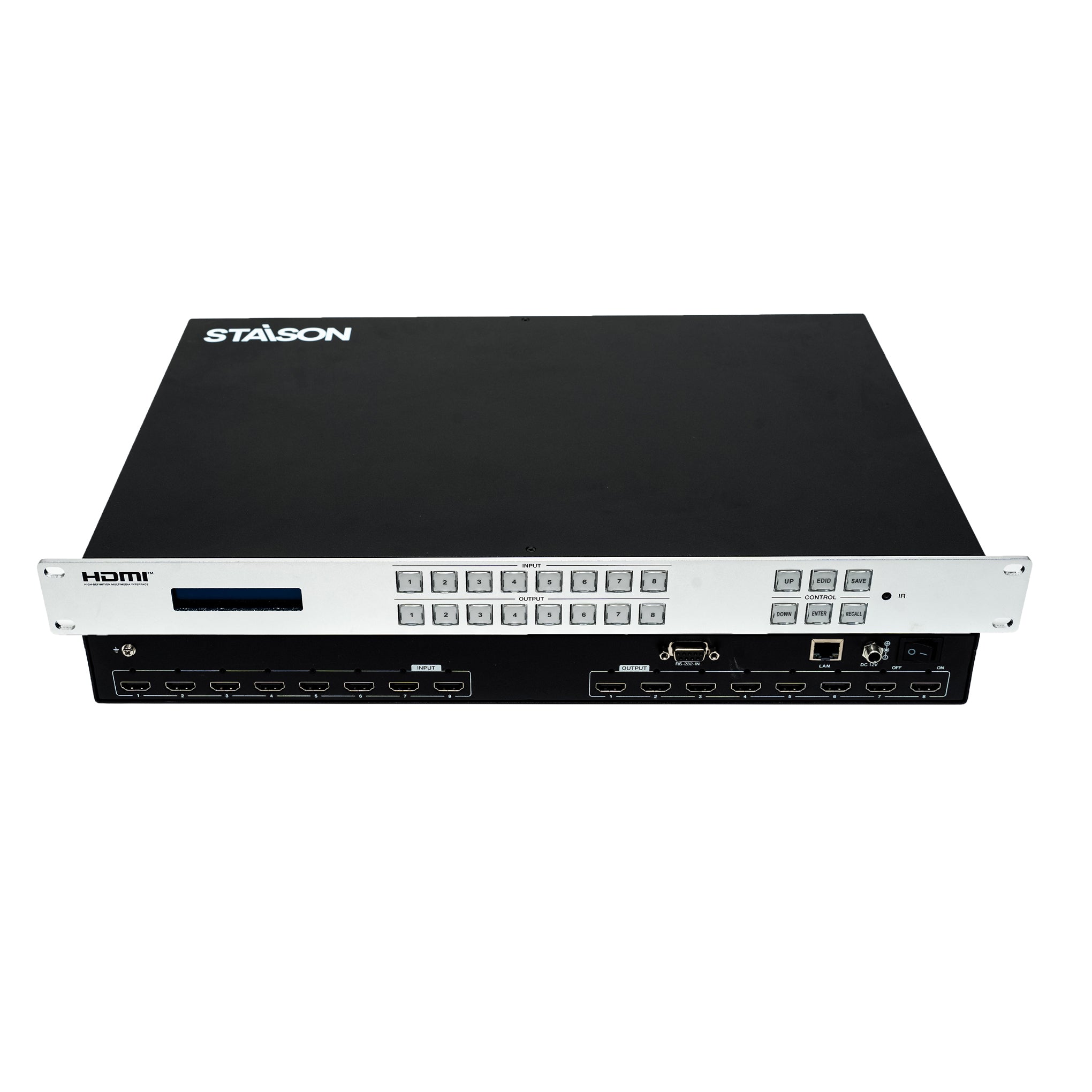
☆ 1U rack mounted design with front panel LCD display
☆ Control via the front panel buttons, IR remote control, RS-232 commands and Web GUI
Package Contents
① 1x 4K30 8x8 HDMI Matrix
② 1x IR Remote
③ 1x 12V/2.5A Multinational Power Supply (Locking)
④ 1x User Manual
Specifications
| Technical | |
| Video Bandwidth | 10.2Gbps |
| Video Resolution | 480i ~ 4K@30Hz |
| Color Space | RGB, YCbCr 4:4:4, YUV 4:4:4, YCbCr 4:2:2/4:2:0 |
| Color Depth | 8-bit, 10-bit, 12-bit (1080p@60Hz); 8-bit (4K2K@30Hz YUV4:4:4); 8-bit, 10-bit, 12-bit (4K2K@30Hz YCbCr 4:2:2/4:2:0) |
| HDMI Audio Formats | LPCM 2.0/5.1/7.1, Dolby Digital, DTS 5.1, Dolby Digital+, Dolby TrueHD, DTS-HD Master Audio, Dolby Atmos, DTS:X |
| HDMI Compliance | HDMI 1.4 |
| HDCP Compliance | HDCP 2.2 |
| ESD Protection | IEC 61000-4-2: ±8kV (Air-gap discharge) & ±4kV (Contact discharge) |
| Connection | |
| Input | 8× INPUT [HDMI Type A, 19-pin female] |
| Output | 8× OUTPUT [HDMI Type A, 19-pin female] |
| Control | 1× RS-232-IN [D-Sub 9, female]; 1× LAN [RJ45] |
| Recommended HDMI Cable | |
| 4K30 Resolution | 10m / 33ft |
| 1080P60 Resolution | 15m / 49ft |
| Mechanical | |
| Housing | Metal Enclosure |
| Color | Front panel: Silver; Rear case: Black |
| Dimensions | 440mm (W) × 285mm (D) × 44.5mm (H) |
| Weight | 3.45kg |
| Power | |
| Power Supply | Input: AC 100~240V 50/60Hz; Output: DC 12V/2.5A (US/EU standard, CE/FCC/UL certified) |
| Power Consumption | 23.4W (Max) |
| Environmental | |
| Operating Temperature | 0°C ~ 40°C / 32°F ~ 104°F |
| Storage Temperature | -20°C ~ 60°C / -4°F ~ 140°F |
| Operating Humidity | 20%~80% (Relative Humidity, non-condensing) |
| Storage Humidity | 10%~90% (Relative Humidity, non-condensing) |
Operation Controls and Functions
Front Panel

| No. | Name | Function Description |
|---|---|---|
| 1 | LCD Screen | The software version and IP address of the matrix is displayed on the screen after powering on. Information such as the current input/output channel mapping and EDID can be displayed by pressing front panel buttons. |
| 2 | INPUT / OUTPUT (1~8) Buttons | Input and output channel switching buttons. Firstly press the INPUT (1–8) button to select the input channel; the corresponding input button lights green and the channel number will be displayed on the LCD screen. Then press the OUTPUT (1–8) button to select one or multiple output channels to complete "one-to-one" or "one-to-many" matrix switching. |
| 3 | CONTROL Buttons |
UP: Press the UP button to select the previous item. DOWN: Press the DOWN button to select the next item. EDID: Used to set the EDID mode of the input channel. Press the EDID button to enter EDID setting mode, press the INPUT (1~8) button to select the input channel, then press UP/DOWN to select the desired EDID. Finally, press ENTER to confirm and save. Pressing the EDID button twice returns to the home page. ENTER: Used to confirm and save EDID settings. SAVE: Used to save the preset scene. Up to 8 scenes can be saved. Press "SAVE + OUTPUT n" to save the current routing scene as scene n (n=1~8). RECALL: Used to recall the saved scene. Press "RECALL + OUTPUT n" to recall routing scene n (n=1~8) as the current routing. |
| 4 | IR Window | IR signal receiving window, receiving the IR signal of the IR remote. |
Rear Panel

| No. | Name | Function Description |
|---|---|---|
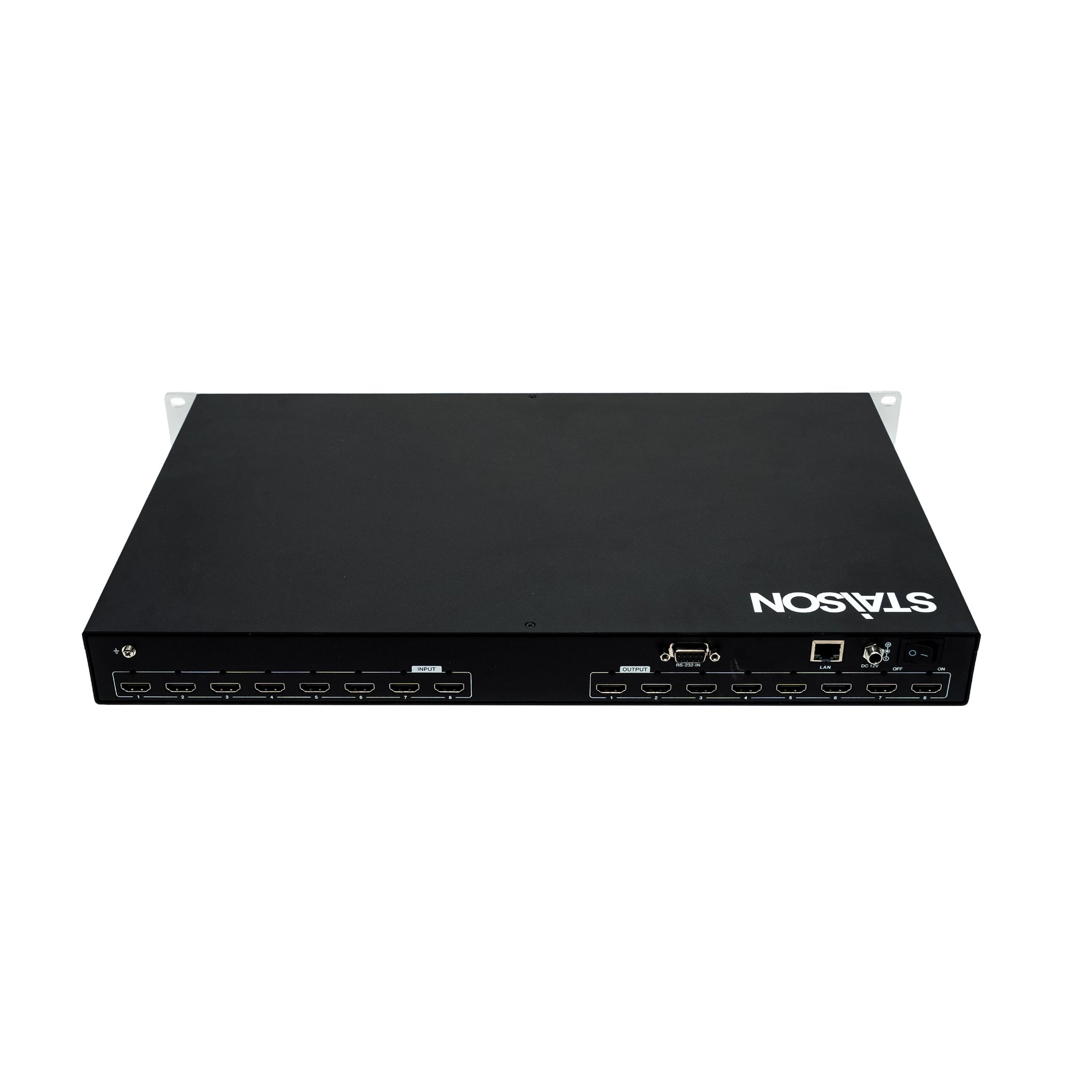
| 1 | INPUT 1~8 Ports | HDMI signal input ports, connected to HDMI source devices such as PC, DVD or Set-top box with an HDMI cable. |
| 2 | OUTPUT 1~8 Ports | HDMI signal output ports, connected to HDMI display devices such as TV or Monitor with an HDMI cable. |
| 3 | RS-232-IN Port | RS-232 serial port, connected to the PC or control system to upgrade firmware, or control the matrix through API commands. |
| 4 | LAN Port | LAN port, used for network control. Users can access the Web GUI through this port to control the matrix. |
| 5 | DC 12V | DC 12V/2.5A power input port. |
| 6 | Power Switch | Used to switch on/off the power of the matrix. |
IR Remote

| Button | Function Description |
|---|---|
| SAVE | Press this button to save the scene. |
| EDID | Press this button to switch the EDID. |
| RECALL | Press this button to recall the saved scene. |
| 1 / 2 / 3 / 4 / 5 / 6 / 7 / 8 | The numbers 1–8 are equivalent to the number buttons on the front panel. In "stateless mode", pressing number button 1 enters "INPUT" mode, then pressing number n selects OUTPUT n (n=1~8). In different modes, buttons 1~8 represent different functions, following the same logic as the front panel number buttons. |
| 9 | The function of the 9 button is the same as the DOWN button on the front panel. |
| 0 | The function of the 0 button is the same as the UP button on the front panel. |
| RETURN | Press this button to return to the main menu. |
| ENTER | Press this button to confirm the EDID switching. |
Application Example
