
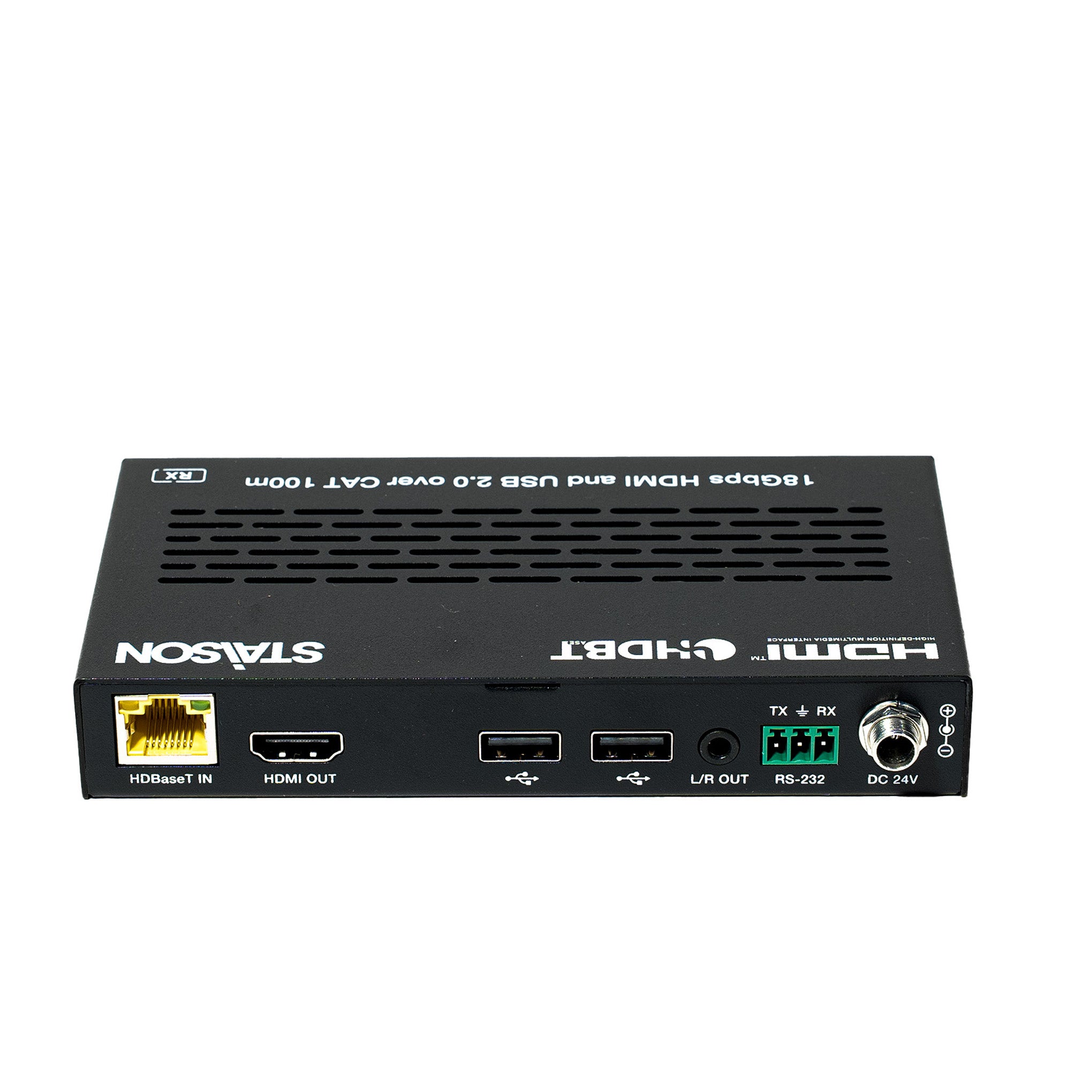
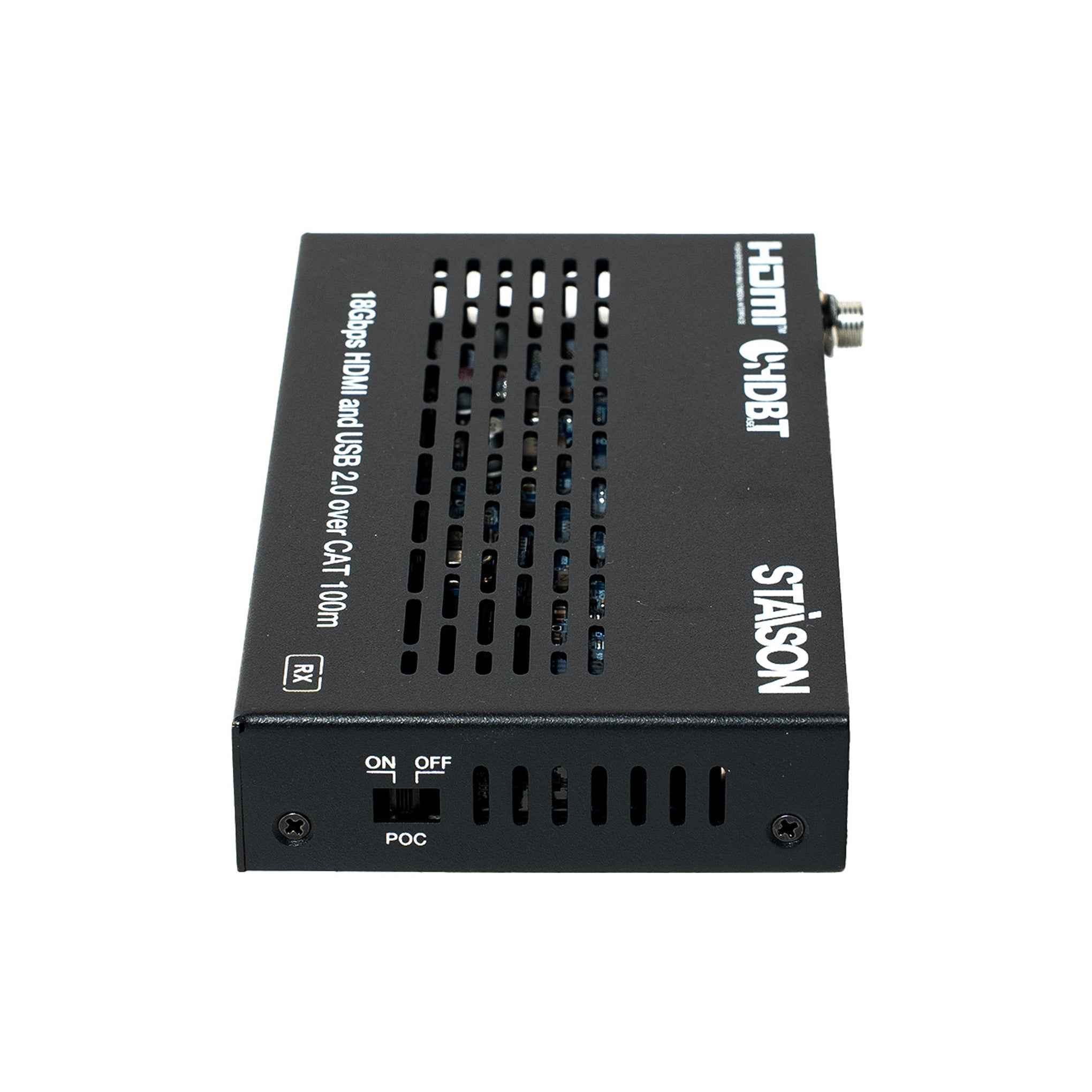


Description
تُعد وصلة ST-NEHB100HCU HDBaseT حلاً احترافيًا بتقنية HDMI/USB-C عبر HDBaseT 2.0 بسعة 18 جيجابت في الثانية، حيث تمد إشارات HDMI غير المضغوطة، وUSB-C، وUSB 2.0، وRS-232، وإشارات الأشعة تحت الحمراء ثنائية الاتجاه لمسافة تصل إلى 100 متر (328 قدمًا) عبر كابل CAT6A/7 واحد. تدعم وصلة ST-NEHB100HCU HDBaseT فيديو بدقة 4K عند 60 هرتز 4:4:4، وHDCP 2.3، وإدارة EDID، وفك تضمين الصوت التناظري، وPOC ثنائي الاتجاه لتوزيع صوت وفيديو موثوق به لمسافات طويلة. تعتبر وصلة ST-NEHB100HCU HDBaseT مثالية لغرف الاجتماعات، والفصول الدراسية، وغرف التحكم، وتركيبات الصوت والفيديو الاحترافية.
توفر الوصلة الحل الأكثر ملاءمة لتمديد الفيديو عبر كابل CAT واحد بقدرة طويلة المدى، وهي الحل الأمثل للتطبيقات المنزلية/التجارية.
توفر وصلة ST-NEHB100HCU HDBaseT تمديدًا موثوقًا لإشارة HDMI وUSB-C وUSB 2.0 والأشعة تحت الحمراء وRS-232 عبر مسافات طويلة.
توفر وصلة ST-NEHB100HCU HDBaseT تمديدًا مستقرًا لإشارة HDMI وUSB-C بسعة 18 جيجابت في الثانية لبيئات الصوت والفيديو الاحترافية.
الميزات
☆ متوافقة مع HDCP 2.3، عرض نطاق فيديو 18 جيجابت في الثانية
☆ تصميم يعتمد على شريحة HDBaseT 2.0 VS2010
☆ تدعم دقة الفيديو حتى 4K2K عند 60 هرتز (YUV 4:4:4) كما هو محدد في HDMI 2.0b
☆ مسافة إرسال إشارة 4K60/4K30/1080P تصل إلى 328 قدمًا/100 متر عبر كابل CAT6A/7 واحد (وضع HDBT القياسي)
☆ مسافة إرسال إشارة 1080P 8bit تصل إلى 492 قدمًا/150 مترًا عبر كابل CAT6A/7 واحد (وضع HDBT الطويل المدى)
☆ يتميز TX بمدخل HDMI واحد، ومدخل USB-C واحد، ومخرج HDBT واحد، ومضيف USB 2.0 واحد، و3 عملاء USB 2.0
☆ يتميز RX بمخرج HDMI واحد، وعميلين USB 2.0
☆ تدعم مدخلات إشارة USB-C وHDMI وضع التبديل التلقائي أو اليدوي
☆ يدعم التبديل التلقائي HDMI 5V أو تحديد اكتشاف الإشارة
☆ يدعم USB-C وضع DP-ALT للفيديو/الصوت، وبيانات USB 2.0، وشحن الطاقة حتى 60 واط
☆ منافذ عميل TX/RX USB-A VBUS تعمل أو تتوقف حسب ما إذا كان مضيف USB متصلاً
☆ تمرير HDR، HDR10، HDR10+، Dolby Vision LLM وHLG
☆ تقليل دقة 4K إلى 1080p على مخرج HDMI، بدون تحويل معدل الإطارات
☆ يدعم كل من TX وRX فك تضمين الصوت التناظري
☆ تمرير إشارة RS-232 والتحكم في وضع الضيف
☆ يدعم تمرير إشارة الأشعة تحت الحمراء ثنائية الاتجاه، وإرسال إشارة USB 2.0
☆ إدارة EDID متقدمة
☆ توفر منافذ TX USB-A طاقة تصل إلى 500 مللي أمبير؛ توفر منافذ RX USB-A طاقة تصل إلى 1000 مللي أمبير
☆ تدعم POC ثنائي الاتجاه 24 فولت، مع مفتاح POC
محتويات العبوة
① 1× وصلة HDMI/USB-C عبر HDBaseT 2.0 بسعة 18 جيجابت في الثانية (جهاز إرسال)
② 1× مستقبل HDMI بسعة 18 جيجابت في الثانية
③ 1× كابل IR Blaster (1.5 متر)
④ 1× كابل مستقبل IR واسع النطاق (1.5 متر)
⑤ 2× موصل فينيكس 3 سنون-3.81 ملم (ذكر)
⑥ 4× أذن تثبيت
⑦ 8× برغي آلة (KM3*4)
⑧ 1× مزود طاقة مكتبي 24 فولت/3.75 أمبير
⑨ 1× دليل المستخدم
تتضمن كل عبوة من وصلة ST-NEHB100HCU HDBaseT جهاز الإرسال والمستقبل والملحقات اللازمة للتثبيت الاحترافي.
تدعم وصلة ST-NEHB100HCU HDBaseT عرض نطاق 18 جيجابت في الثانية، وفيديو 4K عند 60 هرتز، وHDCP 2.3، واتصال USB-C.
تدعم وصلة ST-NEHB100HCU HDBaseT إرسال فيديو 4K لمسافات طويلة، وبيانات USB 2.0، والتحكم بالأشعة تحت الحمراء، واتصالات RS-232.
المواصفات
| تقني | |
| توافق HDCP | HDCP 2.3 |
| عرض نطاق الفيديو | 18 جيجابت في الثانية |
| دقة الفيديو | حتى 4K عند 60 هرتز 4:4:4 |
| توافق HDMI | HDMI 2.0b |
| مساحة اللون | RGB, YCbCr 4:4:4, YCbCr 4:2:2, YCbCr 4:2:0 |
| عمق اللون | 8/10/12 بت |
| تنسيقات الصوت (HDMI/USB-C/HDBT) | LPCM 2/5.1/7.1CH, Dolby Digital/Plus/EX, Dolby TrueHD, DTS, DTS-EX, DTS-96/24, DTS High Res, DTS-HD Master Audio, DSD |
| صوت تناظري 3.5 ملم | LPCM 2CH |
| HDR | HDR, HDR10, HDR10+, Dolby Vision, HLG |
| توافق USB | USB 2.0 |
| حماية ESD | IEC 61000-4-2: ±8 كيلو فولت (تفريغ الفجوة الهوائية) و ±4 كيلو فولت (تفريغ الاتصال) |
| مستوى IR | 12Vp-p |
| تردد IR | نطاق واسع 20 كيلو - 60 كيلو هرتز |
| مسافة الإرسال | |
| وضع HDBT القياسي (4K60/4K30/1080P) | 328 قدمًا / 100 متر (CAT6A/7) |
| وضع HDBT طويل المدى (1080P 8 بت) | 492 قدمًا / 150 مترًا (CAT6A/7) |
| الاتصال - جهاز الإرسال | |
| المدخلات | 1× مدخل HDMI [نوع A، 19 سنًا أنثى] 1× مدخل USB-C [USB نوع C، 24 سنًا أنثى] |
| المخرجات | 1× مخرج HDBaseT [RJ45، 8 سنون أنثى] 1× مخرج L/R [جاك صغير ستيريو 3.5 ملم] |
| التحكم | 1× مدخل IR [جاك صغير ستيريو 3.5 ملم] 1× مخرج IR [جاك صغير ستيريو 3.5 ملم] 1× RS-232 [موصل فينيكس 3 سنون-3.81 ملم] 1× خدمة [Micro USB، 5 سنون أنثى] 1× مضيف USB [USB نوع B، 4 سنون أنثى] 3× أجهزة USB [USB نوع A، 4 سنون أنثى] |
| الاتصال - جهاز الاستقبال | |
| المدخلات | 1× مدخل HDBaseT [RJ45، 8 سنون أنثى] |
| المخرجات | 1× مخرج HDMI [نوع A، 19 سنًا أنثى] 1× مخرج L/R [جاك صغير ستيريو 3.5 ملم] |
| التحكم | 1× مدخل IR [جاك صغير ستيريو 3.5 ملم] 1× مخرج IR [جاك صغير ستيريو 3.5 ملم] 1× RS-232 [موصل فينيكس 3 سنون-3.81 ملم] 1× خدمة [Micro USB، 5 سنون أنثى] 2× أجهزة USB [USB نوع A، 4 سنون أنثى] |
| الطاقة | |
| مزود الطاقة | المدخلات: تيار متردد 100-240 فولت 50/60 هرتز المخرجات: تيار مستمر 24 فولت/3.75 أمبير (معيار أمريكي/أوروبي، معتمد من CE/FCC/UL) |
| استهلاك الطاقة (الحد الأقصى) | 97.92 واط (مصدر الطاقة من TX، شحن USB-C بقوة 60 واط، POC إلى RX) 16.08 واط (مصدر الطاقة من TX أو RX، بدون شحن USB-C) |
| الميكانيكية | |
| الأبعاد | جهاز الإرسال: 170 ملم [عرض] × 102 ملم [عمق] × 22 ملم [ارتفاع] جهاز الاستقبال: 144 ملم [عرض] × 78 ملم [عمق] × 23 ملم [ارتفاع] |
| الوزن | جهاز الإرسال: 491 جرام؛ جهاز الاستقبال: 334 جرام |
| العلبة | غلاف معدني |
| اللون | أسود |
| البيئية | |
| درجة حرارة التشغيل | 32–104 درجة فهرنهايت / 0–40 درجة مئوية |
| درجة حرارة التخزين | -4–140 درجة فهرنهايت / -20–60 درجة مئوية |
| الرطوبة النسبية | 20–90% رطوبة نسبية (غير مكثفة) |
| طول كابل HDMI الموصى به | |
| مدخل / مخرج HDMI | 26 قدمًا / 8 أمتار |
| 4K60 | — |
| 4K24 | 39 قدمًا / 12 مترًا |
| 1080P60 | 50 قدمًا / 15 مترًا |
ضوابط التشغيل والوظائف
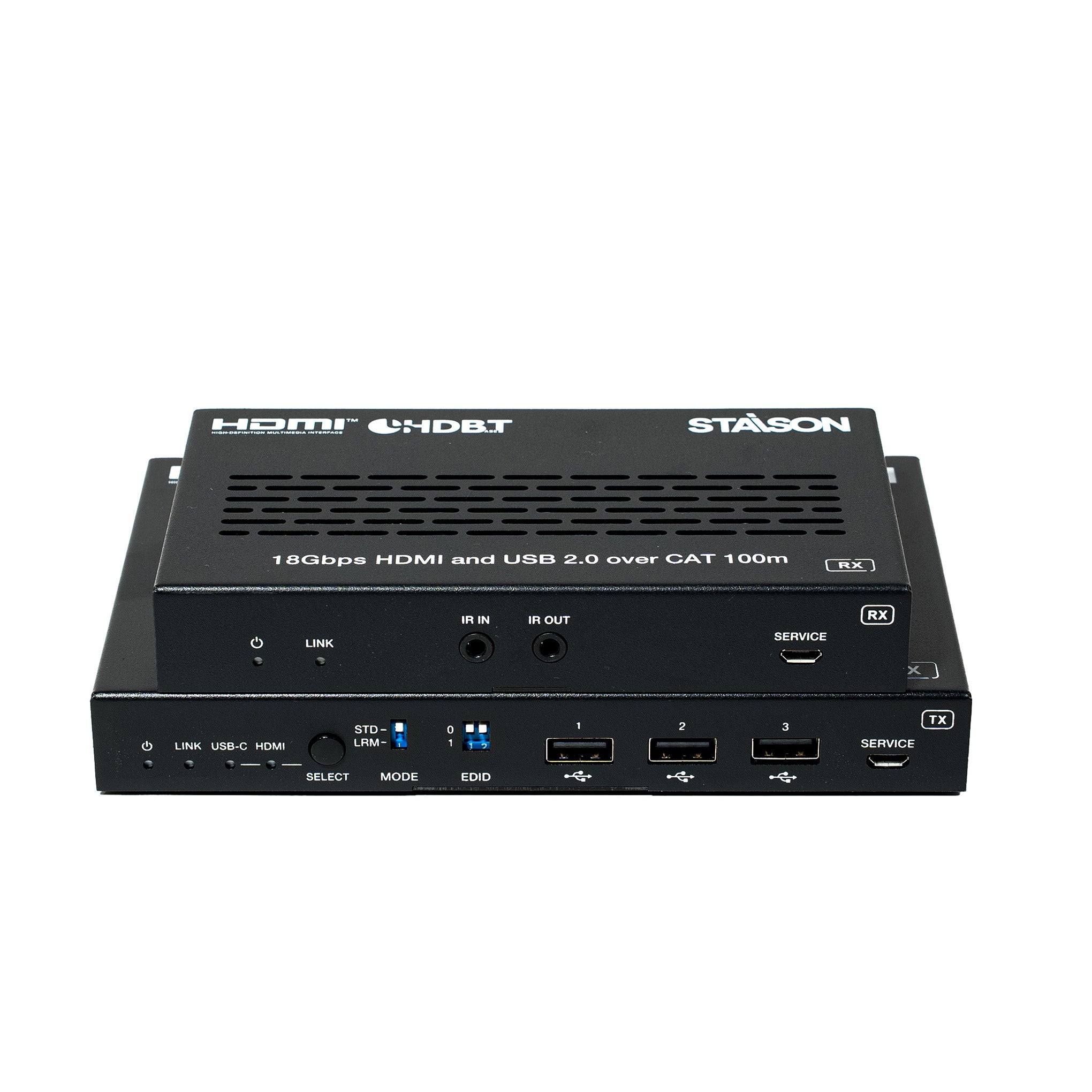
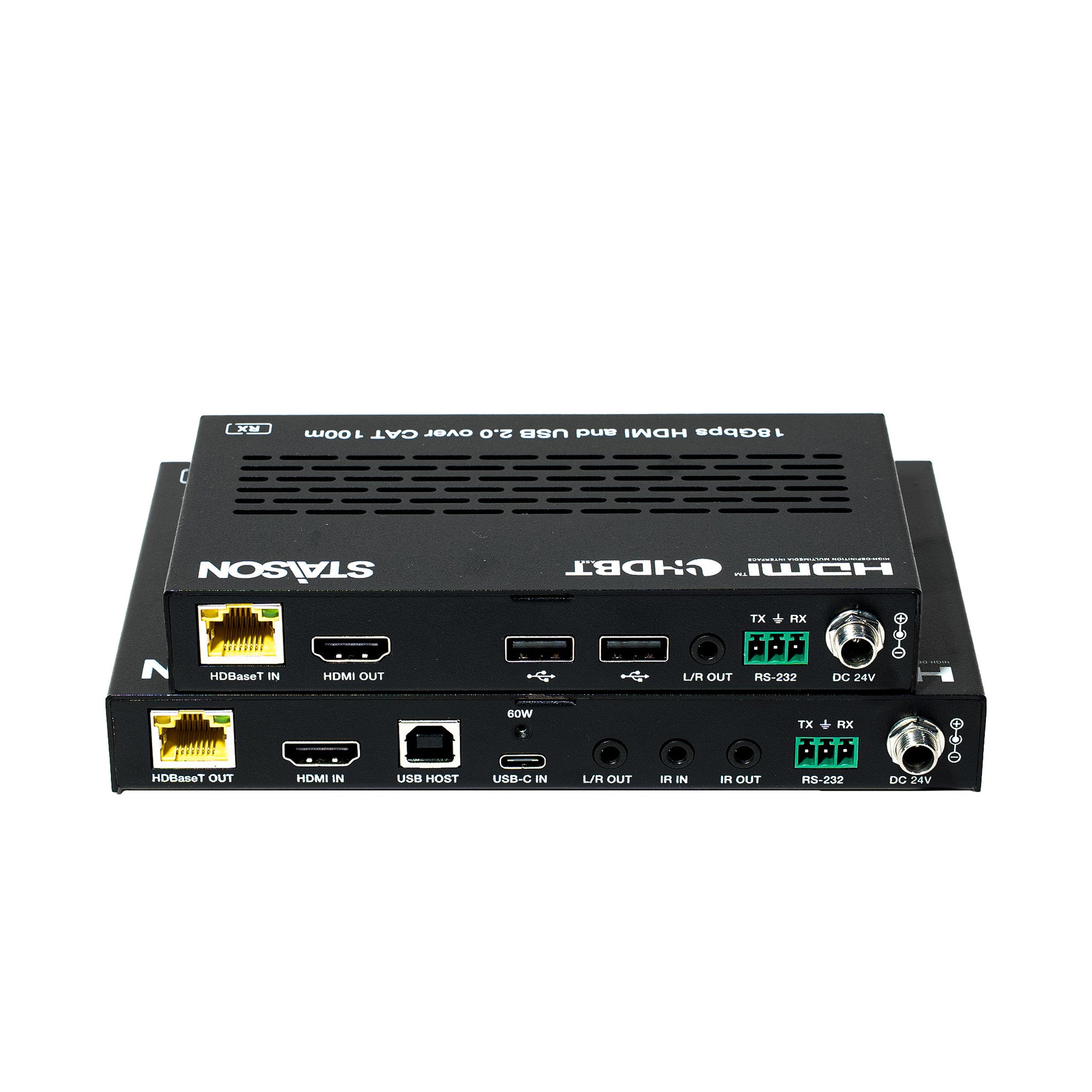
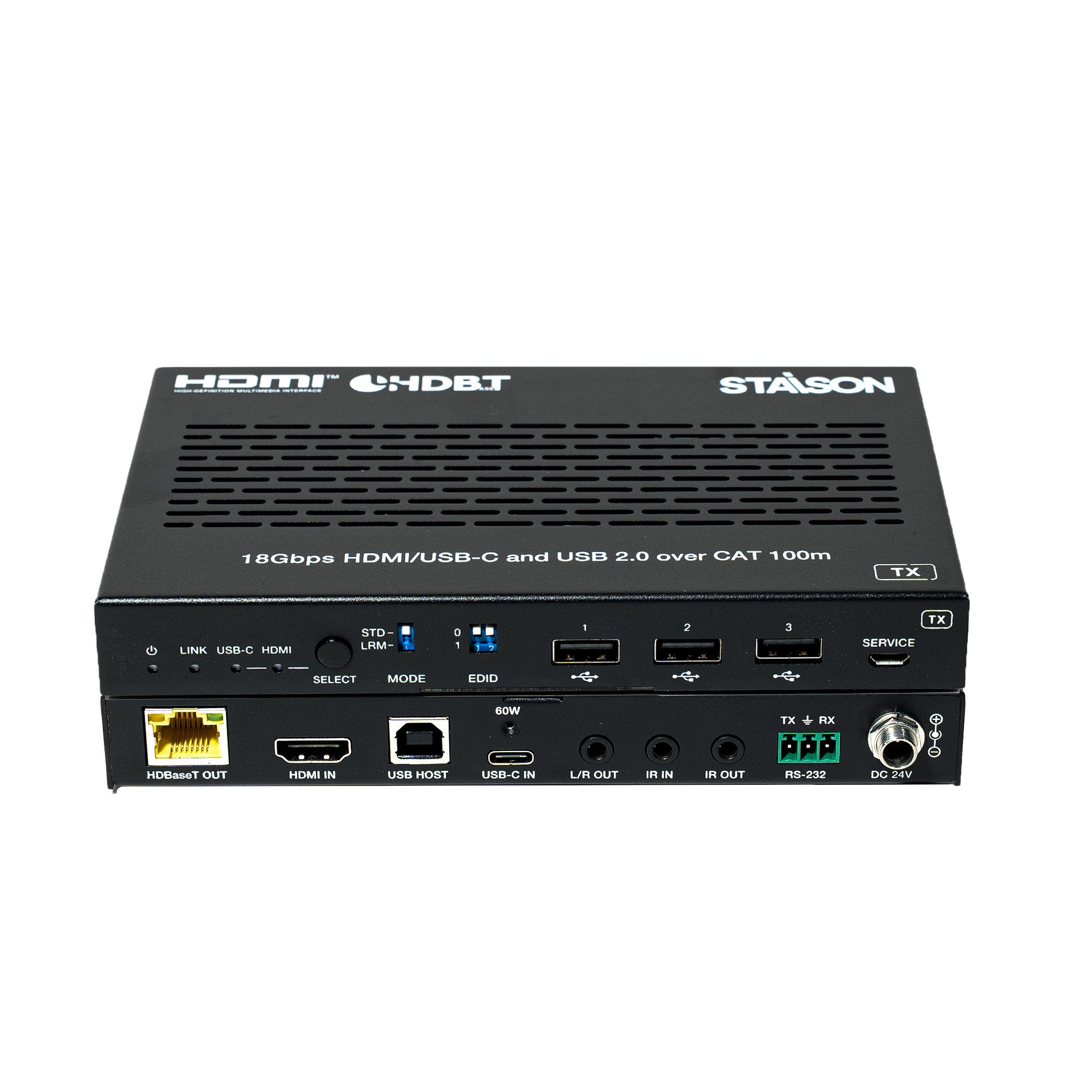
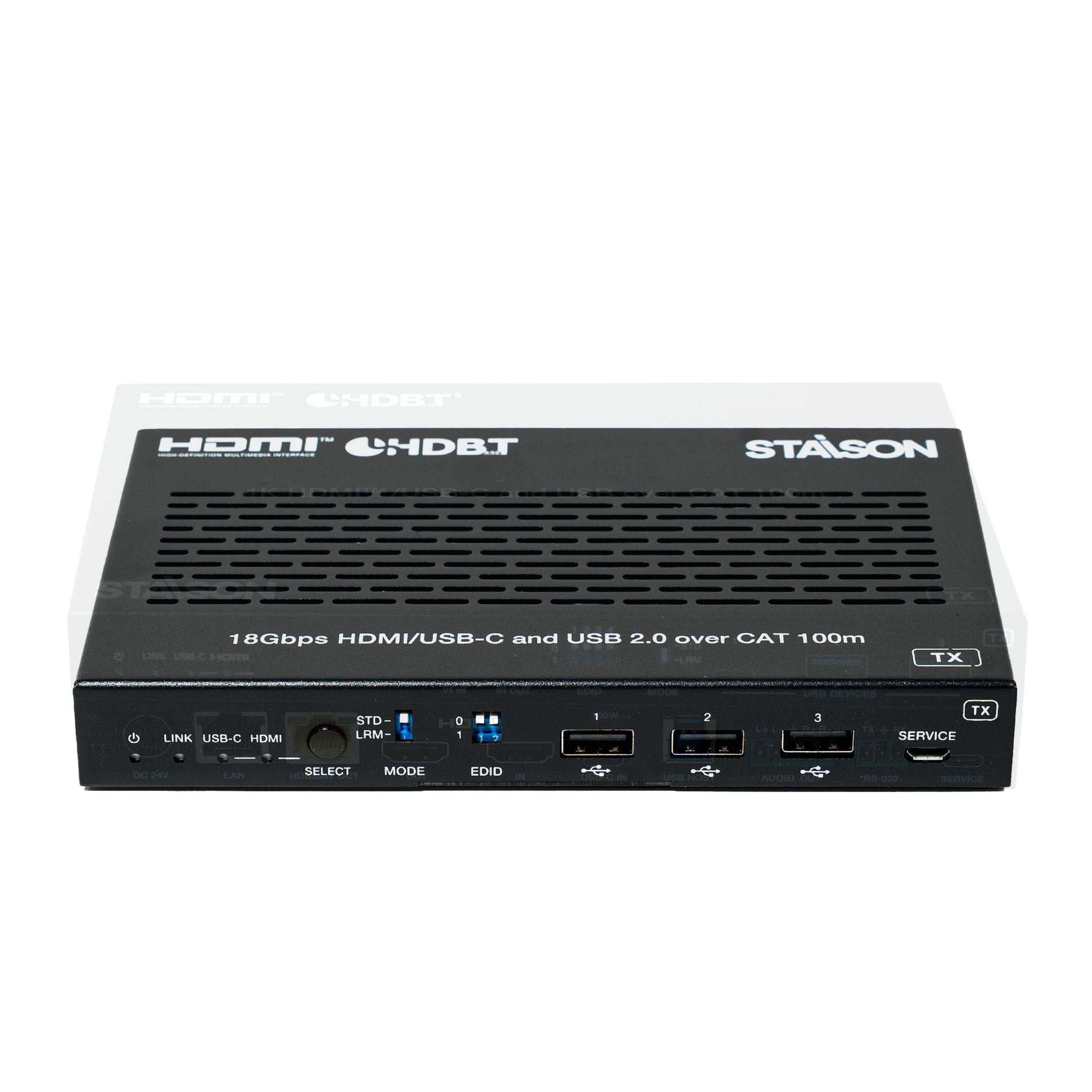
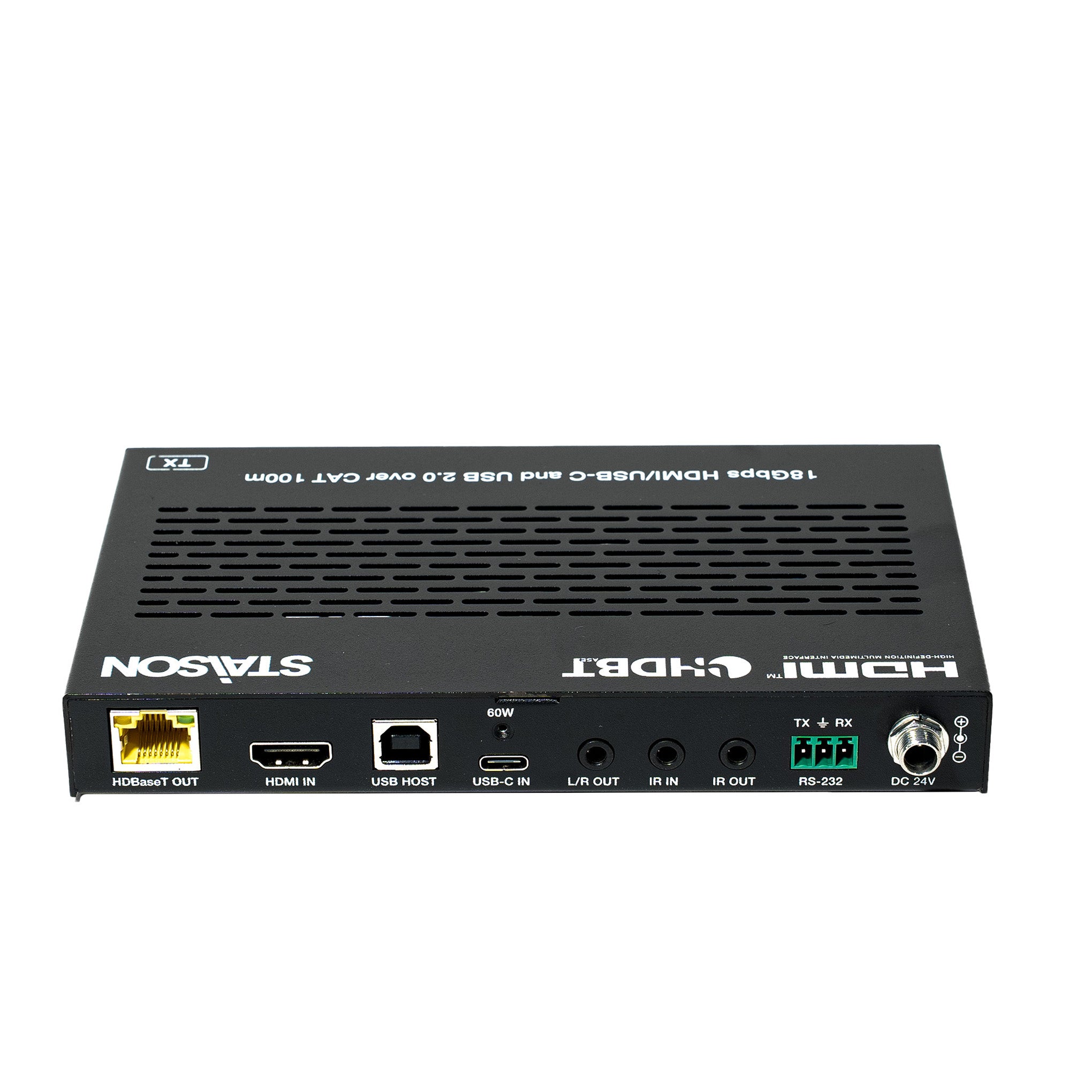
لوحة الإرسال

| رقم | الاسم | وصف الوظيفة |
|---|---|---|
| 1 | مؤشر LED للطاقة | يضيء مؤشر LED الأحمر للإشارة إلى تشغيل جهاز الإرسال. |
| 2 | مؤشر LED للحالة (أخضر) | مضيء: جهاز الإرسال والمستقبل متصلان بشكل جيد. وميض: جهاز الإرسال والمستقبل متصلان بشكل سيء. مطفأ: جهاز الإرسال والمستقبل غير متصلين. |
| 3 | مؤشر LED لـ USB-C (أخضر) | عند تحديد منفذ USB-C IN كقناة إدخال إشارة الفيديو، سيضيء مؤشر LED لـ USB-C. |
| 4 | مؤشر LED لـ HDMI (أخضر) | عند تحديد منفذ HDMI IN كقناة إدخال إشارة الفيديو، سيضيء مؤشر LED لـ HDMI. |
| 5 | زر التحديد | اضغط على هذا الزر للتبديل بين إدخال إشارة HDMI/USB-C. |
| 6 | مفتاح الوضع | يستخدم للتبديل بين أوضاع HDBT. STD: وضع HDBT القياسي (إعداد المصنع الافتراضي) - يمد إشارة 4K60/4K30/1080P حتى 100 متر عبر كابل CAT6A/7 واحد. LRM: وضع HDBT طويل المدى - يمد إشارة 1080P 8bit حتى 150 مترًا عبر كابل CAT6A/7 واحد. ملاحظة: في وضع طويل المدى، وبسبب قيود عرض النطاق الترددي، لا يمكن لـ USB نقل أجهزة USB 2.0 ويمكنه فقط نقل أجهزة USB HID (مثل الفئران ولوحات المفاتيح). قد يكون معدل الباود التسلسلي محدودًا أيضًا. |
| 7 | مفتاح EDID DIP | يستخدم لإعداد EDID: 00 - نسخ EDID الشاشة (إعداد المصنع الافتراضي) 01 - 4K30 4:4:4 10 - 1080p60 4:4:4 11 - 1200p60 4:4:4 |
| 8 | منافذ جهاز USB | ثلاثة منافذ توسيع USB، متصلة بالماوس، لوحة المفاتيح، محرك أقراص USB محمول أو أجهزة USB أخرى، مع أقصى إمداد طاقة 5 فولت/500 مللي أمبير. |
| 9 | الخدمة | تحديث البرامج الثابتة ومنفذ التحكم بأوامر API. |
| 10 | مخرج HDBaseT | منفذ إخراج إشارة HDBaseT، متصل بمنفذ HDBaseT IN للمستقبل بكابل CAT6A/7. يستخدم لتمرير إشارات مختلفة. |
| 11 | مؤشر إشارة البيانات (أصفر) | مضيء: إرسال إشارة الفيديو مع تشفير HDCP. وميض: إرسال إشارة الفيديو بدون تشفير HDCP. مطفأ: لا يوجد إرسال إشارة فيديو. |
| 12 | مؤشر إشارة الارتباط (أخضر) | مضيء: جهاز الإرسال والمستقبل متصلان بشكل جيد. وميض: جهاز الإرسال والمستقبل متصلان بشكل سيء. مطفأ: جهاز الإرسال والمستقبل غير متصلين. |
| 13 | مدخل HDMI | منفذ إدخال إشارة HDMI، متصل بجهاز مصدر HDMI. |
| 14 | مضيف USB | منفذ مضيف USB، متصل بجهاز الكمبيوتر. يتبع منفذ HDMI IN. عندما يتم تحديد منفذ HDMI IN كقناة إدخال، يمكن إخراج إشارة USB 2.0 فقط عبر منفذ مضيف USB. |
| 15 | منفذ USB-C | منفذ USB من النوع C مع الوظائف الثلاث التالية: (1) منفذ إدخال إشارة الفيديو USB-C، متصل بجهاز المصدر. (2) منفذ مضيف USB-C. عندما يتم تحديد منفذ USB-C كقناة إدخال إشارة الفيديو، يمكن استخدام منفذ USB-C كمنفذ إرسال إشارة USB 2.0 في نفس الوقت. (3) منفذ شحن USB-C. فقط عندما يكون TX متصلاً بمزود الطاقة 24 فولت/3.75 أمبير، يوفر منفذ USB-C طاقة شحن 60 واط لأجهزة USB-C الخارجية. عندما لا يكون TX متصلاً بمزود الطاقة و RX متصل، لا يمكن لمنفذ USB-C توفير الشحن. |
| 16 | مخرج L/R | منفذ إخراج الصوت التناظري، يستخدم لإخراج فك تضمين الصوت. |
| 17 | مدخل IR | منفذ إدخال إشارة IR، متصل بكابل مستقبل IR. |
| 18 | مخرج IR | منفذ إخراج إشارة IR، متصل بكابل IR Blaster. |
| 19 | RS-232 | منفذ تسلسلي RS-232، يستخدم لتمرير أوامر RS-232 والتحكم بأوامر API. |
| 20 | تيار مستمر 24 فولت | منفذ إدخال مزود طاقة تيار مستمر 24 فولت/3.75 أمبير. ملاحظة: تدعم الوصلة وظيفة POC - يمكن تشغيل جهاز الإرسال أو جهاز الاستقبال بواسطة محول 24 فولت؛ ولا تتطلب الوحدة الأخرى مزود طاقة منفصلاً. |
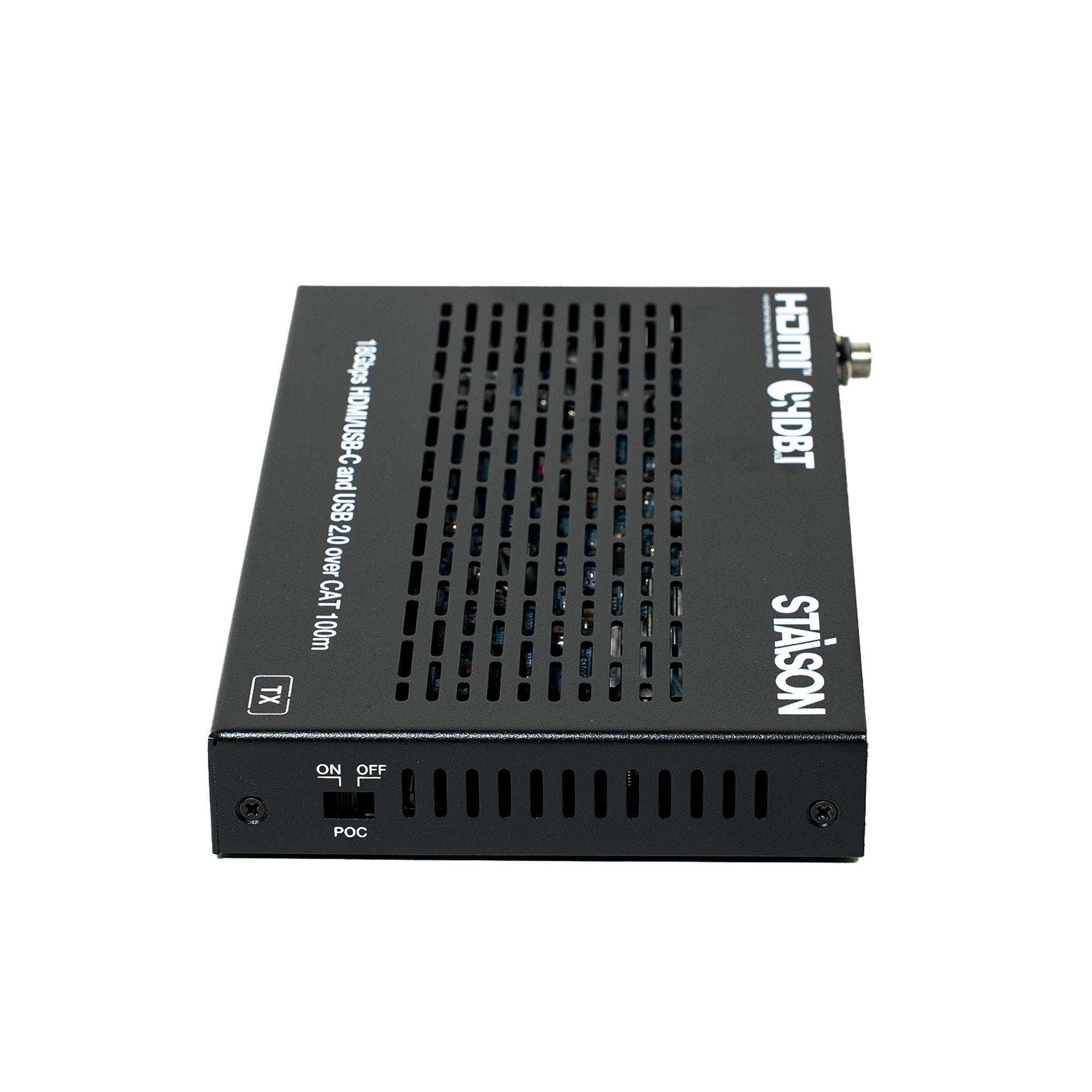
| 21 | مفتاح POC | استخدم المفتاح لتشغيل/إيقاف وظيفة POC. |
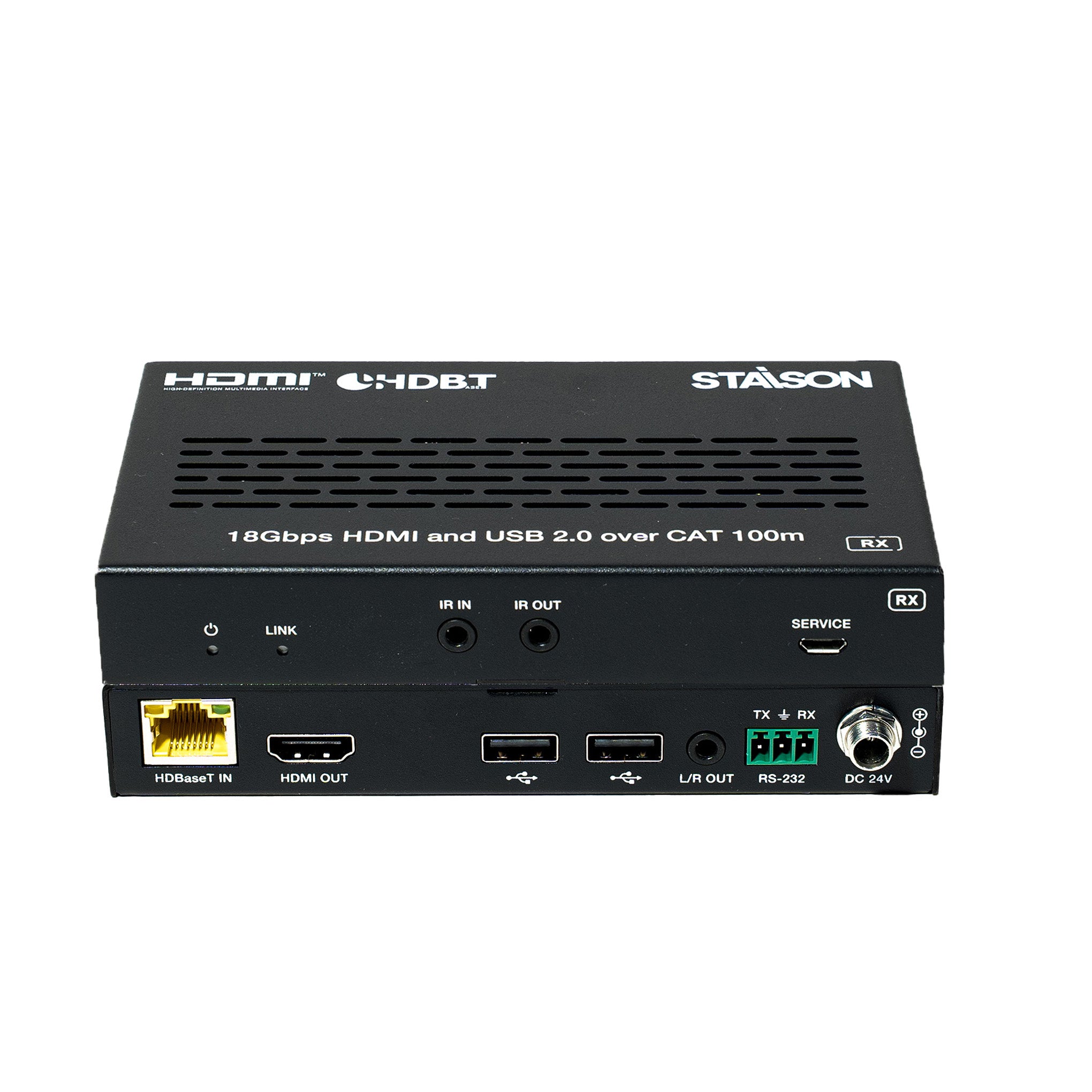
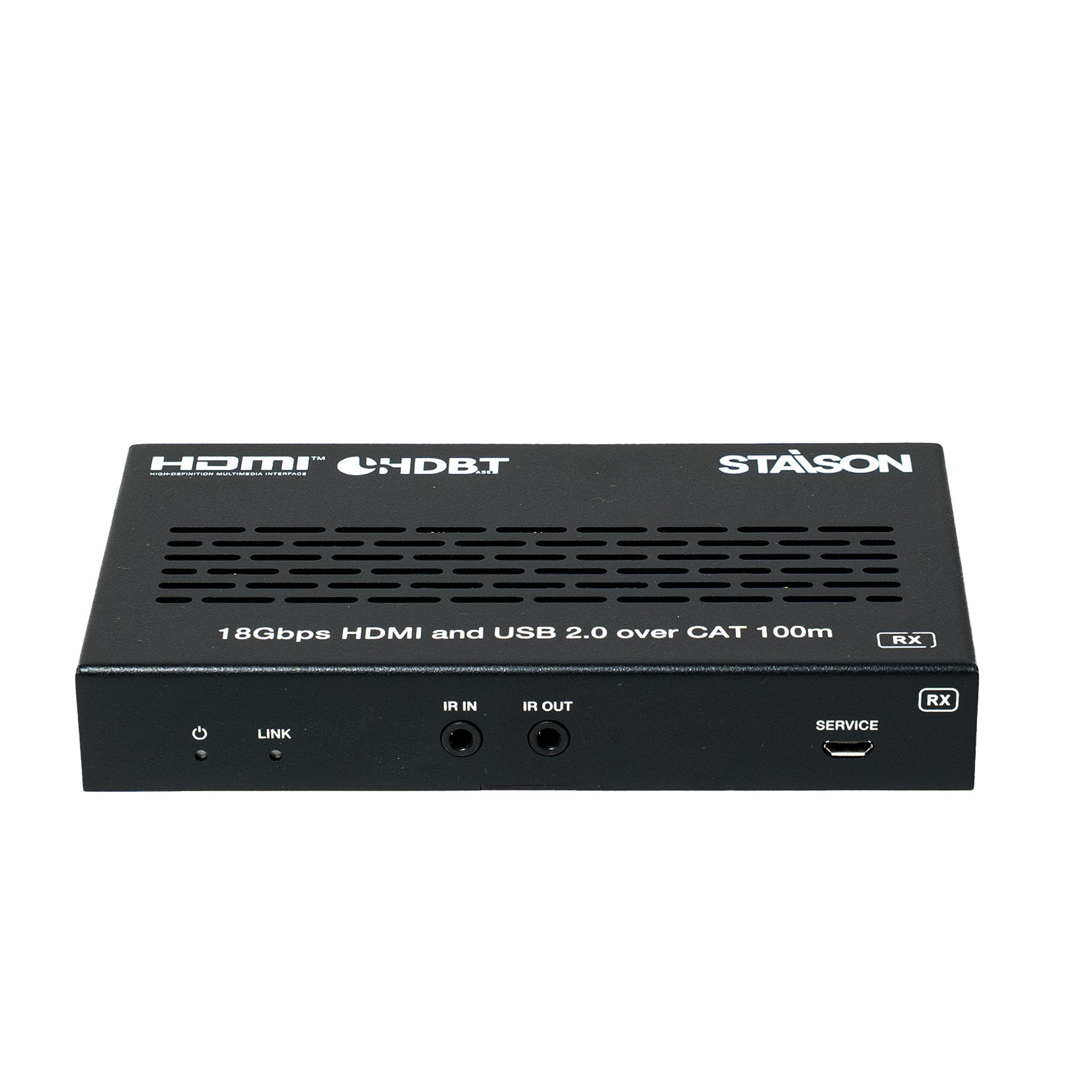
لوحة الاستقبال

| رقم | الاسم | وصف الوظيفة |
|---|---|---|
| 1 | مؤشر LED للطاقة | يضيء مؤشر LED الأحمر للإشارة إلى تشغيل جهاز الاستقبال. |
| 2 | مؤشر LED للحالة (أخضر) | مضيء: جهاز الإرسال والمستقبل متصلان بشكل جيد. وميض: جهاز الإرسال والمستقبل متصلان بشكل سيء. مطفأ: جهاز الإرسال والمستقبل غير متصلين. |
| 3 | مدخل IR | منفذ إدخال إشارة IR، متصل بكابل مستقبل IR. |
| 4 | مخرج IR | منفذ إخراج إشارة IR، متصل بكابل IR Blaster. |
| 5 | الخدمة | تحديث البرامج الثابتة ومنفذ التحكم بأوامر API. |
| 6 | مدخل HDBaseT | منفذ إدخال إشارة HDBaseT، متصل بمنفذ HDBaseT OUT لجهاز الإرسال بكابل CAT6A/7. يستخدم لتمرير إشارات مختلفة. |
| 7 | مؤشر إشارة البيانات (أصفر) | مضيء: إرسال إشارة الفيديو مع تشفير HDCP. وميض: إرسال إشارة الفيديو بدون تشفير HDCP. مطفأ: لا يوجد إرسال إشارة فيديو. |
| 8 | مؤشر إشارة الارتباط (أخضر) | مضيء: جهاز الإرسال والمستقبل متصلان بشكل جيد. وميض: جهاز الإرسال والمستقبل متصلان بشكل سيء. مطفأ: جهاز الإرسال والمستقبل غير متصلين. |
| 9 | مخرج HDMI | منفذ إخراج إشارة HDMI، متصل بجهاز عرض HDMI، مثل التلفزيون أو الشاشة. |
| 10 | منافذ جهاز USB | منفذي توسيع USB، متصلان بالماوس، لوحة المفاتيح، محرك أقراص USB محمول أو أجهزة USB أخرى، مع أقصى إمداد طاقة 1000 مللي أمبير. |
| 11 | مخرج L/R | منفذ إخراج الصوت التناظري، يستخدم لإخراج فك تضمين الصوت. |
| 12 | RS-232 | منفذ تسلسلي RS-232، يستخدم لتمرير أوامر RS-232 والتحكم بأوامر API. |
| 13 | تيار مستمر 24 فولت | منفذ إدخال مزود طاقة تيار مستمر 24 فولت. ملاحظة: تدعم الوصلة وظيفة POC - يمكن تشغيل جهاز الإرسال أو جهاز الاستقبال بواسطة محول 24 فولت؛ ولا تتطلب الوحدة الأخرى مزود طاقة منفصلاً. |
| 14 | مفتاح POC | استخدم المفتاح لتشغيل/إيقاف وظيفة POC. |
تم تصميم وصلة ST-NEHB100HCU HDBaseT لتوزيع HDMI/USB-C موثوق به في غرف الاجتماعات والفصول الدراسية وغرف التحكم.
تعريف طرف IR
تعريف طرفي مستقبل IR و Blaster كما يلي:

تُعد وصلة ST-NEHB100HCU HDBaseT مناسبة لغرف الاجتماعات والفصول الدراسية وغرف التحكم وأنظمة الصوت والفيديو التجارية.
مثال على التطبيق
