


Description
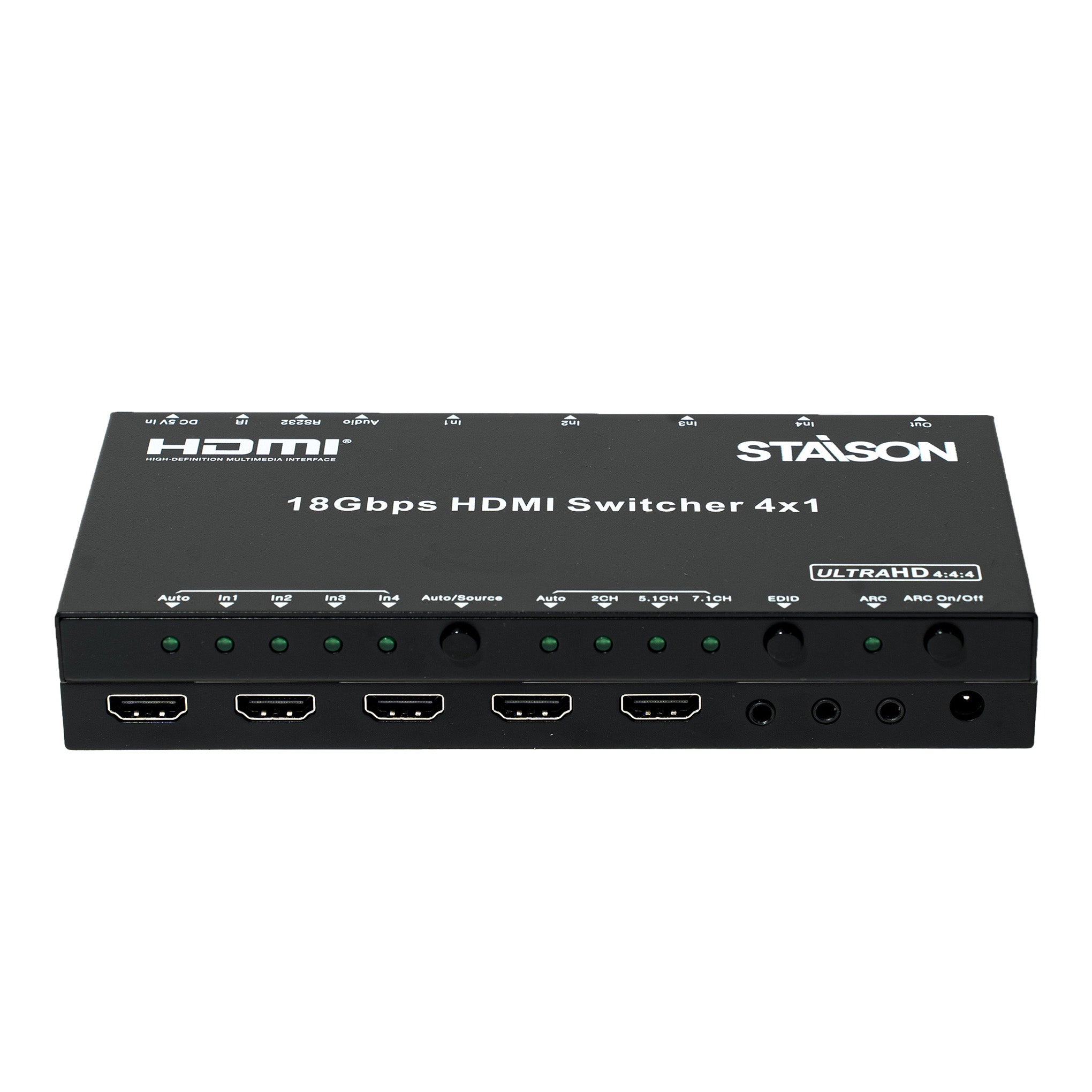
ST-NB41A HDMI Switcher هو محول HDMI احترافي 4K@60 4x1 يربط ما يصل إلى أربعة أجهزة مصدر HDMI بشاشة عرض واحدة. يدعم HDMI 2.0a، HDCP 2.2، HDR، ARC، إدارة EDID، استخراج الصوت الرقمي والتناظري، والتبديل السلس لتركيبات AV الاحترافية.
محول HDMI ST-NB41A مثالي لغرف المؤتمرات، الفصول الدراسية، المسارح المنزلية، اللافتات الرقمية وأنظمة AV التجارية.
الميزات
☆ متوافق مع معايير HDMI 2.0a و DVI 1.0
☆ متوافق مع HDCP 2.2 و HDCP 1.4
☆ تنسيقات الفيديو حتى 4K×2K@60Hz وجميع تنسيقات الفيديو ثلاثية الأبعاد لـ HDMI
☆ مخرج صوت رقمي وتناظري
☆ يدعم PCM، Dolby TrueHD و DTS-HD Master Audio حتى 7.1 قناة
☆ يدعم إدارة EDID الذكية (تلقائي / 2 قناة / 5.1 قناة / 7.1 قناة قابلة للاختيار)
☆ يدعم التبديل التلقائي لمنفذ الإدخال أو وضع التبديل اليدوي
☆ يدعم قناة إرجاع الصوت (ARC)
يدعم محول HDMI ST-NB41A HDMI 2.0a، HDCP 2.2، ARC، إدارة EDID، فيديو HDR واستخراج الصوت عالي الجودة.
محتويات العبوة
① 1x محول HDMI 4×1
② 1x محول طاقة 5V/1A
③ 1x كابل IR Rx بتردد 38 كيلو هرتز
④ 1x رأس محول بصري (لمخرج الصوت SPDIF)
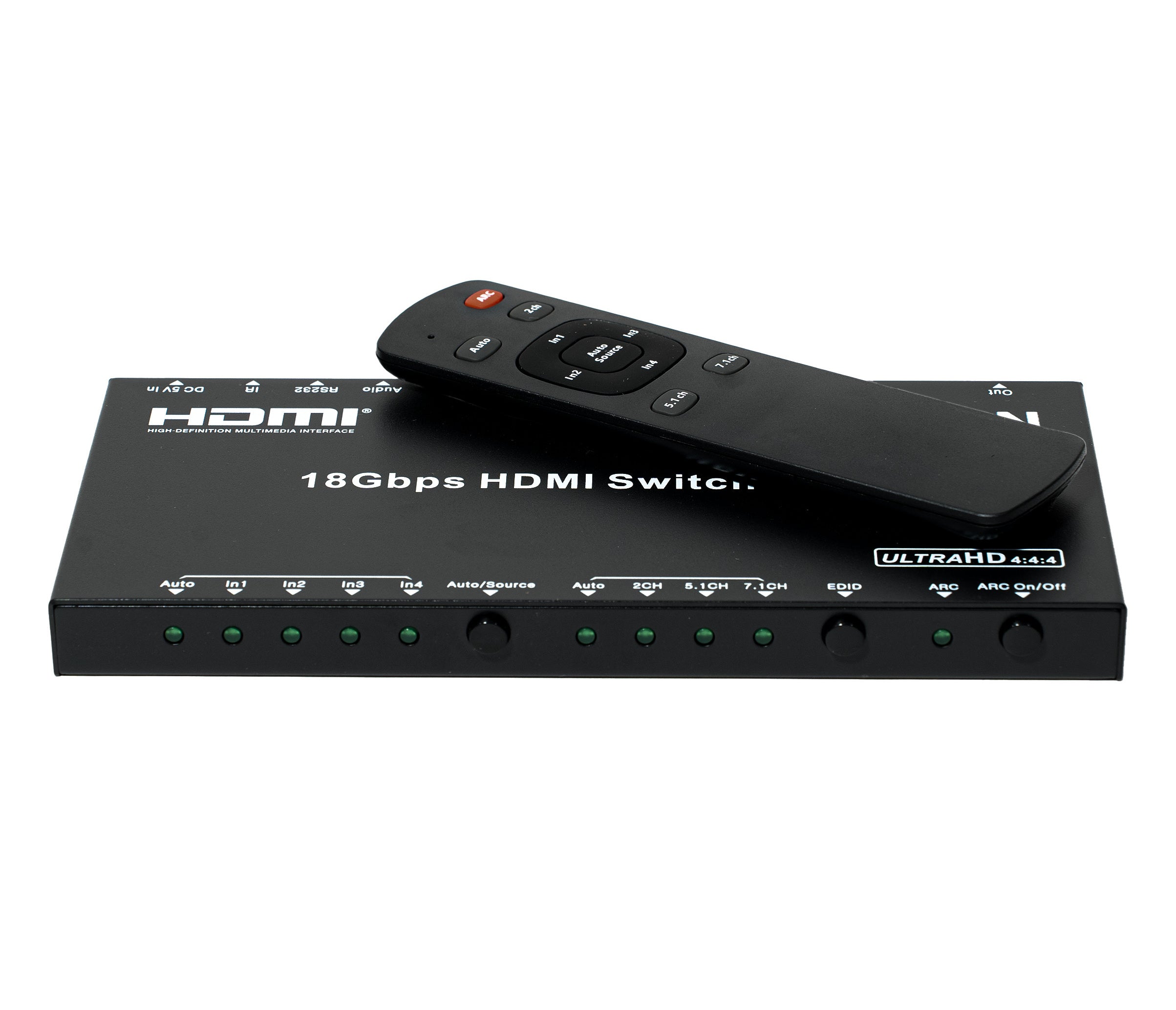
⑤ 1x جهاز تحكم عن بعد IR لمحول HDMI 4×1
⑥ 1x دليل التشغيل
المواصفات
| عرض النطاق الترددي | 18 جيجابت في الثانية |
| منافذ الإدخال | 4x منافذ HDMI أنثى، 1x منفذ استقبال IR، 1x منفذ RS232 |
| منفذ الإخراج | 1x منفذ HDMI أنثى، 1x منفذ L/R وبصري |
| مخرج صوت HDMI | PCM 2.1/5.1/7.1 قناة، Dolby 5.1، DTS 5.1، Dolby TrueHD، DTS-HD |
| حماية ESD | نموذج جسم الإنسان: ±8 كيلو فولت (تفريغ الهواء)، ±4 كيلو فولت (تفريغ التلامس) |
| الأبعاد | 180 ملم [العمق] × 85 ملم [العرض] × 11.6 ملم [الارتفاع] |
| الوزن | 300 جرام |
| استهلاك الطاقة (الحد الأقصى) | 2.5 وات |
| درجة حرارة التشغيل | 0 درجة مئوية ~ 40 درجة مئوية / 32 درجة فهرنهايت ~ 104 درجة فهرنهايت |
| درجة حرارة التخزين | -20 درجة مئوية ~ 60 درجة مئوية / -4 درجة فهرنهايت ~ 140 درجة فهرنهايت |
يوفر محول HDMI ST-NB41A تبديل HDMI بدقة 4K@60 موثوق به مع دعم لمصادر HDMI متعددة وشاشة HDMI واحدة.
ضوابط التشغيل والوظائف
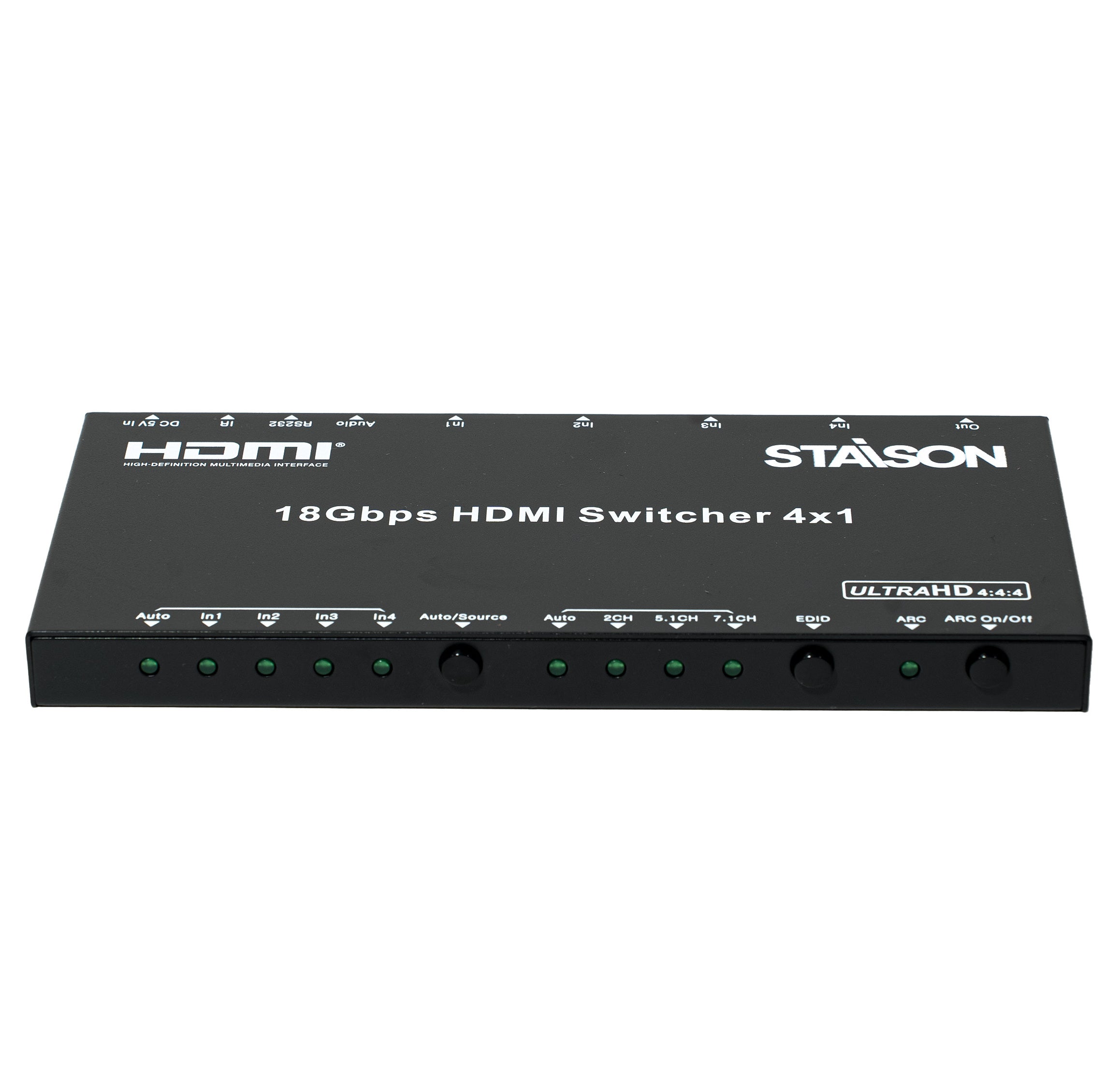
اللوحة الأمامية

| رقم | الاسم | وصف الوظيفة |
|---|---|---|
| 1 | مؤشرات LED للإدخال | سيضيء مؤشر LED للمنفذ المقابل عند تحديد منفذ الإدخال الخاص به. |
| 2 | زر التحديد التلقائي / اليدوي | اضغط مع الاستمرار لأكثر من ثانيتين للتبديل بين وضع التبديل التلقائي ووضع التبديل اليدوي. في وضع التبديل اليدوي، اضغط قصيرًا لتحديد منفذ الإدخال. |
| 3 | مؤشر LED لحالة EDID | مؤشر LED لحالة EDID. الوضع التلقائي يعني أن EDID للتلفزيون قيد الاستخدام. |
| 4 | زر تحديد EDID | اضغط للتنقل بين أوضاع EDID: تلقائي / 2 قناة / 5.1 قناة / 7.1 قناة. |
| 5 | مؤشر LED لحالة ARC | سيضيء مؤشر LED هذا إذا تم تمكين ARC بنجاح. |
| 6 | زر وظيفة ARC | اضغط لتمكين أو تعطيل وظيفة ARC. سيضيء مؤشر ARC LED على اللوحة الأمامية إذا تم تمكين ARC بنجاح. |
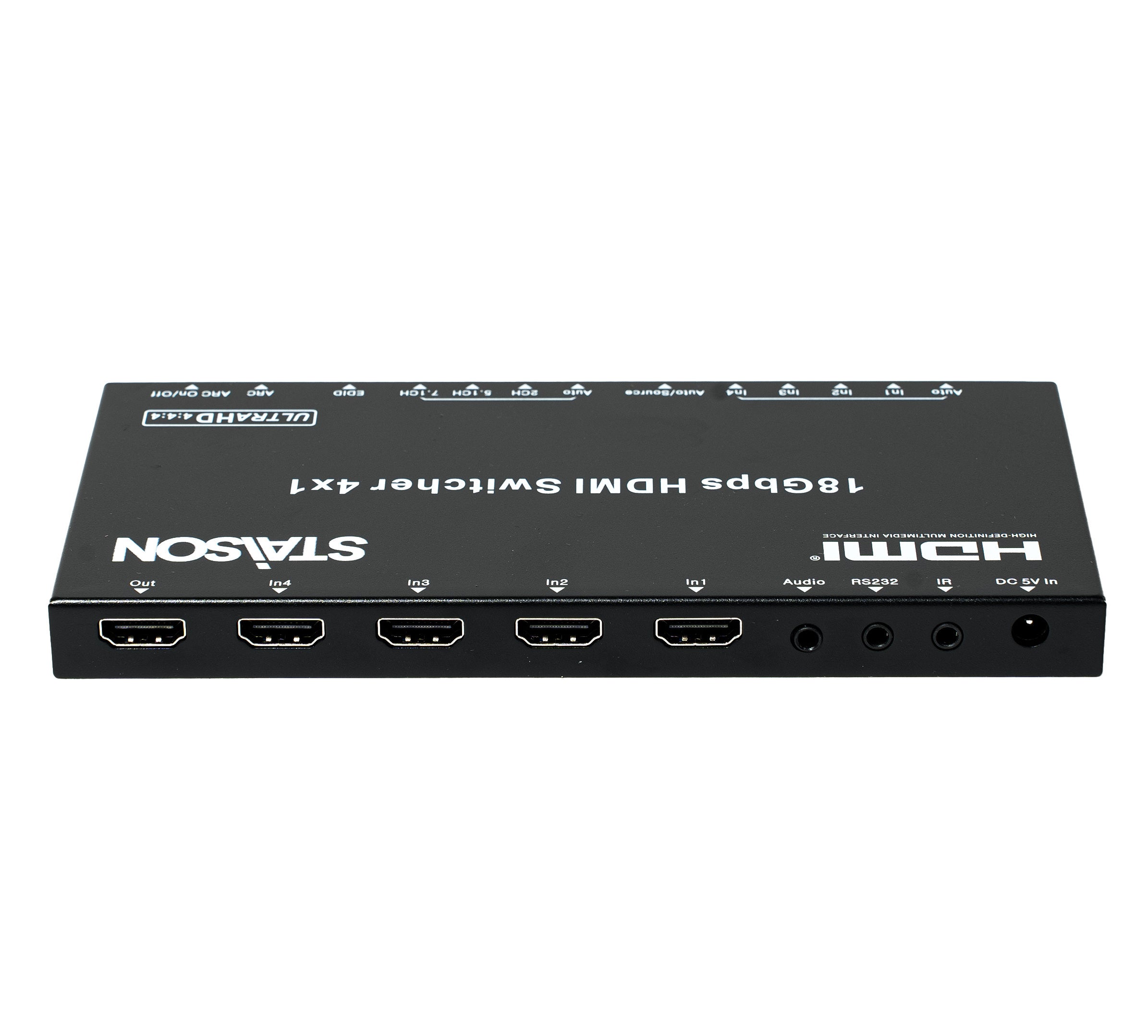
اللوحة الخلفية

| رقم | الاسم | وصف الوظيفة |
|---|---|---|
| 1 | منفذ إخراج HDMI | منفذ إخراج HDMI - يتصل بجهاز تلفزيون عالي الدقة (HDTV) أو شاشة باستخدام كابل HDMI. |
| 2 | منافذ إدخال HDMI (IN 1–4) | 4 منافذ إدخال HDMI - تتصل بجهاز DVD أو PS4 أو وحدة تحكم الألعاب أو الكمبيوتر المحمول أو جهاز فك التشفير باستخدام كابل HDMI. |
| 3 | مخرج الصوت (L/R & بصري) | منفذ إخراج الصوت بما في ذلك مخرج صوت ستريو تناظري L/R ومخرج صوت بصري (SPDIF). يتضمن رأس محول بصري لمخرج SPDIF. |
| 4 | منفذ RS232 | منفذ التحكم التسلسلي RS232. |
| 5 | منفذ استقبال الأشعة تحت الحمراء | قم بتوصيل كابل IR Rx المرفق بتردد 38 كيلو هرتز لاستقبال إشارات التحكم عن بعد بالأشعة تحت الحمراء. |
| 6 | منفذ إدخال تيار مستمر 5 فولت | قم بتوصيل محول الطاقة المرفق بقوة 5 فولت/1 أمبير لتشغيل الجهاز. |
جهاز التحكم عن بعد بالأشعة تحت الحمراء

| الزر | الوظيفة |
|---|---|
| ARC | اضغط لتمكين أو تعطيل وظيفة ARC. سيضيء مؤشر LED الخاص بـ ARC على اللوحة الأمامية إذا تم تمكين ARC بنجاح. |
| تلقائي (Auto) | اضغط للتبديل بين وضع التبديل التلقائي ووضع التبديل اليدوي. |
| 2.1 قناة | تحديد وضع صوت EDID 2.1 قناة؛ يضيء مؤشر LED المقابل. |
| 5.1 قناة | تحديد وضع صوت EDID 5.1 قناة؛ يضيء مؤشر LED المقابل. |
| 7.1 قناة | تحديد وضع صوت EDID 7.1 قناة؛ يضيء مؤشر LED المقابل. |
| تلقائي / مصدر | في وضع التبديل اليدوي، اضغط للتنقل بين منافذ الإدخال واختيارها. |
| إدخال 1 ~ إدخال 4 | تحديد مباشر لإدخال HDMI 1 أو 2 أو 3 أو 4. |
مثال للتطبيق
